What Is Website Accessibility Your Ultimate Business Guide

Website accessibility is all about making sure your website can be used by everyone, including people with disabilities. It’s about creating a level playing field online, ensuring that no one is excluded from accessing information or services because of a physical or cognitive ability. Think of it as building a truly inclusive digital experience.
Putting Web Accessibility Into Perspective
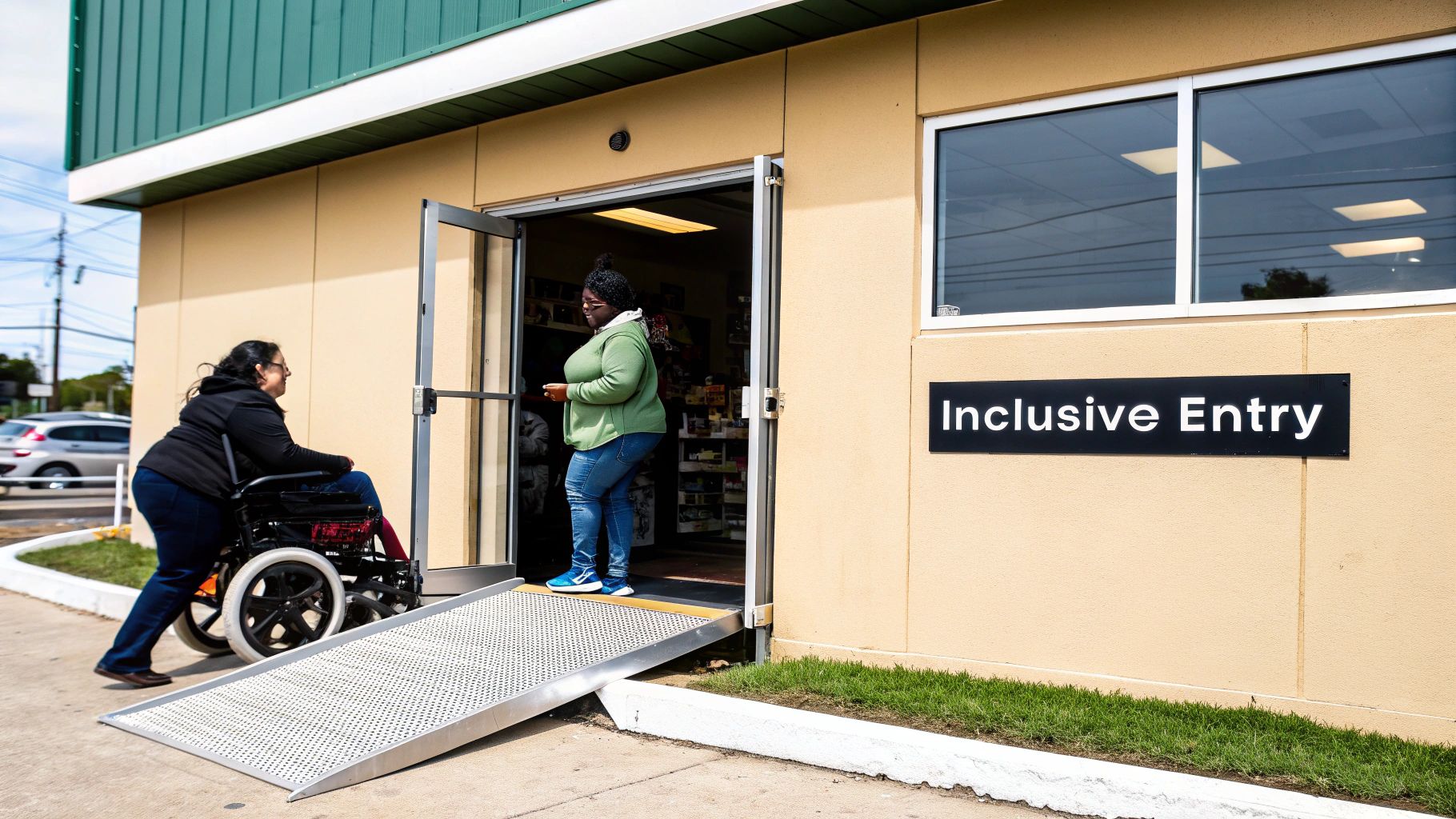
Let’s picture your website as a physical, high-street shop. A potential customer walks up, but they’re met with a steep flight of stairs, aisles too narrow to navigate, or price tags written in tiny, faint text they can’t make out. What happens? They leave, frustrated and unable to buy anything.
That’s exactly what an inaccessible website does every single day. Accessibility is about applying the same common-sense principles to your digital storefront. It’s the practice of building a website that absolutely everyone can use, regardless of their personal abilities.
More Than Just Code
At its heart, web accessibility isn't some complex, technical headache; it’s about people. It’s about making sure your online presence is just as welcoming as your physical one. You’d add a ramp for a wheelchair user or make your signs easy to read, right? Digital accessibility is simply about making those same thoughtful considerations for your online visitors.
This means designing for people who might have:
Visual impairments: Including blindness or low vision. These users often rely on screen reader software to navigate the web.
Hearing impairments: People who are deaf or hard of hearing need captions or transcripts for any audio or video content.
Motor impairments: This covers individuals who can’t use a traditional mouse and depend on keyboard navigation or other assistive gadgets.
Cognitive disabilities: Conditions like dyslexia or ADHD mean users benefit hugely from clear, simple layouts and predictable navigation.
When you prioritise accessibility, you're not just ticking a compliance box. You are actively choosing to open your doors to a much wider audience. It’s a core part of great customer service that leads directly to business growth and a stellar brand reputation.
The Digital Kerb-Cut Effect
You know those dropped kerbs on every pavement? They were originally designed for wheelchair users, but who else uses them? Parents with prams, travellers dragging suitcases, and cyclists. This is the "kerb-cut effect"—where a feature designed for one group with a specific need ends up making life easier for everyone.
The very same thing happens with your website. An accessible site with clear navigation, readable fonts, and captioned videos doesn't just help users with disabilities; it creates a better, more intuitive experience for all your visitors. It even makes your site easier for search engines like Google to understand, which can give your rankings a nice boost. Plus, it future-proofs your business, helping you meet evolving legal standards while building a fiercely loyal customer base.
Ready to find out if your website is truly open for business? Let's dig into why making your site accessible is one of the smartest moves you can make.
Take the first step towards an inclusive website. Contact Baslon Digital for a professional accessibility audit and discover how you can welcome more customers.
The Undeniable Business Case For Accessibility
Let's get one thing straight: website accessibility isn't some fluffy 'nice-to-have' feature. It's a core business driver, a non-negotiable strategy that delivers some seriously powerful returns. An accessible website isn't just about ticking a social responsibility box; it's a direct path to growing your market, protecting your business from legal headaches, and getting more eyes on your brand.
When you start thinking this way, the whole conversation shifts. It’s no longer a cost—it’s one of the smartest investments you can make.
Let’s break down the three massive reasons why website accessibility is a commercial must.
Tap Into a Massive Commercial Opportunity
Right off the bat, the most obvious benefit is connecting with a huge, and frankly, ignored, slice of the market. Prioritising inclusion isn’t just good ethics; it’s fantastic business sense that goes straight to your bottom line.
In the UK alone, a staggering 16.1 million people—that’s roughly 1 in 4 of us—live with a disability. This group holds some serious economic power, known as the 'Purple Pound,' valued at an estimated £274 billion every year. Yet, most websites might as well have a "Closed" sign hanging on their digital door.
Think about this: when inaccessible websites force 70% of disabled online shoppers to abandon their carts, it’s painfully clear that businesses are leaving an incredible amount of money on the table. It’s like turning away paying customers for no good reason.
An accessible site doesn't just welcome new customers; it creates fiercely loyal ones. When someone has a smooth, positive experience, they’re far more likely to come back and tell their friends about you. This translates directly into more sales, better conversion rates, and a stronger brand that people actually want to support.
Understand the UK Legal Landscape
Beyond the pound signs, there are critical legal reasons to get this right. In the UK, the main piece of legislation is the Equality Act 2010, which protects people from discrimination. The act requires businesses to make "reasonable adjustments" to ensure their services—including their websites—are accessible to disabled people.
While the Act doesn't give you a technical checklist, legal cases have already shown that having an inaccessible website can be seen as a form of discrimination. This leaves non-compliant businesses wide open to legal action, which is not only expensive but can seriously damage your reputation.
And there’s more. The upcoming European Accessibility Act (EAA) is set to become UK law, with enforcement kicking off in mid-2025. This new law mandates that many services, especially e-commerce sites, must meet specific accessibility standards. Non-compliance could lead to hefty fines, making it essential to get ahead of the curve. To really grasp the benefits and legal must-dos, it's worth exploring the importance of ADA compliance for your website.
Supercharge Your SEO Performance
Finally, there’s a powerful, and often overlooked, bonus: the link between accessibility and search engine optimisation (SEO) is huge. The very same things you do to make your site accessible are exactly what search engines like Google are looking for when they rank websites. Google's goal, after all, is to give users the best, most relevant, and easiest-to-use content.
Accessibility best practices are a natural fit for this.
Alt Text on Images: Describing your images for screen readers also tells search engines what they're about. Boom—better image search ranking.
Logical Heading Structure: Using H1, H2, and H3 tags correctly not only helps users with assistive tech navigate your content but also gives search engines a clear map of your page's topics.
Clean, Semantic Code: A well-structured website is easier for both screen readers and search engine crawlers to understand. Better understanding means better indexing.
Descriptive Link Text: Clear link text like "Read our pricing guide" instead of "Click here" helps everyone know where they're going, improving user experience and giving search engines valuable context.
By focusing on accessibility, you’re automatically building a better-structured, more user-friendly website. This leads to people staying on your site longer, lower bounce rates, and ultimately, higher rankings in search results. The result? More free, organic traffic coming your way.
Ready to turn these benefits into reality for your business? Let's discuss how a fully accessible website can unlock new growth opportunities. Schedule a free consultation with Baslon Digital today.
Making Sense Of The WCAG Framework
Navigating the world of website accessibility can feel like trying to learn a new language, especially with acronyms like WCAG popping up everywhere. But don't worry, it's not as scary as it sounds.
The Web Content Accessibility Guidelines (WCAG) are simply the international gold standard for making the web usable for everyone. Think of them less like a strict, technical rulebook and more like a helpful recipe for building a better, more inclusive website.
These guidelines are put together by the World Wide Web Consortium (W3C)—the main international standards body for the internet. Their mission is to create a single, shared standard that works for individuals, businesses, and governments worldwide. Getting to grips with WCAG is the key to understanding what website accessibility actually is in practice.
The infographic below neatly ties together the commercial, legal, and SEO benefits we've been talking about, showing why adopting these standards is a no-brainer.
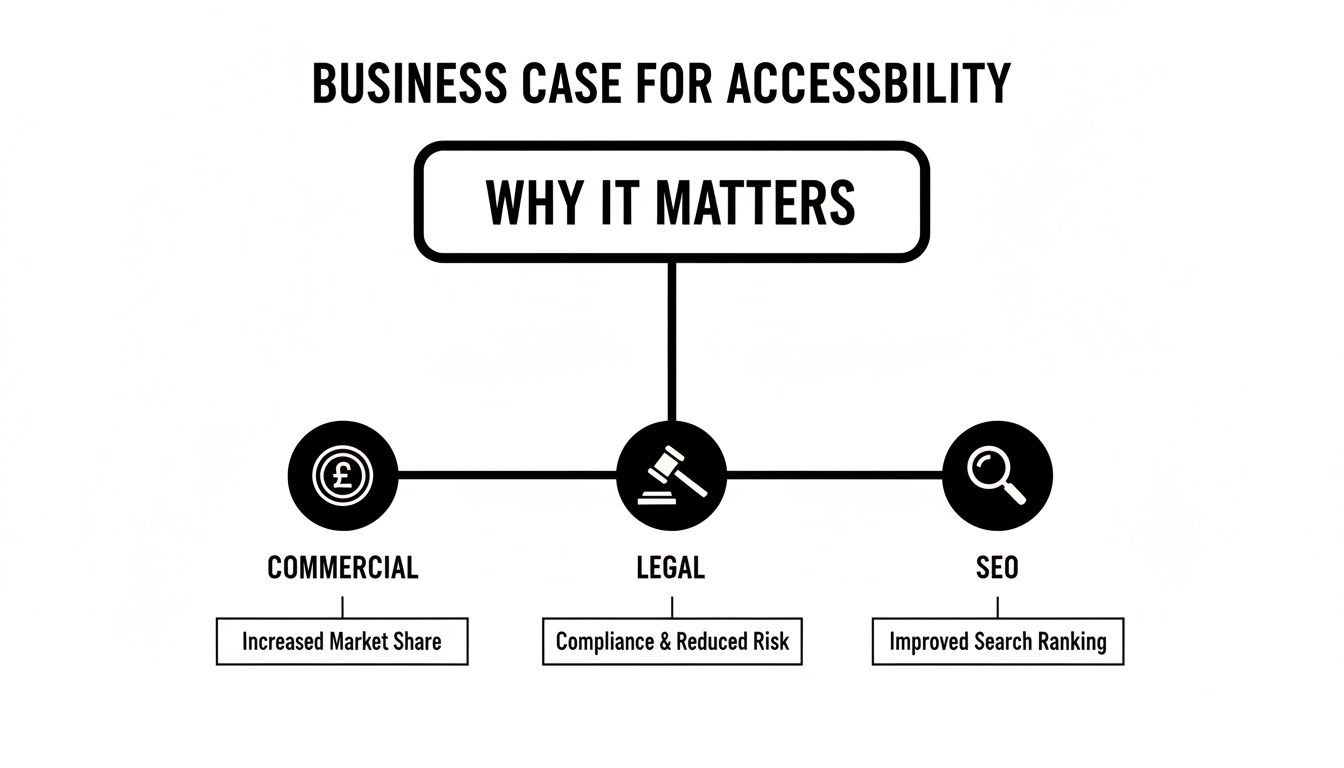
As you can see, it's all connected. Legal compliance opens up new commercial opportunities, and many of the best SEO improvements come directly from making your site more accessible.
The Three Levels Of Conformance
To make things easier, WCAG breaks down its criteria into three levels of conformance. Think of them like tiers of achievement, with each level building on the one before it.
It can be tricky to know which level you should be aiming for. This quick table breaks down what each one means for a small business.
WCAG Conformance Levels At A Glance
Level | What It Means | Who It's For |
|---|---|---|
A | The absolute basics. Removes the most severe barriers for users with disabilities. | A starting point, but usually not enough to meet legal requirements. |
AA | The industry standard. Addresses the most common and significant barriers to access. | This is the target for most businesses. It's the accepted benchmark for legal compliance in the UK and internationally. |
AAA | The "gold standard." Provides the highest level of accessibility. | Primarily for specialised services and government bodies focused specifically on disability access. Not always achievable for all content. |
As you can see, Level AA is the sweet spot. It ensures you're meeting your legal duties while providing a genuinely great experience for the vast majority of users with disabilities. It’s the most practical and effective goal for a small business.
Meet The Four Pillars Of WCAG: POUR
To stop the guidelines from feeling like a giant, intimidating checklist, they’re built on four core principles. Everything falls under one of these pillars, which are easy to remember with the acronym POUR.
1. Perceivable
This one is all about making sure users can actually perceive the information on your site. Nothing can be invisible to their senses. For a website, this means:
Providing alt text for images so screen readers can describe them out loud.
Adding captions and transcripts for videos and audio clips.
Ensuring good colour contrast so text is easy to read for people with low vision.
2. Operable
An operable website means users can interact with and navigate all of its features. It can't have dead ends or functions that only work with a mouse. Think about it this way:
Can someone navigate your entire site using only a keyboard?
Have you avoided rapidly flashing animations that could cause seizures?
Do users have enough time to read and interact with your content without being timed out?
3. Understandable
This pillar focuses on clarity. Your information and how your website works must be easy to comprehend. It’s about creating a predictable experience that doesn't leave visitors confused or frustrated. This includes:
Using clear, simple language and avoiding unnecessary jargon.
Creating a consistent and predictable navigation menu.
Making sure forms have clear labels and helpful error messages if someone makes a mistake.
4. Robust
Finally, your website needs to be robust enough to work reliably with a wide variety of tools, including assistive technologies like screen readers. This is all about using clean, standard code. A robust site won’t break when a new browser or device comes along—it’s built on a solid foundation.
By keeping these four POUR principles in mind, you can turn WCAG from a dry technical document into a practical toolkit for creating a genuinely welcoming online space.
Identifying Common Accessibility Roadblocks
Knowing the theory behind accessibility is one thing, but seeing how things fall apart in the real world is what makes it all click. The biggest barriers aren’t usually complicated technical mistakes. They’re often simple, unintentional design choices that slam the door on potential customers.
These roadblocks can turn a definite sale into a moment of pure frustration, forcing someone to give up and take their business to a competitor. For many small businesses, these problems are hiding in plain sight. Let’s shine a light on the most common accessibility tripwires and see who they really affect.
1 Low Contrast Text
Ever tried reading light grey text on a slightly-less-light-grey background? It’s a pain for anyone, but for people with visual impairments like low vision or colour blindness, it can make your content completely invisible.
This is probably one of the most common accessibility fails out there, but luckily, it’s also one of the easiest to fix. Good contrast makes sure your message is loud and clear for everyone, reducing eye strain and just making for a much better experience all around. It's just plain good design.
2 Missing Alternative Text On Images
When someone who is blind or has low vision visits your website, they’ll likely use a screen reader. This clever piece of software reads the page's content out loud—text, links, buttons, the lot. But what happens when it hits an image?
If that image doesn’t have alternative text (alt text), the screen reader has nothing to say. It might just announce "image" or read out a random file name, leaving the user completely clueless. Alt text is just a short, descriptive sentence tucked into the code that tells the user—and search engines—exactly what the image is all about.
For instance, for a photo of your newest product, a good alt text would be, "A red leather dog collar with a silver buckle," not "IMG_2451.jpg."
Think of it this way: launching a sleek new online store only to realise that many potential customers with disabilities can't properly navigate it is a massive missed opportunity. In fact, one report found that a shocking 84% of top UK retail websites had critical accessibility issues, with missing alt text and low contrast being major culprits. You can read the full research about these accessibility findings to see just how widespread the problem is.
3 Unintuitive Keyboard Navigation
Not everyone uses a mouse to get around the web. Many people with motor disabilities, not to mention keyboard power users, rely entirely on the 'Tab' key to jump between links, buttons, and forms.
If your website isn't built to handle keyboard-only navigation, it can be an incredibly frustrating, dead-end experience. Users might get "trapped" in one part of the page, unable to move forwards or backwards. Even worse, the focus indicator—that little outline showing which element is selected—might be invisible, leaving them guessing where they are.
4 Videos Without Controls Or Captions
Video is a brilliant marketing tool, but it can create huge barriers if you're not careful. A video that auto-plays with sound can be jarring for anyone, but for a screen reader user, the sudden noise can completely drown out the software they depend on.
Just as important are captions. For users who are deaf or hard of hearing, a video without captions is just a silent movie with no context. Providing clear, synchronised captions ensures your message actually reaches everyone, regardless of their hearing ability.
These are just a handful of the common roadblocks that stop people from properly engaging with your website. Fixing them doesn't just help you tick an accessibility box; it creates a more welcoming and professional experience for every single visitor. If you're concerned about text legibility, you should also explore our guide on choosing easy-to-read fonts for your website.
Feeling overwhelmed by these potential roadblocks? We can help you identify and fix them. Get in touch with Baslon Digital for a comprehensive website audit.
Your Actionable Wix Accessibility Checklist
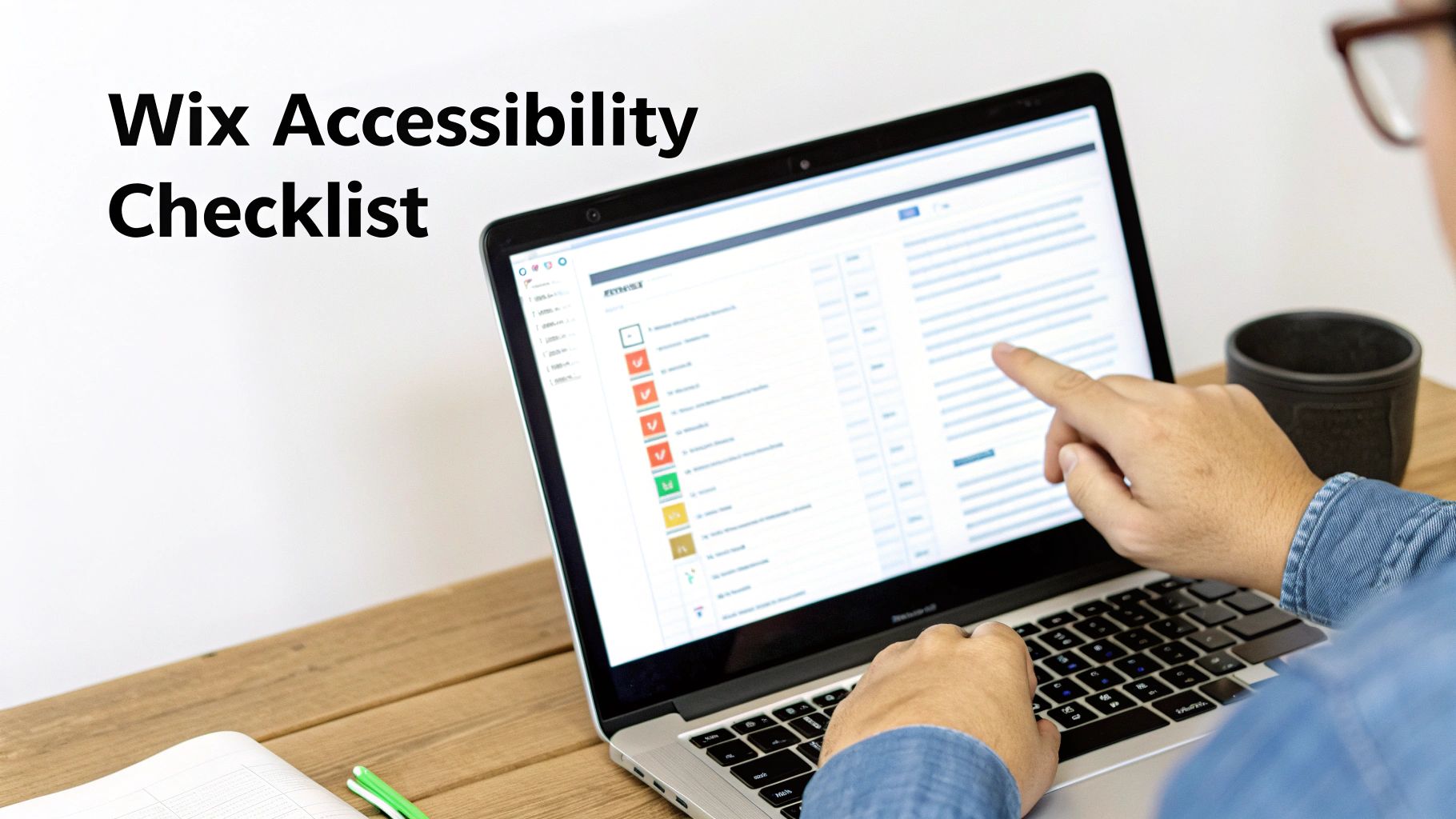
Theory is one thing, but making a real difference comes from taking action. This isn't just another generic list; it's a practical checklist designed specifically for small business owners using Wix. You can use these steps right now to run a quick mini-audit and start making meaningful improvements today.
Wix has actually invested a lot into tools that help you build an inclusive site, and honestly, knowing where to find them is half the battle. Let's walk through the key actions that will have the biggest impact.
1. Fire Up The Wix Accessibility Wizard
First things first: use the tool Wix literally built for this. The Accessibility Wizard is a built-in feature that scans your entire site and spits out a personalised, step-by-step plan to fix common accessibility problems.
The Wizard guides you through fixing things like dodgy colour contrast, missing alt text, and wonky heading structures. It's a fantastic starting point that takes a ton of the guesswork out of the process.
To find it, just go to your Wix Editor, look for Settings in the top menu, and then select Accessibility Wizard. The system takes over from there, walking you through each fix. Simple.
2. Craft Meaningful Alt Text For Every Single Image
Like we've talked about, alt text is a lifeline for visitors using screen readers. Every image on your site that isn't purely decorative needs a short, descriptive sentence explaining what it is. This is dead easy to do in the Wix Editor.
Click on the image you want to edit.
Select the Settings icon (it looks like a little cog).
Scroll down to the field labelled 'What's in the image? Tell Google'.
Write a clear, concise description. For example, instead of "photo," try "Happy customer smiling while using our new moisturiser."
A recent UK survey shows just how crucial this is. A staggering 90% of consumers with disabilities say pre-visit accessibility details are 'important' or 'extremely important,' and 87% expect websites to provide clear guides and photos. For the 16 million disabled people in the UK, ignoring these details means you're basically telling them their business isn't welcome. You can find more of these insights over at AccessAble.co.uk.
3. Structure Your Content With Logical Headings
Headings (H1, H2, H3, etc.) are the roadmap for your content. They let screen reader users scan a page and jump to the section they need, just like a sighted person would scan headlines. It's also a massive plus for your SEO.
Make sure you're using them in a logical order:
H1: This is for your main page title only. You should only ever have one H1 per page.
H2: Use these for the main sections of your content.
H3: Use these for sub-sections that live inside your H2 sections.
To change heading tags in Wix, just highlight the text in your editor. A text toolbar will pop up where you can pick the right heading level from the dropdown.
4. Test Your Keyboard-Only Navigation
Can someone get around your entire website without ever touching a mouse? This is a fundamental test. Put your mouse aside and try to navigate your site using only these keys:
Tab Key: Moves you forward through links, buttons, and form fields.
Shift + Tab: Moves you backwards.
Enter Key: "Clicks" whatever you've landed on.
As you tab around, ask yourself: Can I actually see where I am at all times (is there a visible outline around the element)? Can I get to the main menu and all its sub-items? Can I use every form and click every button? If you get stuck anywhere, you've found an accessibility barrier that needs fixing.
5. Write Clear and Descriptive Link Text
Finally, make sure your links make sense on their own. Vague phrases like "Click Here" or "Learn More" are a nightmare for screen reader users, who often browse by jumping from link to link.
Instead, your link text should clearly say where it's going.
Avoid: "To see our services, click here."
Use: "You can view our full range of design services."
This tiny change makes for a much better user experience and gives search engines valuable context, too. For a more detailed look at improving your site's overall structure, check out our guide on the top 10 website audit checklist for Wix sites in 2025.
Ready to make sure your website is truly open for business? Contact Baslon Digital today for a professional accessibility audit and let's build a website that welcomes every single customer.
Build An Inclusive Website That Grows Your Business
We’ve covered a lot of ground in this guide, moving from the big ideas behind website accessibility to the practical steps you can take today. Hopefully, you now see it for what it is: not just a technical box to tick, but one of the smartest investments you can make for your business. An inclusive website is simply a more successful one.
Getting this right unlocks some serious benefits. You’re not just complying with standards like the Equality Act 2010; you’re opening your doors to a massive new market, building a rock-solid brand reputation, and future-proofing your business. Even better, the very same things that make a site accessible—like clear structure and descriptive text—also give your SEO a massive boost.
From Checklist To Action
That checklist we walked through? Think of it as your launchpad. It’s your first step towards making a real, positive change for your visitors. Every little action, from firing up the Wix Accessibility Wizard to writing proper alt text for your images, genuinely makes a difference.
But while those foundational steps are crucial, getting to 100% compliance and creating a truly seamless experience often needs a trained eye. To build a site that truly works for everyone, you need to embrace human-centered design principles. This just means putting the diverse needs of real people at the heart of every decision you make.
Building an accessible website is a direct investment in a superior user experience. When every visitor can navigate your site with ease and dignity, you build trust, foster loyalty, and ultimately, grow a stronger business that truly serves its community.
At the end of the day, an accessible site is just a better site. It’s faster, less confusing, and more intuitive for every single person who lands on it. If you want to dive deeper into this, we have a whole article that explains how to improve website user experience with more practical tips.
Ready to build a beautiful, high-performing, and fully accessible Wix website that welcomes every single potential customer?
Contact Baslon Digital today for a professional accessibility audit. Let's find out how we can help your business connect with a wider audience and truly thrive online.
A Few Web Accessibility Questions You’re Probably Asking
Alright, so you're getting the hang of this whole accessibility thing, but a few questions are probably still bouncing around in your head. Let's tackle the common ones head-on so you can move forward without any lingering doubts.
Does An Accessible Website Have To Look Boring?
Nope! Absolutely not. This is one of the biggest myths out there, and it’s time we put it to rest. Great design and accessibility aren't enemies—they're best friends.
A skilled designer knows how to blend accessibility essentials, like strong colour contrast and clean layouts, into a website that’s both gorgeous and functional. Honestly, accessible design often leads to a cleaner, more user-friendly experience for everyone. It's not about ditching creativity; it's about making smart, inclusive choices.
How Much Will It Cost To Make My Website Accessible?
The honest-to-goodness answer? It depends. The cost really hinges on your website's size, complexity, and how it was built in the first place. But here's the one thing that's a dead cert: it is always cheaper to build accessibility in from the start than to bolt it on later.
Think of it like building a house. It's much easier to include a ramp in the initial blueprints than to rip out the front steps and add one after the fact. For a new site, accessibility should be non-negotiable from day one. For an existing one, an audit will tell you what's needed. But don't see it as a cost—see it as an investment that opens your doors to a market worth billions.
Is The Wix Platform Good For Website Accessibility?
Yes, Wix has seriously upped its game and gives you a fantastic starting point for building an accessible website. Its built-in tools, like the Accessibility Wizard, are brilliant for guiding you through the basics of alt text, heading structures, and other key elements.
But a platform is only as good as the person behind the controls. Just having the tools doesn't guarantee you'll meet the WCAG AA standard. To get it right, you really need someone who lives and breathes accessibility to make sure your site isn't just checking boxes, but is genuinely easy for all your visitors to use.
Ready to ensure your Wix website welcomes every single potential customer? Baslon Digital specialises in creating beautiful, high-performing, and fully accessible websites that drive business growth.
Book a free consultation today and let's build an inclusive online presence together.
Comments