How to Write Meta Descriptions That Boost SEO

Updated: Dec 22, 2025
To write a meta description, you’ve got to craft a short, punchy summary of your page’s content, aiming for around 155 characters. Think of it as your one and only sales pitch on the search results page. The goal? Persuade a real person to click your link by including your main keyword, using an active voice, and shouting about a clear benefit.
It’s less about directly boosting your rank and all about winning that click.
Why Your Meta Descriptions Still Matter for SEO
Let's be honest, you've probably heard that meta descriptions aren't a direct ranking factor. While that’s technically true, it's only half the story.
Your meta description is your golden opportunity to convince someone your link is the best one on the page. A compelling description can seriously boost your click-through rate (CTR), and a high CTR is a user engagement signal that Google definitely pays attention to. It suggests your page is a popular and relevant answer, which can indirectly nudge your rankings up over time.
The Challenge of Google Rewrites
Okay, here’s one of the most frustrating parts of the job: Google doesn't always use the meta description you spent ages perfecting. In fact, Google’s habit of rewriting them is a real strategic headache for UK website owners.
Recent data shows that Google rewrites meta descriptions in about 63% of search results, choosing instead to pull snippets from your page content that it thinks are a better match for the search.
But that doesn’t mean you should give up. A well-written, genuinely relevant meta description massively increases the chances of Google actually using it. This gives you way more control over that all-important first impression.
Gaining Control Over Your Snippet
So, how do you write meta descriptions that stick?
The secret is to make sure your description perfectly matches both the user's search intent and the actual content on the page.
And if you’re just getting started with all this, our articles on search engine optimisation for beginners will give you a solid foundation.
Ready to take back control of your search snippets and start pulling in more qualified traffic? Let’s dive into how to write descriptions that actually get results.
The Anatomy of a High-Performing Meta Description
Figuring out how to write a meta description that actually works can feel like trying to solve one of those fiddly puzzles. You’ve got a tiny amount of space, a big goal, and a SERP full of competitors all vying for the same click.
But here’s the thing: a high-performing description isn’t magic. It’s a carefully measured mix of three core ingredients: the right length, clever keyword use, and copy that genuinely persuades someone to click. Get this combination right, and you’ll turn a passive searcher into an active visitor on your site.
Nailing these elements is your ticket to a better click-through rate and, crucially, less chance of Google deciding to rewrite your hard work for you. This visual guide breaks down how each piece slots into place.
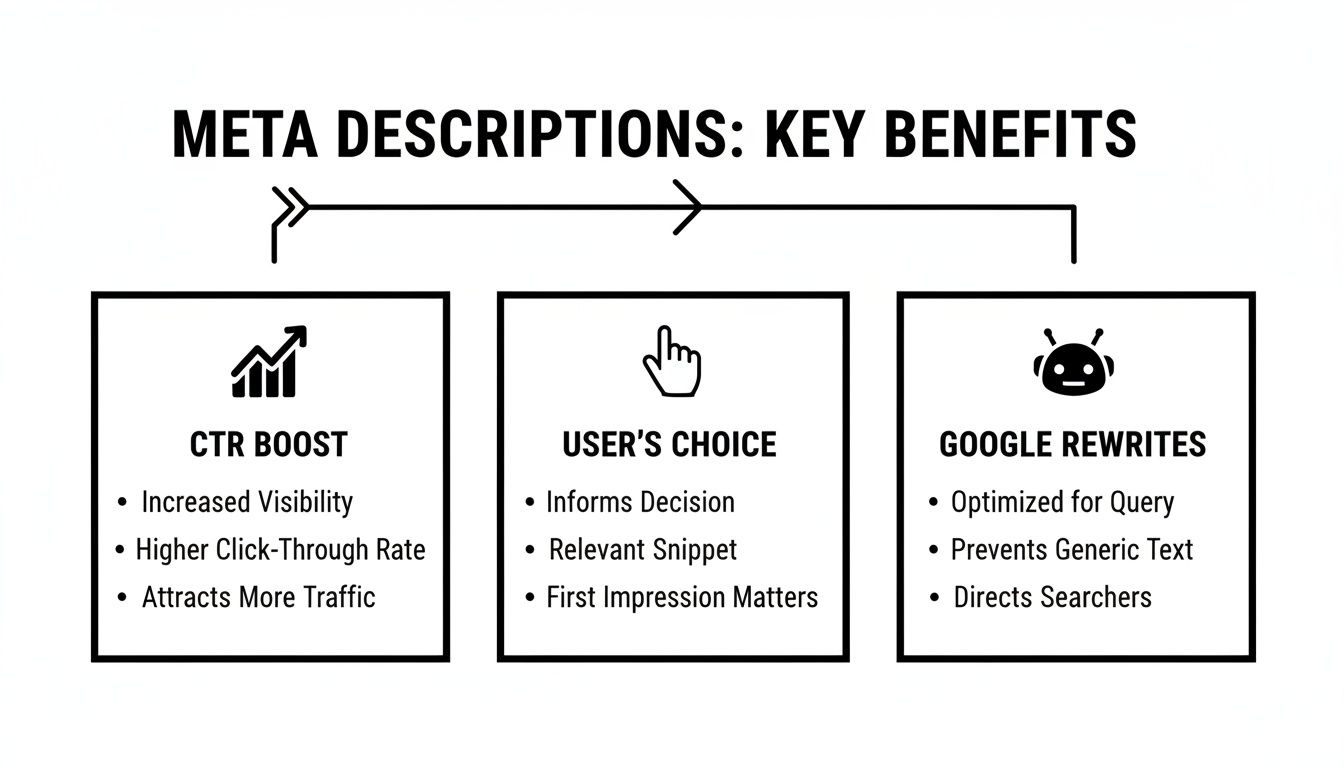
As you can see, a strong description doesn't just nudge your click-through rate upwards; it gives you back control over how your brand appears on the search results page.
Nail the Optimal Length
Let's get the technical bit out of the way first, because it's the most critical. If your meta description is too long, Google will chop it off with an unceremonious ellipsis (...). This not only looks a bit amateur but can completely wreck your message by hiding the main benefit or your call to action.
In the UK, the sweet spot for 2025 is hovering between 150-160 characters. But it's not just about characters anymore; it's about pixels. The precise limit is 920 pixels, which usually works out to about 158 characters on a desktop. On mobile, though? That shrinks to around 120 characters.
To play it safe, always front-load your most important info. Get your main keyword and your biggest selling point in right at the start, ideally within those first 120 characters, to make sure it’s seen on any device.
Weave in Keywords Naturally
Your primary keyword absolutely, positively must be in your meta description. No excuses. When someone searches for that phrase, Google bolds it in the results, making your snippet pop off the page. It’s a powerful visual cue that tells the searcher, "Hey, this page is exactly what you're looking for!"
However—and this is a big however—don't just crowbar it in there. Awkward keyword stuffing is a massive turn-off for both users and search engines. Your goal is to slide it into a natural, helpful sentence that reads like it was written for a human, not a robot.
Pro Tip: Try to get your primary keyword as close to the beginning of the sentence as possible. This helps it catch the eye immediately and ensures it’s visible even if the text gets truncated.
For a deeper dive into the nuts and bolts of meta descriptions, this comprehensive meta description guide is an excellent resource.
Write Compelling, Action-Oriented Copy
Okay, this is where the real magic happens. This is your chance to turn a boring little summary into a powerful, miniature sales pitch. Your copy needs to connect with what the user is looking for and clearly spell out the value they’ll get by clicking your link.
Here’s how you do it:
Use an Active Voice: Ditch passive language. Start your sentences with strong, punchy verbs. Instead of saying, "Information about X can be found here," try "Discover how to..." or "Get your free template now." It creates a sense of urgency and puts the reader in control.
Focus on the Benefit: Don't just describe what's on the page; explain what problem it solves. What's in it for them? For a product, it could be "Enjoy free UK delivery." For a blog post, it might be "Learn the five simple steps to triple your traffic."
Spark Curiosity: Ask a question or hint at a solution without giving the whole game away. Phrases like "Struggling with low engagement?" or "Find the secret to..." are brilliant for making people feel like they need to click to find out more.
Meta Description Blueprint Do's and Don'ts
To pull it all together, here’s a quick reference table to keep you on the straight and narrow. Think of it as your cheat sheet for crafting the perfect meta description every time.
Component | Effective Practice (Do) | Ineffective Practice (Don't) |
|---|---|---|
Length | Keep it between 150-160 characters (or 920 pixels). | Exceeding the character limit, causing truncation. |
Keywords | Place your primary keyword near the start, naturally. | Stuffing keywords awkwardly or using them repeatedly. |
Voice & Tone | Use an active voice with strong, action-oriented verbs. | Writing in a passive, dull, or overly formal tone. |
Value Proposition | Clearly state the benefit or solution the user will get. | Simply describing the page's contents without context. |
Call to Action | Include a subtle CTA like "Learn more," "Discover how," or "Shop now." | Forgetting to guide the user on what to do next. |
Uniqueness | Write a unique description for every single page. | Using the same generic description across multiple pages. |
Stick to the 'Do' column, and you'll be well on your way to writing meta descriptions that not only please Google but, more importantly, persuade real people to click through to your site.
By blending the right length, smart keyword placement, and genuinely persuasive language, you create a description that does some serious heavy lifting for your SEO. Ready to take it up a notch? Let's move on.
Advanced Copywriting Tactics That Drive Clicks
Right, you’ve got the basics down. Now it’s time to give your meta descriptions a real fighting chance in the search results. This is where we move beyond just slotting in keywords and start tapping into the psychology of what actually makes people want to click.
Think about it. The search results page is a battlefield for attention. Your job is to make your listing the one that’s impossible to ignore. A few clever tweaks—using specific numbers, asking a sharp question, or writing a call-to-action that genuinely promises something good—can turn a boring description into a click-magnet.
Harness the Power of Numbers and Data
Numbers are like shiny objects in a sea of text. They just grab your attention. Why? Because they feel concrete, factual, and trustworthy. Instead of making vague promises, slap a specific figure in there to show people exactly what they’re getting.
Which one of these makes you want to click?
Vague: "Learn how to improve your website's speed with our helpful guide."
Specific: "Boost your site speed by 40% with our 5-step guide. Get actionable tips."
It’s the second one, isn’t it? That 40% makes the benefit tangible. Whether it's a statistic, a price, a discount, or just a simple list number (like '7 easy tips'), numbers make your description feel more real and believable.
Ask Questions to Create an Immediate Connection
Questions are brilliant. They stop the endless scrolling and get the searcher’s brain to nod along, making them feel like you get them. A good question frames their problem perfectly and immediately positions your page as the answer they’ve been looking for.
Let's say your blog post is about a common gardening mistake. You could write something like this:
"Struggling to get your houseplants to thrive? Discover the simple watering mistake most people make and how to fix it for good. Get our free checklist inside."
See how that works? It hits a specific pain point, sparks a bit of curiosity, and promises a clear solution. You’ve created an instant connection that makes clicking feel like the most natural thing in the world.
Craft Compelling Calls-to-Action
Your call-to-action (CTA) is the final shove that tells a user what to do next. "Click here" is weak and uninspired. You need to use punchy, action-focused language that screams value.
Always think about what the user will get by clicking.
Instead of "Read more," try "Get the free template."
Instead of "See our products," try "Shop the new collection."
Instead of "Learn about our services," try "Discover the secret to a perfect lawn."
Each of those examples is far more specific and, frankly, more exciting. If you want more ideas on this, check out our quick guide on what a call-to-action is in marketing. It’s all about making that next step sound completely irresistible.
How to Customise Descriptions for Different Page Types
Slapping the same generic meta description on every page is a massive missed opportunity. It might technically tick a box for Google, but it completely ignores why someone is searching in the first place. You wouldn’t pitch your homepage the same way you’d describe a blog post, and your meta descriptions need to reflect that reality.
Think of it like this: your homepage is your shop window, your product pages are the detailed item descriptions, and your blog posts are the expert advice you offer inside. Each one needs a unique hook tailored to a different user intent—whether someone is just browsing, ready to buy, or hunting for answers.

Let's break down the playbook for crafting the perfect description for each of your most important pages.
Your Homepage Description: The Brand Pitch
Your homepage meta description is your elevator pitch for the entire business. Someone searching for your brand or a broad industry term needs to get who you are and why you matter in about 15 seconds.
The goal here isn't to sell one specific thing but to nail your core value proposition. Get straight to the point and focus on what makes you unique.
Good Example: "Baslon Digital is a London-based Wix design agency. We build stunning, results-driven websites for small businesses that convert visitors into customers. Get a free quote."
Why it works: It’s crystal clear. It states who they are (Wix agency), who they help (small businesses), and what the big benefit is (websites that convert). No fluff.
Your Product Page Descriptions: The Feature Showcase
For product pages, you're dealing with someone who's actively considering a purchase. Your description needs to be specific, persuasive, and absolutely packed with value.
This is your chance to highlight key features, real-world benefits, and what makes your product better than the others. Think about what a potential customer needs to know before they even think about clicking.
For an e-commerce store selling running shoes: "Shop the new CloudRunner X trainers. Featuring our patented Zero-G foam for ultimate comfort and a breathable mesh upper. Enjoy free UK delivery. Order yours now."
Why it works: It names the product, shouts about unique features (Zero-G foam), states a clear benefit (comfort), and throws in a compelling offer (free delivery). It’s a mini sales pitch.
A product page description should answer the user's unspoken question: "Why should I buy this specific item from this specific store?" If you can nail that, you’ll win the click.
Your Service Page Descriptions: The Problem Solver
Service pages are all about fixing someone's problem. The searcher has a pain point, and your meta description has to position you as the expert who can make it go away.
Focus on the outcome, not just the service itself. What transformation will the customer get? This approach builds instant trust because it shows you understand their struggle.
For a local plumbing service: "Leaky pipe? Blocked drain? Our certified London plumbers offer 24/7 emergency repairs with a fast, reliable service. Call us for an immediate fix and peace of mind."
Why it works: It hits the user’s problem head-on (leaky pipe), offers the immediate solution (24/7 emergency repairs), and sells the emotional benefit (peace of mind).
Your Blog Post Descriptions: The Curiosity Hook
With blog posts, the searcher is almost always looking for information. They want an answer, a guide, or a solution. Your job is to create a "curiosity gap"—promise incredible value without giving the whole game away.
Use an intriguing question or hint at a powerful result. You want them to feel like they have to click to get the full story.
For a post titled "5 SEO Mistakes": "Struggling to rank on Google? You might be making one of these 5 common SEO mistakes without even realising it. Discover the simple fixes to boost your traffic today."
Why it works: It opens with a relatable question, creates a bit of mystery, and promises a clear, actionable benefit. Who wouldn't want to know the simple fixes?
Tailoring your descriptions like this ensures you’re meeting people exactly where they are. It turns a simple snippet of text into a seriously powerful tool for driving the right kind of traffic to your site.
Ready to put these strategies into action on your own pages?
How to Add and Edit Meta Descriptions in Wix
Right, you've done the hard work of crafting some seriously persuasive, SEO-friendly meta descriptions. Now for the easy part: getting them onto your Wix site.
The good news is, Wix makes this bit a doddle. You don’t need to get your hands dirty with any code. Instead, you can pop your meta descriptions directly into the page settings. This is the final step in telling Google exactly how you want your pages to show up in search results, making sure your brilliant copy actually gets seen.
Let’s get it done.
Finding Your Way to the Page SEO Settings
First things first, jump into your Wix Editor. On the left-hand side, you’ll see the 'Menus & Pages' panel. This is your command centre for every page on your site, from the homepage to your latest blog post.
Find the page you want to work on and click the little three-dot icon next to its name. A menu will pop up with a few options. The one you’re looking for is 'SEO Basics'. This is where Wix keeps all the important on-page SEO bits, including the SEO title and, of course, the meta description.
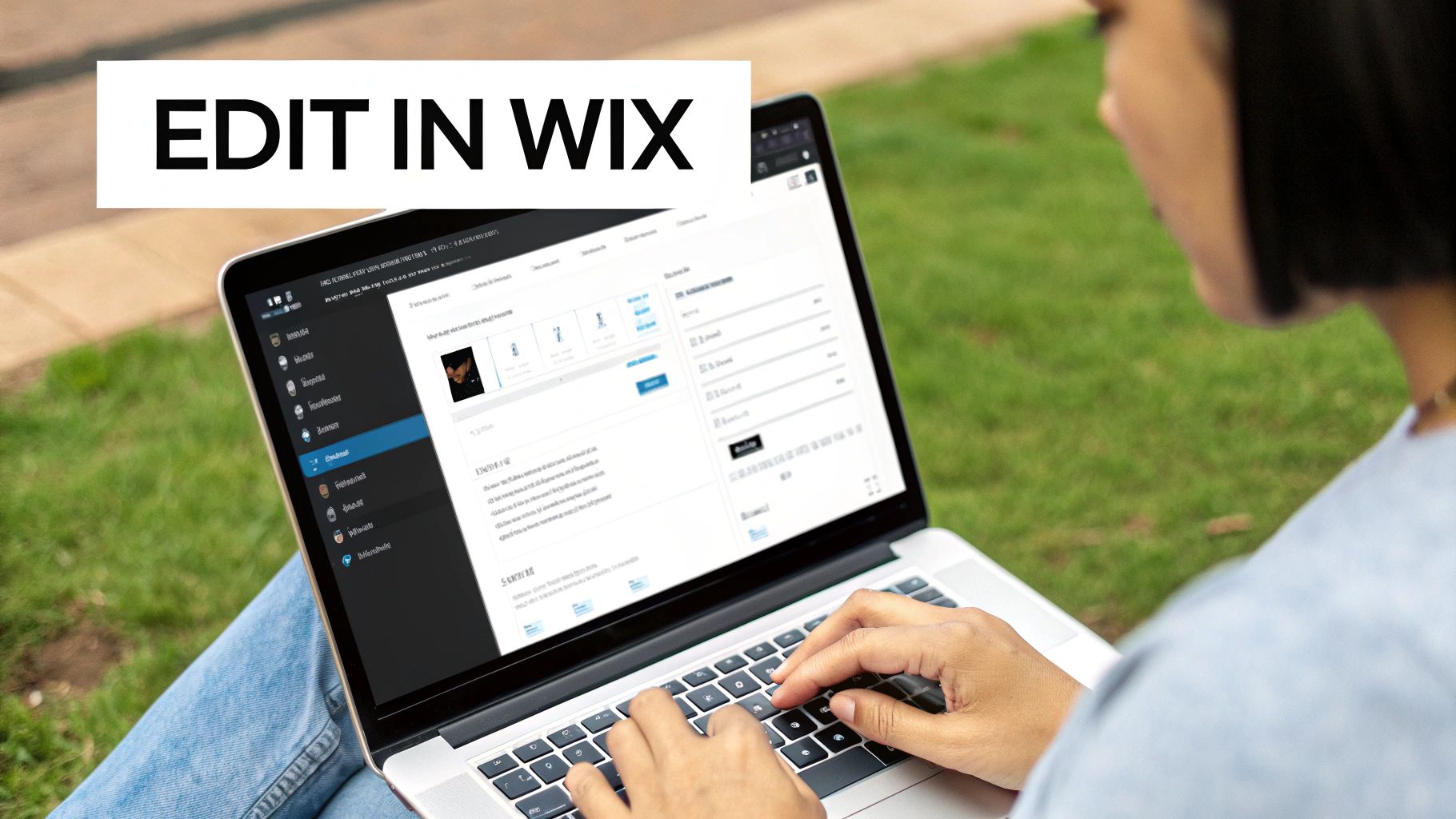
Once you’re in, you’ll see a box ready and waiting for you to paste your new meta description. Simple as that.
Don't Forget the Wix SERP Preview
One of the handiest features in this panel is the live SERP preview. As you type or paste your description, Wix gives you a real-time sneak peek of how your page will look in Google’s search results.
This is brilliant for two reasons:
You can check the length instantly. The preview shows you if Google is likely to chop your description off, so you can tweak it to fit perfectly.
You get a visual gut-check. Does it look enticing? Is your call to action clear? You can see it all at a glance.
This little tool takes all the guesswork out of the equation. You can play around with the wording until it’s just right, ensuring it makes a fantastic first impression on anyone searching for what you offer. While Wix has these fundamentals sorted, it's always good to understand the full picture of its SEO capabilities. If you're curious, you can read this honest review of whether Wix is good for SEO.
Quick tip: Remember that static pages and blog posts are handled a bit differently. For a blog post, you’ll find these same SEO settings within that specific post's editor before you hit publish, not in the main 'Menus & Pages' panel.
By following these simple steps, you can quickly go through and update every page on your Wix site with a custom, high-performing meta description that will start pulling in more clicks. Job done.
Oops! Common Meta Description Mistakes You're Probably Making
Even the sharpest marketing minds can drop the ball when it comes to meta descriptions. It's so easy to do. But a tiny slip-up can absolutely tank your click-through rate, leaving your amazing page gathering dust on page two of Google.
The good news? These classic blunders are easy to fix once you know what to look for. Think of this as your quick-and-dirty audit list to turn a weak description into a click-magnet.
Leaving Them Completely Blank
Okay, let's start with the big one: not writing a meta description at all. When you leave this field empty, you're essentially handing the keys over to Google and hoping for the best. Sometimes it pulls a decent sentence from your page, but more often than not, it grabs a random chunk of text that makes zero sense out of context.
Always, always take control. Writing your own description means you get to pitch your page exactly how you want, with a clear, compelling message that feels like your brand.
The Dreaded Duplicate Descriptions
Copying and pasting the same generic description across a dozen pages is another major no-no. Come on, you're better than that! Each page on your website has a unique job to do, and its meta description needs to shout that from the SERPs.
Duplicate descriptions are just plain confusing for users. If every page in the search results looks identical, why would they pick one over another? They won't.
Crucial Takeaway: A unique meta description for every single page isn't just a "nice-to-have" – it's a non-negotiable part of good on-page SEO. It tells both people and search engines that your content is distinct and worth a click.
Stuffing Keywords Like a Thanksgiving Turkey
Yes, you need your focus keyword in there. But jamming it in over and over again is a surefire way to kill your click-through rate. Keyword stuffing sounds robotic, spammy, and desperate. It's an instant turn-off for any human reading it.
What Not to Do: "Looking for bespoke kitchens? Our bespoke kitchens are the best bespoke kitchens in London. Buy bespoke kitchens today." (Yikes.)
A Better Approach: "Dreaming of a bespoke kitchen? Discover our award-winning designs, crafted in London to fit your unique style and space. Get a free consultation."
See the difference? The second one actually sounds like a human wrote it, focusing on the benefits and giving a clear call-to-action.
Writing Deceptive Clickbait
Your meta description is a promise. If you write clickbait that has nothing to do with what's actually on the page, you might trick someone into clicking, but they'll bounce faster than a dropped tennis ball. This high bounce rate is a huge red flag for Google, telling it your page is a poor match for the search.
Make sure your description is an honest, enticing preview of what they'll find. Authenticity builds trust and attracts the right kind of traffic—the people who are actually likely to stick around and convert.
Ready to Write Meta Descriptions That Convert?
Now you have the complete blueprint for crafting meta descriptions that not only please search engines but actively persuade people to click. It's time to put these strategies into practice. Go audit your key pages, fix the common mistakes, and start writing compelling copy that turns your search snippets into powerful conversion tools.
Ready to build a website that not only looks incredible but also masters all the crucial SEO details like this?
Baslon Digital specialises in creating stunning, results-driven Wix websites for small businesses. Turn your vision into a high-performing reality today.
Comments