A Guide to Voice Search Optimisation for Your Wix Site

So, what exactly is voice search optimisation? Think of it as fine-tuning your website so it becomes the go-to answer for questions people ask out loud. It's about shifting your focus from short, clunky keywords to the natural, conversational phrases that smart assistants like Siri and Google Assistant love to find.
Why Your Wix Site Needs to Answer Spoken Questions

Let's be honest, the way your customers look for you has completely changed. They’re not just typing fragmented phrases into a search bar anymore; they're talking to their phones, smart speakers, and even their cars. This jump from typing to talking is precisely why voice search optimisation isn't just a "nice-to-have"—it's critical for any small business with a Wix site.
Imagine one of your potential customers. A few years back, they might have typed "Wix expert London" into Google. Simple enough. Today, they're far more likely to just ask their phone, "Hey Google, find a Wix expert near me who can redesign my shop."
See the difference? It's a completely different kind of search—longer, more specific, and packed with immediate intent.
The Rise of Conversational Search
This isn't just a fleeting trend; it’s a massive behavioural shift, especially here in the UK. A striking 30% of Brits are already using digital assistants every single day. By 2026, forecasts predict over 40% of UK households will be using voice assistants daily, which is fuelling a huge surge in the "near me" queries that local businesses live for. You can dive deeper into the data on UK digital assistant usage to see just how fast this is growing.
This means your old SEO strategy needs an upgrade. Just targeting a few keywords won't cut it anymore. To win in this new arena, your website has to deliver direct, clean answers to the very specific questions your audience is asking.
Voice search optimisation is about becoming the single, trusted answer that a smart assistant reads aloud. It's less about ranking on a page with ten other links and more about becoming the definitive result.
How Voice Search Differs from Traditional SEO
So how is this different from the SEO you’re used to? The goal with voice search is to align your content with this new, conversational reality. It all boils down to a few key focus areas:
Natural Language: Using phrases and sentence structures that actually sound like a person talking. No more robot-speak.
Direct Answers: Structuring your content to give clear, immediate solutions right at the top of the page. No fluff.
Local Intent: Capitalising on the huge volume of "near me" and location-based searches that are a goldmine for small businesses.
Your Wix site is already well-equipped to handle these changes. This guide is going to walk you through exactly how to make it happen.
To get a clearer picture of just how different these two approaches are, let's break it down.
Voice Search vs Traditional SEO At a Glance
The table below highlights the core differences between old-school typed search and modern voice search. It's a simple comparison, but it really shows where you need to adjust your thinking.
Aspect | Traditional SEO (Typed) | Voice Search Optimisation (Spoken) |
|---|---|---|
Query Length | Short & fragmented (e.g., "Wix expert London") | Longer & conversational (e.g., "find a Wix expert near me") |
Keywords | Focus on "head" keywords (1-3 words) | Focus on "long-tail" keywords (4+ words) |
User Intent | Often informational or research-based | Highly specific and action-oriented (e.g., "call," "directions") |
SERP Goal | Rank on Page 1 (one of ten blue links) | Become the single featured snippet or "Position Zero" answer |
Content Style | Comprehensive, often longer articles | Concise, direct answers (FAQs, Q&A format) |
Device Used | Primarily desktop and mobile | Primarily mobile and smart speakers |
Seeing them side-by-side makes the strategic shift pretty clear, doesn't it? You're moving from a broad-net approach to a highly targeted, answer-first model.
Ready to make your Wix site the go-to answer for your customers' spoken questions? Contact Baslon Digital today for a professional SEO audit and start connecting with people the way they actually search now.
Finding the Questions Your Customers Are Actually Asking
To get voice search right, you have to stop thinking like a search engine and start thinking like a human. Forget the old-school, choppy keywords. We’re moving on. It’s a subtle shift, but it’s everything: we're targeting what people say, not just what they type.
People don’t bark "photographer Manchester" at their smart speakers anymore. They ask, "Who is the best portrait photographer in Manchester for professional headshots?" Your job is to find these full, conversational questions and build your content around them. This is the bedrock of a solid voice search strategy.
Uncovering Conversational Keywords
The best place to start looking for these questions is probably hiding in plain sight: your own business. Seriously. Your customer service emails, your website's contact form submissions, and your social media DMs are absolute goldmines. They contain the raw, unfiltered language your customers use when they need something.
Once you've exhausted your own data, a couple of free tools can give you incredible insights into what people are asking online.
Google's 'People Also Ask' (PAA): Search for one of your main services and scroll down. That little PAA box is a live feed from Google, showing you exactly what related questions people are asking. It’s a gift.
AnswerThePublic: This tool is brilliant for brainstorming. It takes a keyword and explodes it into a visual map of questions—who, what, where, why, how. You'll find content ideas you never would have thought of.
The real secret to voice search optimisation is empathy. You have to put yourself in your customer's shoes—or, more accurately, in their car or kitchen—and figure out the exact question they'll ask their device in a moment of need.
From Keywords to Question Libraries
As you start gathering these questions, you’ll notice patterns. Don’t just grab one or two and call it a day. The goal here is to build a whole library of questions for each service or product you offer. To really get under the skin of how customers talk, using social listening strategies can reveal the nuances of real-world conversations happening online.
For instance, a freelance web designer who specialises in Wix might create a list that looks something like this:
"How much does a Wix website cost in the UK?"
"Can a Wix website rank on Google?"
"Who is the best Wix designer for a small business?"
Each of these questions is a cry for help, an opportunity for you to create a piece of content that gives a straight, satisfying answer. Building this library is an ongoing job, but it’s the single most important step you can take. If you're just getting started, our detailed guide can teach you how to select the best keywords and phrases for your UK website.
Ready to figure out what your customers are really asking? Get in touch with Baslon Digital today, and we'll help you build a voice search strategy that actually gets results.
How to Structure Your Content for Voice Search
Okay, you've done the homework and gathered the questions your customers are really asking. Fantastic. Now, how do you actually use them?
The next step is all about structuring your website content to serve up answers on a silver platter. Voice assistants like Siri and Alexa don’t have the patience to wade through a sea of text; they need clear, punchy information they can read aloud instantly. Your job is to make your content the most obvious, easy-to-grab answer out there.
This means you might have to unlearn the classic blog post formula. Forget the long, winding introduction that builds to a grand conclusion. For voice search, you need to flip it on its head and deliver the goods right away. It's an "answer-first" world now.
Think about it: if someone asks, "How much does a professional headshot session cost?", the very first paragraph on your page should give them a direct answer or a clear price range. You can use the rest of the page to dive into the details—what’s included, portfolio examples, and how to book. But the answer comes first.
Building Powerful FAQ Pages
One of the slickest ways to get this done is by creating dedicated FAQ pages. These are practically tailor-made for the question-and-answer format that voice assistants adore. You can group related customer queries together, creating a goldmine of a resource that screams "expert" to Google.
To turn your FAQ page into a voice search magnet, you just need a simple process for finding and organising the questions that matter.
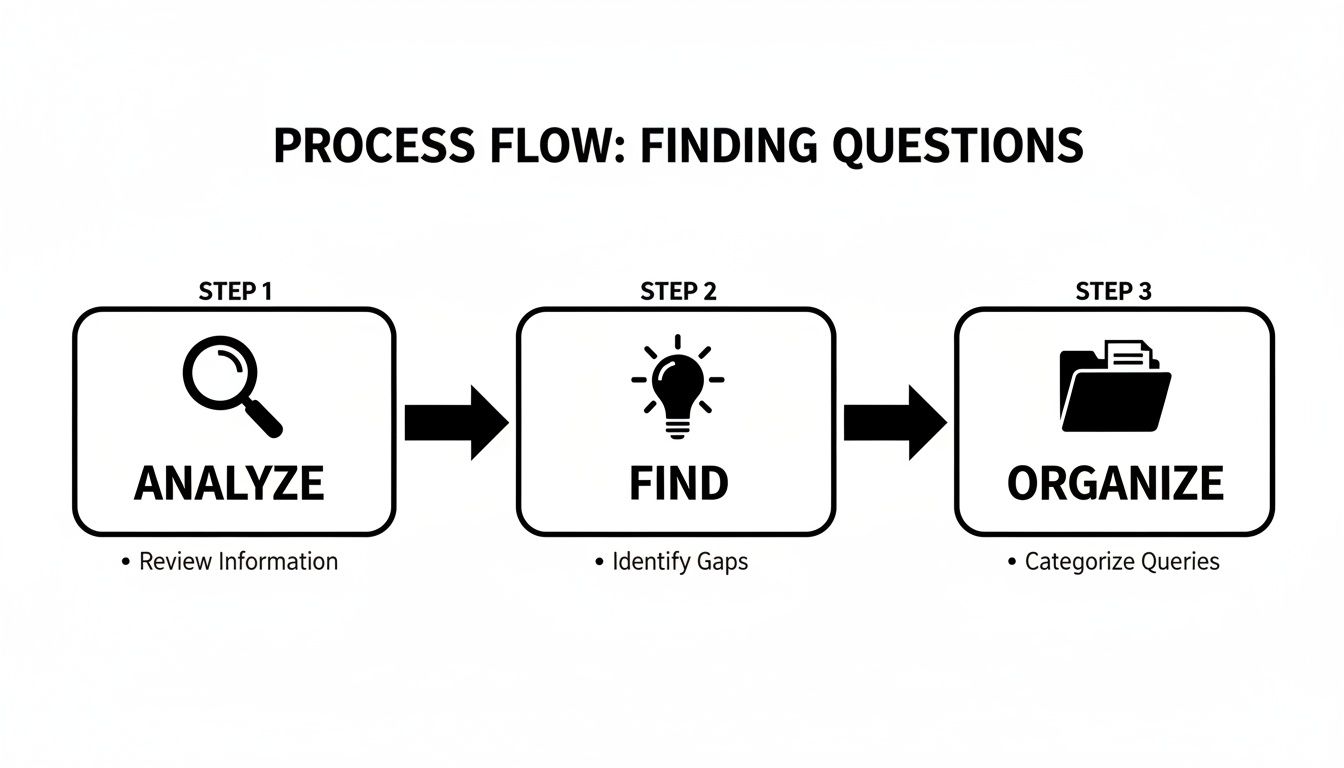
This workflow is your roadmap. You start by digging into customer data and search trends, then you hunt down the specific questions people are asking, and finally, you arrange them into a structure that makes perfect sense on your site.
Formatting Your Answers for Success
How you format your answers is just as crucial as what you write. Search engines are machines, after all. They need clean, structural signals to understand what's a question and what's an answer.
Here are a few practical tips for getting this right on your Wix site:
Keep Paragraphs Short: Seriously, aim for answers that are 2-3 sentences long. It makes them perfect for being read aloud. No waffle allowed.
Use Headings: Pop each question into a heading tag (like an H3). This creates a crystal-clear separation between the question and the answer.
Embrace Lists: If an answer involves steps or a few different points, use bulleted or numbered lists. Google absolutely loves pulling these directly for featured snippets.
Use Wix Accordions: The Accordion element in the Wix editor is your best friend for FAQ pages. It keeps the page looking tidy and organised, letting users click to reveal answers. Don't worry, search engines can still crawl and read everything perfectly.
Just remember this: the average voice search answer is only 29 words long. Brevity isn't just a good idea; it's a non-negotiable rule if you want to win in this space.
By structuring your content this way, you’re not just optimising for robots—you're also creating a much better, more scannable experience for your actual human visitors. It's a classic win-win.
Ready to give your Wix site a voice-friendly makeover? Contact Baslon Digital for a content audit, and let's get your pages ready to be heard.
Using Structured Data to Speak Google's Language
Right, you’ve got beautifully structured content for your human visitors. But what about the search engines? We need a way to speak their language, too.
Think of structured data (often called schema markup) as a secret vocabulary that gives Google extra, crystal-clear context about your page. It's like adding little digital labels to your content that say, "Hey, this is our business address," or "This bit here is a question and its answer."
For voice search, this isn't just a "nice-to-have." It’s a complete game-changer.
When Alexa or Google Assistant needs a fast, reliable fact, they'll always prioritise sites that have this data clearly marked up. Why? Because schema removes all the guesswork. It gives the search engine absolute confidence that the information is accurate and the perfect fit for a user's spoken question.
By labelling your information, you’re basically pre-packaging it for smart assistants to grab and read aloud. This dramatically increases your chances of being the definitive answer.
Key Schema Types for Your Wix Site
Now, don't panic. You don't need to be a developer to get this done. Wix has some powerful built-in SEO tools that make adding structured data pretty straightforward. For a small business, just a few specific types of schema will give you the biggest bang for your buck.
You'll want to focus on these essentials first:
LocalBusiness Schema: This one is non-negotiable for any business with a physical address or a local service area. It explicitly tells Google your business name, address, phone number, and opening hours, making you a top contender for all those "near me" voice searches.
FAQPage Schema: Perfect for those FAQ pages we talked about earlier. This markup wraps your questions and answers in code, signalling to Google that your page has a conversational Q&A format. Voice assistants absolutely love this.
Product Schema: If you run an e-commerce store on Wix, this is vital. It flags key product details like price, availability, and reviews, allowing that info to pop up in rich results and get pulled for voice shopping queries.
The goal of schema isn't to trick search engines. It's to provide absolute clarity. By organising your data, you're making it effortless for Google to understand what your business does and why you're the best answer for a specific question.
Inside your Wix SEO Settings, you'll find an area that lets you add these custom code snippets directly to your pages. The screenshot below shows the exact interface where you can add new markup for a specific page.
This panel is where you'll paste the structured data code. It ensures everything is applied correctly without you ever having to touch your site’s core code. Simple.
By taking the time to put these schema types in place, you’re building a much stronger technical foundation for your SEO and making your content a whole lot more accessible to the growing number of people searching with their voice.
Want to make sure your Wix site is speaking Google's language perfectly? Contact Baslon Digital for an expert SEO review and structured data implementation.
Winning Local Voice Searches with Google Business Profile
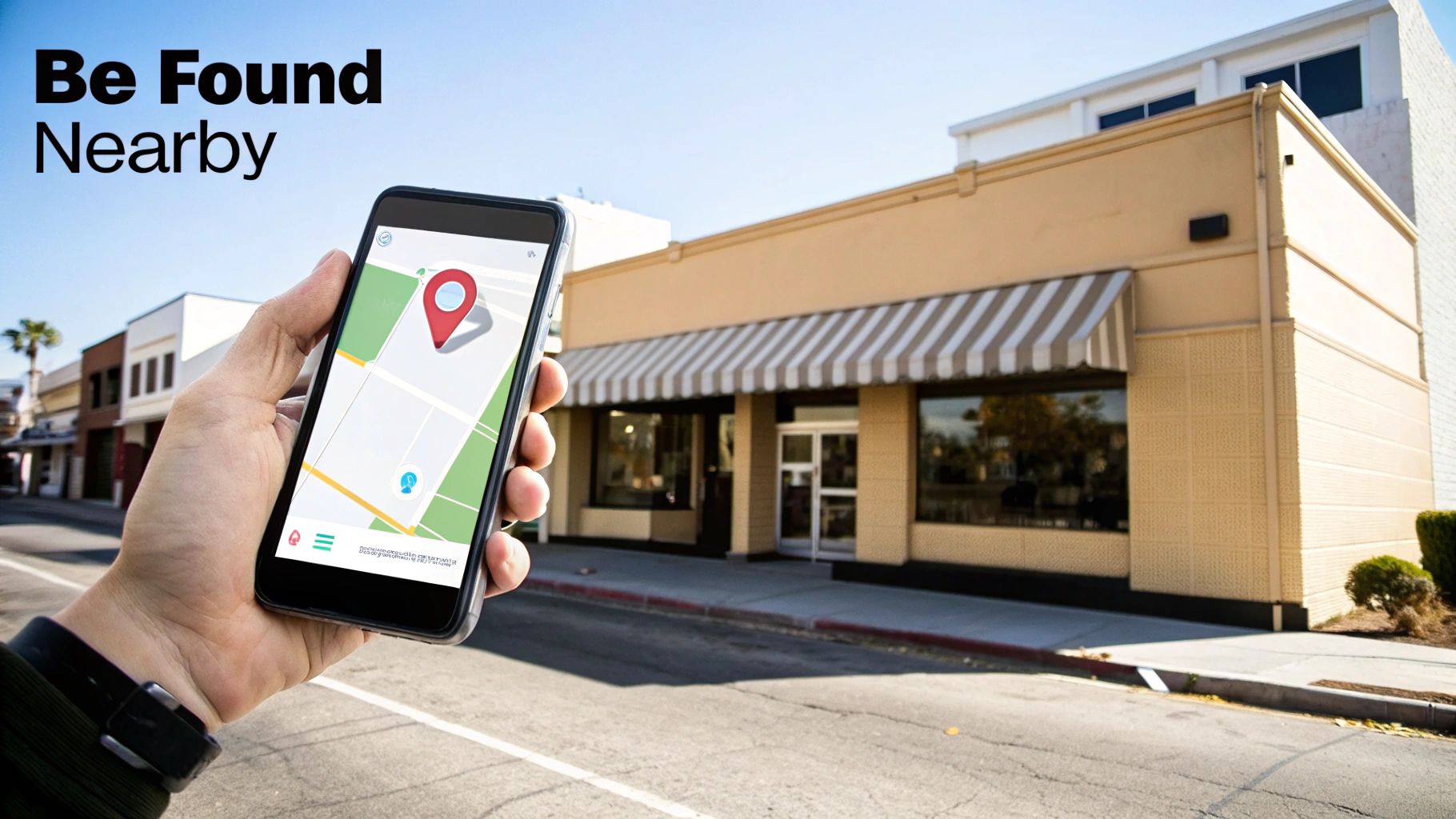
For a small UK business, some of the most valuable words a customer can say are "near me." Queries like "best coffee near me open now" or "find a Wix designer in London" are absolutely packed with intent. And these days, voice assistants are the new gatekeepers for these ready-to-buy customers.
This is where your Google Business Profile (GBP) shifts from being just another online listing into your most powerful weapon for voice search optimisation.
When someone asks Siri or Google Assistant for a local recommendation, the AI doesn’t just randomly crawl the web. It goes straight to the clean, structured, and trusted information it finds in GBP. Think of it as your direct line to that smart speaker on the kitchen counter. It’s absolutely vital you treat your profile not as a static business card, but as a living, breathing source of truth about your business.
The numbers back this up, big time. A massive 76% of smart speaker users in the UK perform local voice searches at least once a week. Even more impressively, 46% do it every single day. If you want to dive deeper, you can explore the full findings on UK voice search habits and see just how common this behaviour is.
Beyond the Basics of Your Profile
Look, having the correct address and phone number is the absolute bare minimum. That's the starting line, not the finish. To genuinely stand out when someone asks their phone for a recommendation, you need to get active with the dynamic features Google gives you.
These features are the signals that tell Google you’re an active, relevant, and trustworthy choice.
Think about it from the assistant's perspective. Its entire job is to provide the single best, most reliable answer. An incomplete or dusty old profile is a red flag. A rich, active profile filled with recent updates? That's a clear signal of trust.
Your Google Business Profile is no longer just a map listing. It's an active dialogue with search engines, feeding them the exact details they need to confidently recommend your business out loud.
To kickstart this dialogue, you need to zero in on a few key areas that directly answer the kinds of questions people are actually asking.
Activating Your GBP for Voice Success
Ready to turn your profile into a magnet for voice traffic? Start by making these three core features a regular part of your routine. They are tailor-made for the conversational and timely nature of spoken queries.
Google Posts: Use this like a mini-blog for your business. Share updates, announce offers, or highlight news. A local café, for instance, could post about a "new seasonal pumpkin spice latte." This gives Google fresh content it can pull for queries like, "What are the specials at [Café Name] today?"
Q&A Section: This is your voice search goldmine. Don't wait for customers to ask questions—get in there and do it yourself! Proactively add your most common questions and answer them clearly. Think like a customer: "Do you offer gluten-free options?" or "Is there parking nearby?" By pre-filling this section, you're handing voice assistants the exact answers they need on a silver platter.
Services and Attributes: Be ridiculously specific here. A web designer shouldn't just list "web design." They should break it down into "Wix E-commerce Setup," "Wix SEO Services," and "Mobile Optimisation." Adding attributes like "Online appointments available" directly answers spoken questions like, "Which web designers near me offer virtual consultations?"
A fully fleshed-out profile doesn't just make you more visible; it creates a much better experience for potential customers. To make sure you’ve covered all your bases, have a look at our comprehensive UK guide to Google My Business.
Is your Google Business Profile pulling its weight, or is it just sitting there? Book a free consultation with Baslon Digital, and let's turn your local listing into a tool that actually brings you customers.
Tying Up the Technical Loose Ends
A fast, mobile-friendly website isn't just a nice-to-have anymore; it's the absolute foundation for getting found through voice search. Think about it: voice assistants are all about instant gratification. They need to deliver answers immediately, so Google gives massive brownie points to pages that load in a flash, especially on mobile phones where most of these voice searches happen.
If your site is slow and clunky, you’re pretty much invisible to voice search. It's that simple.
For those of you on Wix, this means you've got to be ruthless about performance. The biggest culprit for slow sites? Massive image files. Always, always compress your images before you upload them. After that, make the Wix Site Speed Dashboard your new best friend. It’s brilliant for spotting what’s bogging your site down.
Don’t just take my word for it. The average voice search result page loads in a lightning-fast 4.6 seconds. That's a whopping 52% faster than your typical webpage. In the voice search world, speed isn't just a feature; it's the entire game.
Finally, you absolutely have to nail the mobile experience. Your site must be perfectly responsive. Pop your URL into Google's free Mobile-Friendly Test to make sure everything looks and works as it should on a small screen. Get into the habit of checking your Google Search Console reports too, keeping a close eye on mobile usability and your Core Web Vitals scores.
We dive deeper into this in our guide to effective strategies for Wix SEO success.
Ready to make sure your Wix site is technically sound and primed for voice search? Contact Baslon Digital for a personalised SEO audit today.
Frequently Asked Questions
Even with a solid plan, you've probably got a few questions rattling around your head about how all this voice search stuff plays out in the real world. Let's tackle some of the most common ones we hear from small business owners using Wix.
How Long Does It Take to See Results?
Let’s be honest: voice search optimisation isn’t an overnight miracle. Think crockpot, not microwave. Generally, you can expect to see some initial movement within three to six months, especially as Google starts to pick up on your new conversational content and schema markup. The actual timeline really depends on how crowded your industry is.
But there's a silver lining for local businesses. If you go all-in on optimising your Google Business Profile, you could see results for those crucial "near me" searches much, much faster. It's not crazy to see a jump in local queries and phone calls within just a few weeks of a proper GBP tune-up. Consistency is your best friend here.
Do I Need to Create a Ton of New Content for Voice Search?
Not necessarily. Your best bet is to start by auditing what you’ve already got. You can often breathe new life into popular blog posts by reframing them into a simple FAQ format. Or, you could expand your existing service descriptions to directly answer the conversational questions you found during your keyword research.
The goal is to adapt your existing content to be more conversational and straight-to-the-point. Creating brand new, dedicated FAQ pages is a brilliant strategy, but you don't have to start from a blank slate.
Is Voice Search More Important Than Traditional SEO?
Think of it as the next evolution of your SEO, not a replacement. Good voice search optimisation is built on the same foundation as traditional SEO. A fast, mobile-friendly website with high-quality, relevant content is going to do well in both typed and spoken searches. It's all connected.
The big difference is the extra layer of focus on specific elements that make your existing SEO strategy "audible" to smart assistants:
Conversational language that sounds like how real people talk.
Structured data to give search engines crystal-clear context.
Hyper-local signals to grab all that valuable "near me" traffic.
By weaving these elements into your strategy, you’re not picking one over the other. You’re just making your entire online presence stronger and ready for how people are actually searching right now.
Ready to make your Wix website the go-to answer for your customers' questions? Baslon Digital specialises in creating high-performing, voice-ready websites for UK small businesses. Visit us at https://www.baslondigital.com to book a free consultation and get started.
Comments