affordable website design for small businesses that convert

Getting a professional website can feel like a massive, bank-breaking expense, but trust me, an affordable website design for small businesses is more than just a myth. The real secret is figuring out what you actually need and aligning it with a realistic budget before you even think about design.
Your Starting Point For a Website That Actually Works (And Doesn't Cost a Fortune)
Let's be honest, launching a website for your small business feels like a huge undertaking. It's often shrouded in confusing tech-speak and intimidating price tags that make you want to put it off for another year.
Many business owners get stuck right here, worried they'll pour money into something complex that doesn't deliver. But creating an effective online presence doesn’t have to drain your bank account. It all comes down to smart planning and knowing where you can (and can’t) cut corners.
This guide is designed to cut through that noise. We'll walk through how to plan, budget for, and get a professional website that brings in real results—whether that's more customer enquiries, online sales, or people walking through your door. It all starts with defining what a 'successful' website actually looks like for your business, long before you spend a single pound.
Why You Can't Afford to Not Have a Website
In today's market, your website is your digital front door. It's your number one marketing tool and, more often than not, the very first impression a potential customer gets of your brand. A proper site builds credibility in an instant. Think of it as your modern-day business card, working for you 24/7.
Here’s what a well-planned, affordable website really delivers:
Instant Credibility: A clean, functional website shows you’re a serious, legitimate business. No ifs, no buts.
A Wider Net: It lets you connect with customers far beyond your immediate local area.
Your 24/7 Salesperson: Your site is always on, providing information and capturing leads even when you’re asleep.
A Leg Up on the Competition: A strong online presence will immediately set you apart from competitors still relying on a Facebook page from 2015.
Setting the Stage For Success
The web design industry in the UK is buzzing. As of 2025, there are around 2,206 businesses in the game, and the sector has seen a steady growth of 3.5% over the last five years. Why? Because small businesses like yours are realising they need to step up their digital game to compete. Affordable, effective website design is what enables smaller companies to grab their slice of the pie.
Of course, before you dive headfirst into design, there's a crucial first step: securing your online address. It's well worth understanding how to check domain availability to get this sorted from the get-go.
The goal isn't just to have a website. It's to have a website that actively helps your business grow. This means every decision—from the platform you choose to the designer you hire—should be tied directly back to a business objective.
This initial planning phase is, without a doubt, the most important part of the entire process. By getting crystal clear on your goals—whether it’s boosting online bookings by 20% or getting 10 new leads a month—you create a blueprint for a site that’s not just affordable, but genuinely effective.
Ready to take control of your online presence without the crazy price tag? Let’s get into the practical steps.
Figuring Out What Your Website Actually Needs (And What It Doesn't)
Every small business is different, and your website should be too. But when you’re trying to keep costs down, the real trick is separating what you absolutely need from what would just be nice to have. Let’s be honest, piling on complex features is the quickest way to see your budget vanish on things that won’t give you an immediate return.
The aim here is to build a solid foundation. You can always add the fancy bells and whistles later on, once the business is humming and bringing in more cash. First, let’s get a practical blueprint in place, focusing on the must-haves.
The Pages You Can't Afford to Skip
Think of your website as your digital shopfront. There are a few key "rooms" every visitor expects to see. These pages are crucial for building trust, answering the most common questions, and nudging people to get in touch.
Your first build should definitely have these:
A Clear Homepage: This is your welcome mat. It needs to tell people who you are, what you do, and how you can help them—instantly. It’s not a place for clutter; it’s for making a cracking first impression.
An Authentic 'About Us' Page: People do business with people they like and trust. This is your chance to share your story, your mission, and put a face to the name. It’s one of the most visited pages on any small business site for a good reason.
Dedicated Service or Product Pages: Whatever you do, don't try to cram everything onto a single page. Give each of your main offerings its own space. It makes it so much easier for customers to understand what you're selling, and search engines love it too.
A Simple Contact Page: Make it dead simple for people to reach you. Your phone number, email address, a straightforward contact form, and if you have a physical spot, your address and a map. Job done.
Get these four pages right, and you've got a complete, user-friendly site that covers all the essentials. Anything less and you risk looking a bit amateur or, worse, leaving potential customers completely baffled.
Essential Features vs. Pricey Distractions
Beyond the pages themselves, a few functions are just part of the deal for any modern website. But it’s all too easy to get drawn in by shiny objects that add more to the bill than they do to your bottom line. Here’s how to spot the difference.
Must-Have Features:
Responsive Design: Your site has to look and work perfectly on a phone. End of story. With over 60% of all web traffic now coming from mobile devices, this isn’t even a debate anymore—it's essential.
A Simple Contact Form: This lets you capture leads 24/7 without plastering your personal email all over the internet for spammers to find.
Clear Calls-to-Action (CTAs): Every page needs a purpose. Simple buttons like "Contact Us Today," "Request a Quote," or "View Our Services" are vital for guiding visitors and turning them from browsers into actual leads.
Features You Can Probably Put on the Back Burner:
A Complex E-commerce System: If you only sell a handful of products, a full-blown online shop is probably overkill. You could easily start by taking orders over the phone or using a simple payment link from PayPal or Stripe.
A Membership Portal: Building a private, members-only section with logins is a big job and a big expense. Unless this is the absolute core of your business model, park it for later.
An Integrated Blog: A blog is a fantastic marketing tool in the long run, but it’s a hungry beast that needs feeding. If you don't have the time to write new articles regularly, it’s better to launch without it and add it when you’re ready.
Advanced Animations and Videos: Flashy animations can seriously slow your site down and bump up the design cost. A clean, professional, and fast-loading site is always a better investment.
The smartest way to get an affordable website is to focus on a 'Minimum Viable Product'—the simplest version of your site that gets the job done for your customers and helps you hit your main business goal.
For example, a local bakery’s top priorities are a clear menu, opening hours, and a map. An online consultant, on the other hand, needs a simple booking system far more than they need a photo gallery. When you map your features directly to what your business actually needs, you make sure every pound spent is working for you.
Ready to map out a budget-friendly plan for your own website?
Realistic Budgeting For Your Small Business Website
Right, let’s talk money. Asking "how much does a website cost?" can feel like asking "how long is a piece of string?" but it doesn't have to be so vague. We’re here to give you some real-world numbers and cut through the confusion. Knowing what you're likely to spend is the first step to making a smart decision for your business.
Getting a handle on the costs means you won't get suckered into paying for flashy features you don't need, or worse, cheaping out and ending up with a site that doesn't do its job. It’s a balancing act. In the UK, while 78% of small businesses have a website, a surprising number still don’t, often because they’re worried about the cost.
Spending habits are all over the place. Some businesses (19.7%) put aside £2,500 to £5,000 a year for their site, while another 18.9% spend between £500 and £1,000. This just shows there’s a massive need for affordable options that don’t compromise on quality. You can dig into more of these UK small business website trends on sqmagazine.co.uk.
Upfront Build vs. Ongoing Running Costs
Your website budget isn't just one big number. Think of it in two parts: the upfront cost to get the site designed and launched, and the ongoing expenses to keep it online, secure, and running smoothly.
Honestly, one of the biggest mistakes I see small business owners make is forgetting about the ongoing part. A super-cheap initial build might look tempting, but it could come with hefty monthly fees that bleed you dry over time. You have to look at the whole picture.
There are generally four paths you can go down to get an affordable website for your small business:
DIY Website Builders (like Wix): This is your most budget-friendly starting point. You pay a subscription to the platform, and that covers all the basics like hosting.
Hiring a Junior Freelancer: A smart way to get a custom-looking site without the eye-watering price tag. They're often eager to build their portfolio and offer really competitive rates.
Working with an Experienced Freelancer: This is an investment in expertise. You’re not just paying for a design; you're paying for their strategic thinking, user experience knowledge, and a much smoother process.
Using an Agency's Template-Based Service: This is a great middle ground. An agency takes a solid, pre-built template and customises it for your brand. You get a professional result, but much faster and cheaper than a fully bespoke project.
Here's the thing: the best budget isn’t about finding the absolute rock-bottom price. It’s about finding the best value – the sweet spot that gives you the professional look and functionality you need, at a price you can actually sustain.
A Clear Look at the Numbers
So, what do these options actually cost? Let's put some ballpark figures on them. Keep in mind these are just estimates. A simple five-page "brochure" site will be on the lower end, while a full e-commerce shop will naturally cost more.
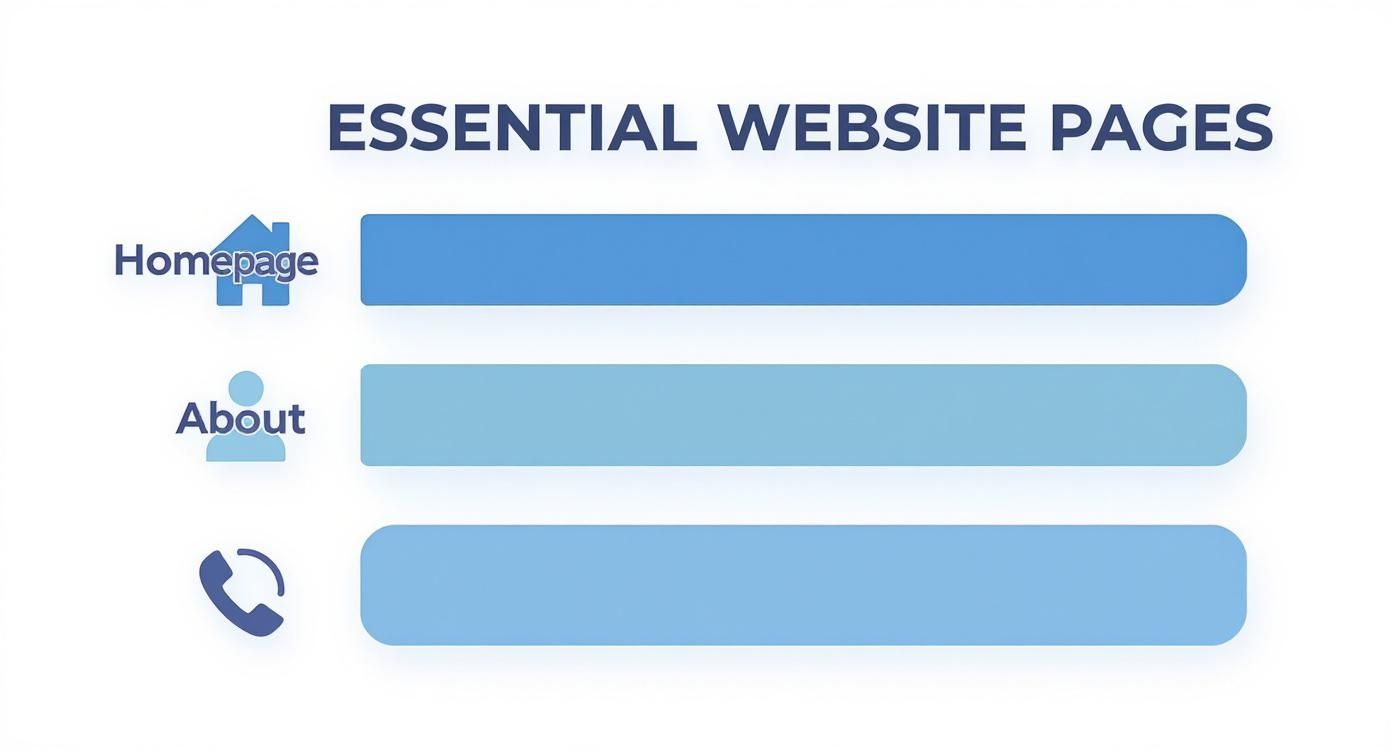
Before we dive into the table, that image above shows the absolute essentials. Focusing your initial budget on a killer Homepage, a genuine About page, and an easy-to-use Contact page is the smartest way to start.
Now, let's break down what you can expect to pay for the different approaches.
Typical Website Cost Breakdown For UK Small Businesses
Here’s a quick comparison to help you figure out which path makes the most sense for your business right now.
Method | Upfront Cost (Estimate) | Ongoing Monthly Cost (Estimate) | Typical Timeline | Best For |
|---|---|---|---|---|
DIY Builder (Wix) | £0 – £150 (for a theme) | £15 – £40 | A few weekends | Business owners with more time than money and a bit of tech confidence. |
Junior Freelancer | £500 – £1,500 | £25 – £50 (for maintenance) | 2-4 weeks | Start-ups needing a simple, professional site on a tight budget. |
Experienced Freelancer | £2,000 – £5,000+ | £50 – £150 (for maintenance) | 4-8 weeks | Businesses ready to invest in a strategic, custom-built site that grows with them. |
Agency Template Service | £1,500 – £3,500 | £75 – £200 (for support) | 3-6 weeks | Owners who want agency quality and support without the bespoke price tag. |
As you can see, the right choice really depends on your budget, timeline, and how hands-on you want to be.
If you’re leaning towards the DIY route with Wix, their pricing can be a bit confusing at first. We've actually put together a complete UK pricing guide for Wix to help you see exactly how their plans compare.
Don't Get Caught Out by Hidden Fees
A proper budget leaves no room for nasty surprises. When you're looking at quotes or choosing a platform, keep your eyes peeled for these common extra costs that often get overlooked.
Domain Name: Your website address (like ) is an annual fee, usually around £10-£20. Many platforms throw it in for free for the first year, but you'll pay after that.
Professional Email: An email like looks miles more professional than a Gmail one. This will set you back about £5 per user per month.
Premium Apps or Plugins: Need an online booking system or a fancy contact form? Many platforms offer these as add-ons, and they often have their own subscription fees.
Stock Photography: If you don't have your own high-quality photos, you might need to buy some. This can add up.
SSL Certificate: This is the little padlock that secures your site. Most good hosts include this for free now, but some budget providers still sneak in a charge for it.
Factoring in these little extras from the start means you'll have a budget that's truly realistic, covering everything you need to get online and stay there.
Choosing Your Path: DIY Builders vs. Hiring a Professional
So, you've mapped out your needs and have a realistic budget in mind. Brilliant. Now you've hit the biggest fork in the road on your website journey: will you roll up your sleeves and build it yourself, or is it time to call in an expert?
There’s no single "right" answer here. The best path forward depends entirely on your situation—how comfortable you are with tech, how much time you can spare, and what you want this website to achieve for your business long-term. Let's break down both options honestly so you can make a choice you feel good about.
The Do-It-Yourself Route: Power to the People
Modern website builders like Wix have completely changed the game. They’ve genuinely levelled the playing field, giving small business owners the power to create a professional-looking website without touching a single line of code. It's an incredibly empowering option and often the most affordable way to get online.
The appeal is obvious. You get total creative control and can make updates whenever you like without having to email a designer and wait for a reply. It’s the ultimate hands-on approach.
But that freedom comes with a major trade-off: your time. Building a website, even with a user-friendly tool, is a serious time commitment. You're suddenly responsible for everything—choosing the right template, writing all the copy, sourcing images, and figuring out the basics of SEO.
Choosing the DIY path means you are becoming your own project manager, designer, writer, and technical support—all in one. It’s a fantastic way to save money, but only if you have the time and patience to see it through properly.
When to Bring in a Professional Hand
Hiring a professional might feel like a luxury, but for many businesses, it’s a strategic investment that pays for itself. When you hire an expert, you’re not just buying a design; you’re buying their experience, efficiency, and insight.
This is the way to go if you're short on time or if the mere thought of wrestling with design software fills you with dread. A professional web designer can take your vision and turn it into a polished, effective website much faster than you ever could on your own. They get user experience, conversion principles, and all the technical bits and bobs that make a site fast and reliable.
The digital presence of UK small businesses is growing, and fast. In 2025, it's expected that around 74% of small businesses in the UK will have a website, a big jump from just 64% in 2020. This makes sense when you learn that over 81% of shoppers research online before buying. Platforms like WordPress, Wix, and Squarespace are popular for a reason—they offer cost-effective ways to get in on the action.
Freelancer or Agency: What's the Difference?
If you decide to hire help, your next choice is usually between a freelancer or a small agency. A freelancer is a one-person-band, meaning they’ll be your direct point of contact from start to finish. This often leads to a more personal experience and can be a very cost-effective way to get a custom design.
An agency, on the other hand, brings a full team to the table—designers, developers, and project managers. They’re typically more expensive but can handle more complex projects and might offer a wider range of services, like ongoing marketing. For most small businesses, a skilled freelancer strikes the perfect balance of expertise and affordability.
Deciding between platforms can be tricky, which is why we've put together a detailed comparison of WordPress vs Wix vs Squarespace for UK businesses to help you weigh the pros and cons. And if you're leaning towards DIY with a platform like Squarespace, tools like the Spark Plugin for Squarespace websites can help you get even more out of it.
Ultimately, the best choice is the one that fits your resources. A well-built DIY site is far better than a poorly executed professional one that you couldn't really afford. Be honest about your skills, your time, and your budget. That’s how you’ll find the path that leads to the best result for your business.
How To Find And Brief The Right Web Designer
Right, so you've decided to hire a professional. That’s a smart move and a proper investment in your business's future. But finding the right person for an affordable website can feel like looking for a needle in a haystack.
The secret isn’t just finding a talented designer; it’s about finding someone who actually gets your business and can deliver what you need without blowing your budget.
This is where all your prep work pays off. A clear plan and a solid brief are what separate a smooth, successful project from a costly, frustrating nightmare. Let's walk through how to find the right partner and give them everything they need to bring your vision to life.
Where To Look For Affordable Talent
You don't need a massive agency budget to find a brilliant designer. Some of the best and most affordable talent is hiding in plain sight, you just need to know where to look. Forget generic Google searches for a moment and focus your efforts here:
Trusted Freelance Platforms: Sites like Upwork or PeoplePerHour are full of skilled designers. The trick is to sift through them. Look for designers with a strong portfolio, genuinely excellent reviews, and a track record of projects similar to yours.
Local Business Networks: Check out local business groups on platforms like LinkedIn or even Facebook. Loads of freelancers get work through word-of-mouth, and you might just discover a local gem who really understands the regional market.
Recommendations: This is often the golden ticket. Ask other small business owners you know and trust. A personal recommendation is usually the most reliable way to find someone who is both skilled and not a headache to work with.
How To Properly Vet A Designer
Once you've got a shortlist, it’s time to do your homework. A quick glance at their homepage simply won't cut it. You need to dig a little deeper to make sure they're the right fit for you.
Review Their Portfolio CriticallyDon't just scroll through the pretty pictures. Ask yourself practical questions. Do their websites load quickly? Are they a doddle to use on a mobile? Do they actually build sites for businesses like yours? A designer who only works with trendy e-commerce brands might not be the best choice for a local plumbing service.
Speak to Their ReferencesAny decent designer will be more than happy to provide references from past clients. This is your chance to get the real story. Ask about their communication, whether they stuck to the timeline and budget, and if the client was genuinely happy with the final website.
The goal of vetting isn't just to see if a designer is talented. It's to see if they are a reliable business partner who can communicate clearly and deliver on their promises. A beautiful design is useless if the process to get there is a total disaster.
Writing A Brief That Gets Results
This is, without a doubt, the most critical step of the entire process. A clear, detailed design brief is the foundation of your project. It gets rid of guesswork, ensures you get an accurate quote, and dramatically slashes the chances of costly misunderstandings down the line.
Remember: a vague brief leads to a vague result.
Your brief doesn't need to be a 50-page epic, but it does need to cover the essentials. Think of it as a roadmap you're handing over to the designer.
What to Include in Your Design Brief:
About Your Business: Who are you, what do you do, and who are your customers?
Project Goals: What is the number one thing you want this website to achieve? (e.g., generate 10 new leads per month, increase online bookings by 20%). Be specific!
Your Target Audience: Describe your ideal customer in detail. What makes them tick?
Key Pages: List the essential pages we talked about earlier (Homepage, About, Services, Contact).
Functionality: Mention any must-have features, like a contact form, a simple photo gallery, or an appointment booker.
Inspiration: Provide links to 2-3 websites you like and explain exactly what you like about them. Is it the colour scheme, the clean layout, the overall feel?
Budget and Timeline: Be upfront. State your budget range and your desired launch date. This saves everyone time.
A well-prepared brief shows a designer you're serious and organised, making them much more likely to give you a competitive and accurate quote.
Ready to find a designer who can bring your vision to life? Reach out to our team at Baslon Digital for a free, no-obligation consultation, and let's discuss how we can build a stunning and affordable website for your business.
So, Your Website's Live. What Now?
Getting your website launched is a fantastic milestone, but it's really the starting pistol, not the finish line. Think of your website less like a static brochure and more like a living, breathing part of your business. If you just leave it to gather digital dust, or worse, if new customers can't even find it, that initial investment goes straight down the drain.
This last part of the puzzle is all about protecting that investment and turning your shiny new site into a tool that actually grows your business. Let's walk through some simple, non-techy ways to handle basic maintenance and on-page SEO to get you started on the right foot.
Getting Google to Notice You with On-Page SEO
Search Engine Optimisation (or SEO) sounds scary, but it's just the art of making your website more appealing to search engines like Google. While a full-blown SEO campaign is a long-term game, there are some fundamental "on-page" tasks you can absolutely manage yourself. Getting these right gives your site a fighting chance of showing up when people search for what you do.
These aren't complicated technical fixes. It's all about clarity and relevance.
The whole point of on-page SEO is to make it dead obvious to both Google and your human visitors what each page of your website is about. Clarity is your best friend here.
Here are a few essential bits you can tackle right away:
Write Decent Page Titles: This is the main headline that shows up in Google search results and in the browser tab. It needs to clearly say what the page is about and include a keyword someone might actually search for. So, instead of a title like "Services," go for something like "Professional Lawn Care Services in Manchester." See the difference?
Use Keywords Naturally: Forget what you might have heard about stuffing keywords everywhere. It doesn't work. Just write about your services naturally, the way you'd explain them to a customer. The important phrases will pop up on their own. Think about what a customer would type into Google to find you, and make sure those phrases are in your text.
Add Image Alt Text: "Alt text" is just a short, written description of an image. It's crucial for visually impaired users who use screen readers, but it also tells Google what your images are about. This can help you show up in image searches. So, for a photo of your work, instead of leaving it blank, write something like "Landscaped garden with new patio in London."
A Simple Website Maintenance Checklist
Just like your car needs an MOT to stay roadworthy, your website needs regular check-ups to keep it running smoothly and securely. If you neglect maintenance, you're asking for trouble—slow loading times, security holes, or the whole thing just breaking down. You’ve invested in an affordable website design for small businesses; now it's time to look after it.
A basic maintenance plan doesn't have to be a massive chore.
Your Monthly Maintenance Tasks:
Run Regular Backups: Your website provider should be backing up your site automatically, but it's always smart to double-check this is actually happening. A recent backup is your ultimate safety net if things go pear-shaped.
Apply Software Updates: If your site is on a platform like WordPress, you'll see regular updates for the core software, your theme, and any plugins. These often contain vital security patches to keep hackers out. Don't ignore them!
Check for Broken Links: Use a free online tool to scan your site for any links that lead to a "page not found" error. Broken links are frustrating for visitors and can ding your SEO efforts.
Understanding what goes into this helps you decide whether you want to handle it yourself or get a pro to do it. If you want to dive deeper, you can explore these UK website maintenance costs explained in our detailed guide.
Keeping your website healthy and visible is an ongoing job, but getting these basics right will set you on a path to actually growing your business online.
Ready To Build Your Affordable Small Business Website?
You’ve now got a complete roadmap in your hands. This isn't just theory; it's a practical guide to getting a professional, effective, and genuinely affordable website for your business. From figuring out a realistic budget and picking the right platform to knowing what to do after you launch, you're set to make smart, confident choices.
Don't let the "what ifs" hold you back from building the powerful online presence your business deserves. The most important thing now is to just take that first step. Today.
Whether that means tinkering with a DIY builder or jotting down notes for your design brief, the key is to get the ball rolling and build momentum. Your digital front door is waiting to be opened.
An effective website is probably the single most powerful tool you have for growth, and building one is more achievable now than ever before. It's time to turn those plans into a real, working site and watch your business thrive.
Your website is your hardest-working employee. It’s out there generating leads and building trust 24/7, even while you sleep. Think of it this way: investing in a solid foundation isn't an expense; it's a direct investment in your future growth and credibility. It’s the smart move that pays for itself.
If you decide you’d rather have a trusted partner to bring your vision to life, Baslon Digital is here to help. We specialise in creating stunning websites that fit your budget and actually achieve your goals. Reach out for a free, no-obligation consultation and let’s see how we can help you grow.

Comments