How to Get a Website on Google: UK Guide to Visibility

Updated: Dec 15, 2025
Before you can dream of hitting that top spot on Google, you need to make sure Google even knows your website exists. The first move isn't about fancy SEO tactics; it’s about making a formal introduction. You're essentially tapping Google on the shoulder and saying, "Hey, I'm here, and this is my site."
This isn't just a friendly suggestion—it's non-negotiable, especially for UK businesses. A staggering 92–94% of all online searches in the United Kingdom happen on Google. Think about that for a second. If you’re not on Google, you’re basically invisible to nine out of every ten people looking for what you offer.
Laying the Groundwork for Google Visibility UK
So, how do you get on Google's radar? It all starts with setting up a direct line of communication. You need to build a solid foundation that makes your site discoverable, setting the stage for all your future optimisation work.
Your Direct Line to Google
Your most important tool for Google visibility in the UK is Google Search Console. It’s a completely free service that works like a dashboard, showing you exactly how Google sees your website's health. Setting it up should be your first priority. It’s where you’ll monitor performance, ask Google to index new content, and get alerts if something breaks.
The very first thing you'll do in Search Console is verify that you own your domain. This is Google’s way of making sure you're the real owner before handing over sensitive search data. It’s a crucial trust signal. Without it, you’re not getting the keys to the kingdom. If you're just starting out, our guide on how to choose the right domain name has some essential tips for building a strong brand from day one.
Creating a Roadmap for Google's Bots
Once you've proven you're the owner, the next job is to hand Google a map. This is your XML sitemap. Imagine trying to navigate a new city without a map—you’d probably get lost and miss entire neighbourhoods. A sitemap prevents that from happening to your website.
It’s just a list of all the important pages on your site, helping Google’s bots discover your content and understand its structure more efficiently. The good news? Most modern website builders, like Wix, create one for you automatically. All you have to do is find the URL (it's usually something like ) and submit it through Google Search Console.
Key Takeaway: Submitting a sitemap doesn't guarantee you’ll rank number one, but it does guarantee Google knows about every single page you want it to see. It’s the difference between hoping Google stumbles upon your content and actively showing it the way.
The whole process is pretty straightforward, as this diagram shows. You verify, you map it out, and you submit.
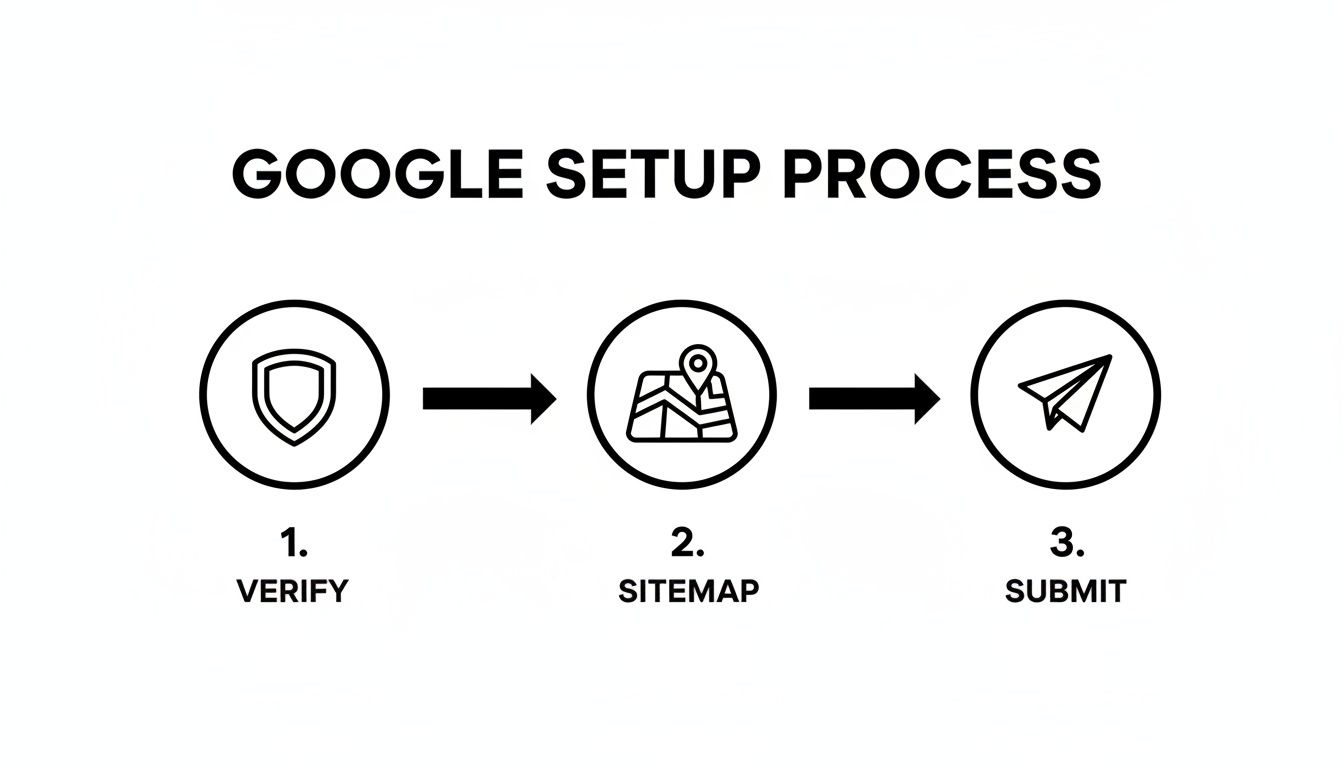
To make it even clearer, here’s a quick checklist to make sure you’ve got the essentials covered right from the start.
Essential Checklist for Your First Google Setup
This table breaks down the absolute must-do actions for getting your site properly introduced to Google.
Action Item | Purpose | Why It's Critical |
|---|---|---|
Set Up Google Search Console | To get direct data from Google about your site's performance. | It's your official communication channel with Google. Without it, you're flying blind. |
Verify Domain Ownership | To prove you are the legitimate owner of the website. | This builds trust with Google and unlocks access to crucial performance data and tools. |
Submit Your XML Sitemap | To give Google a clear map of all your important pages. | It ensures Google can find and crawl all your content efficiently, speeding up indexing. |
Once you’ve ticked these boxes, you’ve officially opened the door. You’ve introduced yourself, proven you own the place, and handed Google a guide to your most valuable pages. Now, the real fun begins.
Building a Technical Foundation Google Can Understand

Okay, so you’ve sent Google an invitation to your digital party. The next job is to make sure it has a good time when it shows up.
Think of Google’s crawler, Googlebot, as a first-time guest in your home. If the hallways are cluttered and the doors are locked, it’s not going to explore much and will probably leave feeling confused. A solid technical foundation ensures Googlebot can move around your site smoothly, figure out what each page is about, and index your content properly.
This is the bit where we move from just being known to Google to being understood by it. The aim is to clear out any technical clutter that might stop your amazing content from showing up in search results. Don't worry, it’s less about scary code and more about clear communication with search engine bots.
Setting the Rules of Engagement with Robots.txt
Your first tool for this is a simple but mighty file called robots.txt. This is just a plain text file that lives in your site's main directory and gives search engine crawlers instructions on which bits of your website they're allowed to visit. It’s like putting a "Staff Only" sign on your office door; you’re telling the bots where they should and shouldn't snoop around.
For instance, you might want to block Google from crawling things like:
Duplicate pages that don’t add any unique value.
Admin login pages or other private user areas.
Internal search result pages, which can create an endless loop of low-quality URLs.
A classic mistake is accidentally blocking important parts of your site, which basically makes them invisible to Google. Always double-check your robots.txt file to make sure you haven’t unintentionally put a "Do Not Enter" sign on your most valuable content. Most platforms, including Wix, handle this for you, but it’s smart to know it exists and to check its settings in Google Search Console.
A well-configured robots.txt file guides Google’s resources towards your most important pages. By telling it what to ignore, you help it focus on the content you actually want to rank.
This small file has a big impact on your "crawl budget"—the amount of time and resources Google is willing to spend on your site. By blocking off the unimportant stuff, you make sure Googlebot spends its valuable time on the content that actually matters to your business.
Crafting Your First Impression with On-Page SEO
Once Google's crawlers can access your pages, you need to make sure they can understand the content's purpose in a split second. This is where basic on-page SEO comes in. These elements are your site's digital handshake and name tag, telling both Google and real-life users what a page is all about before they even click.
Two of the most critical on-page elements are your title tags and meta descriptions.
Title Tag: This is the clickable headline you see in Google's search results. It needs to be unique for every single page and accurately describe what’s on it, ideally with your main keyword included.
Meta Description: This is the little snippet of text that appears under the title. While it’s not a direct ranking factor, a punchy meta description acts like ad copy, tempting people to click on your result instead of a competitor’s. A study actually found that pages with a meta description get 5.8% more clicks than those without one.
Put yourself in a user's shoes. If you search for "custom cakes in London," you’re far more likely to click a result with a clear title like "Custom Celebration Cakes in London | The Cake Shop" than one with a generic title like "Home." Your title and description are your first, and maybe only, chance to win that click.
For a deeper dive into these fundamentals, check out our complete guide to mastering website optimisation for search engines.
Ready to build on this technical foundation and make your site lightning-fast for visitors? Let’s explore how speed and mobile-friendliness can dramatically boost your chances of getting seen on Google.
Winning with Mobile Friendliness and Site Speed
Now that you've cleared a path for Google's crawlers, it's time to focus on the next make-or-break factor: the user experience. Let's be honest, in today's world, that experience almost always happens on a small screen. A massive chunk of your UK audience will find you on their phone, and Google’s entire indexing algorithm is built around this reality.
This is what the industry calls mobile-first indexing. In simple terms, Google now primarily looks at the mobile version of your site to decide how to rank you. If your site is a masterpiece on a desktop but is slow, broken, or a pain to use on a phone, you're essentially telling Google you’re not ready for the modern web.
This is especially true in the UK, where mobile search is king. For UK businesses, being mobile-friendly isn’t just a nice-to-have; it’s a non-negotiable ticket to the game. After all, Google holds over 97% of the mobile search share here, and if you don't play by their mobile-first rules, you're practically invisible.
Embrace Responsive Design
The best way to nail the mobile experience is with responsive design. It’s a fancy way of saying your website automatically adjusts its layout, images, and text to look perfect on any screen size—from a giant monitor right down to the smallest smartphone.
Luckily, if you're using a modern platform like Wix, responsive design is largely baked in. Your site should adapt on its own without you having to lift a finger. Still, I always recommend jumping into your platform’s mobile editor to manually check how things look and feel. What looks good to the algorithm might not look good to a human.
A truly responsive site isn’t just about making things smaller. It's about ensuring:
Text is easy to read without anyone having to pinch and zoom.
Buttons and links are big enough for clumsy thumbs to tap easily.
The most important info is front and centre, not hidden three scrolls down.
Images load fast and don’t make your visitors want to throw their phones.
For a deeper dive, our post on how to make your website mobile-friendly gives you a quick and actionable guide.
Understanding Core Web Vitals
Beyond just looking good on a phone, your site needs to feel fast. This is where Google’s Core Web Vitals come into play. These aren't just technical jargon; they are specific metrics that measure the real-world experience your visitors have. Getting these right is a huge part of getting on Google’s good side.
Key Takeaway: Core Web Vitals directly measure how frustrating or seamless a visitor's experience is. Think of them as Google's way of scoring your site's "first impression," and they are a direct ranking signal.
The three main pillars you need to know are:
Largest Contentful Paint (LCP): This is all about loading speed. It measures how long it takes for the biggest thing on your page (usually a banner image or a big block of text) to show up. Anything under 2.5 seconds is what you're aiming for. A slow LCP makes a site feel sluggish from the get-go.
Interaction to Next Paint (INP): This one measures responsiveness. When a user clicks a button or taps on your menu, how quickly does something happen? A good INP means the user gets immediate visual feedback, making the site feel snappy and alive.
Cumulative Layout Shift (CLS): This is all about visual stability. Have you ever gone to click a button, only for an ad to load above it and push everything down, causing you to click the wrong thing? That’s a high CLS, and it’s one of the most annoying things a website can do.
Practical Steps to Improve Your Scores
You don’t need to be a coding genius to improve these scores. A few simple actions can make a massive difference.
Compress Your Images: This is the big one. Huge, unoptimised images are the number one cause of slow websites. Use tools like TinyPNG or the built-in features on platforms like Wix to shrink your image file sizes without making them look grainy.
Leverage Browser Caching: Caching is like giving a returning visitor’s browser a memory. It stores parts of your site (like your logo and background images) so they don’t have to be re-downloaded every single time. The result? A much faster load for repeat visitors.
Minimise Unnecessary Code: If you’ve loaded your site up with third-party apps, plugins, and custom code, it can really bog things down. Do a regular audit and get rid of anything you don’t absolutely need. Be ruthless.
By focusing on both how your site looks and how fast it feels, you create an experience that Google will reward. Beyond just the technical bits, adopting proven strategies to lower your bounce rate will keep visitors on your site longer, sending even more positive signals to Google.
Ready to take your optimisation to the next level? If you need an expert eye to make sure your website is perfectly tuned for speed and mobile, contact Baslon Digital today for a professional site audit and performance boost.
Creating Content That Actually Gets You Noticed

Alright, getting your site technically sound is like getting your ticket to the big match. But it’s the content that actually plays the game and wins it for you. You could have the fastest, slickest website on the planet, but if the words on the page don’t answer a real person's burning questions, you’re not going to rank for long. This is where you stop just being on Google and start being valuable to the people using it.
Forget the old-school tricks like "keyword stuffing"—where you cram your target phrase into a page a hundred times. Google’s algorithms are ridiculously clever now; they understand what people actually mean when they search. Your job is to create content that answers that query so well that Google has no choice but to show it to people.
Figure Out What Your UK Audience is Actually Searching For
Before you type a single word, you've got to get inside your customer's head. What are they really typing into that little white box? This is what we call keyword research, and it’s less about finding magic phrases and more about understanding the real language your audience uses.
Let's say you run a bespoke furniture shop in Manchester. People aren't just searching for "furniture." They're getting specific:
"handmade wooden dining table Manchester"
"best sustainable furniture UK"
"how to care for oak furniture"
"custom shelving units for alcoves"
Every one of those searches is a cry for help. Some are ready to buy right now, while others are just gathering info. Your content needs to be there for all of them. Tools like Google Keyword Planner or paid options like Ahrefs are your crystal ball, showing you exactly what people are looking for.
Key Takeaway: Your goal is to become the go-to expert in your field. When you consistently publish content that genuinely helps people, you build what's called topical authority. That's a massive green flag for Google, telling it that you’re a credible source worth ranking.
Use Topic Clusters and Internal Links to Look Like an Expert
Stop thinking about blog posts as random, one-off articles. The modern way to do it is with topic clusters. It sounds complicated, but it’s simple.
First, you create a massive, in-depth "pillar page" on a big topic (e.g., "The Ultimate Guide to Sustainable Furniture"). Then, you write several smaller, focused "cluster" posts that dive deep into all those little search queries we found earlier.
This does two brilliant things for you. First, it makes your site a dream for users to browse. If they find one article, they can easily click through to find more related info without ever hitting the back button. This keeps them on your site longer—a huge tick in Google's book.
Second, you link all those smaller posts back to the big pillar page. This spider's web of internal links is pure SEO gold. It shows Google how all your content is related and helps spread ranking power across your entire site. Think of each link as a little vote of confidence, telling Google, "Hey, this page is important, and so is the one it's pointing to!"
Write Content That's Actually Worth Reading
Once you know what you’re writing about, you have to deliver the goods. Great content isn't about hitting a word count; it's about being genuinely useful.
Here are a few ground rules:
Answer the Entire Question: Don't just skim the surface. If someone asks "how to care for oak furniture," tell them everything—cleaning, polishing, scratch prevention, the lot. Be the best answer on the internet.
Make It Scannable: Let's be honest, nobody reads a solid wall of text, especially on their phone. Use short paragraphs, clear headings, bullet points, and bold text to break things up.
Sound Like a Human: Ditch the corporate jargon. Write in a natural, conversational voice. Share your real expertise. For small UK businesses, your personality is a massive advantage—use it!
When you combine smart keyword research with genuinely helpful content, you build a powerful machine that pulls in free, organic traffic day after day. This is how you don't just get on Google, but you stay there.
If you’re ready to build a content plan that attracts your ideal UK customers and makes you the obvious choice in your industry, reach out to the experts at Baslon Digital. We’ll craft a strategy that gets real results.
Getting Local Customers to Find You with Google Business Profile
If your business has a physical address—say, a café in Bristol, a plumbing service in Leeds, or you're a freelance photographer in Glasgow—then mastering local search isn't just a nice-to-have. It's the most direct way to get in front of customers who are literally searching for you right now.
For these kinds of businesses, the whole "how to get my website on Google" game is less about ranking across the country and more about showing up for a search like "best coffee shop near me."
The absolute centrepiece of any local strategy is your Google Business Profile (GBP). This free tool is what gets you on Google Maps and, more importantly, into the coveted "Map Pack"—that little box with three local businesses you see right at the top of the search results. A well-tuned profile can drive foot traffic, phone calls, and website clicks before a user even thinks about scrolling down the page.
Claiming and Verifying Your Digital Shop Front
First things first, you need to claim or create your profile. It's a pretty straightforward process, but it's crucial to get it right from the start. Google needs to know you're the real owner at the address you've listed. Usually, this means they'll send a postcard with a verification code to your business address, which you then pop in online.
Once you're verified, you've got the keys. This is where the real work begins. Think of your profile less like a static listing and more like a dynamic snapshot of your business that answers a customer's questions before they even ask them.
Tweaking Your Profile to Stand Out
An incomplete profile is just a missed opportunity. To really grab someone's attention, you need to fill out every single section with accurate, compelling, and up-to-date information.
Here’s what you need to jump on straight away:
Business Categories: Be specific. Don't just put "restaurant"; choose "Italian Restaurant" or "Vegan Café." You can add secondary categories too, which helps you pop up for a wider range of searches.
High-Quality Photos: Show off your best side. Upload clear, professional photos of your shop front, your products, your team, and what it looks like inside. The stats don't lie: businesses with photos get 42% more requests for driving directions and 35% more clicks through to their websites.
Consistent NAP: This one's critical. Your Name, Address, and Phone number (NAP) must be identical on your Google Business Profile, your website, and any other online directories. Any inconsistencies can confuse Google and hurt your local ranking.
Your Google Business Profile is often the very first interaction a potential customer has with your brand. Treat it with the same care you would your physical storefront—keep it clean, inviting, and full of useful info.
To help local customers find you, one of the most critical steps is to optimise your Google Business Profile. This powerful tool is your key to appearing in local search results and attracting customers in your area.
The Power of Customer Reviews
Finally, never, ever underestimate the impact of customer reviews. They are one of the heaviest-hitting factors in local search ranking. A steady stream of positive reviews builds immense trust, both with potential customers and with Google's algorithm.
Actively encourage your happy customers to leave a review. You can create a direct link to your review page and stick it in your email signature or on receipts. Just as importantly, make sure you reply to all reviews, good and bad. A thoughtful response to a negative review can often win over more future customers than a string of five-star ratings alone. It shows you care and that you're committed to great service.
Ready to make your mark on the local map? If you want to ensure your Google Business Profile is perfectly optimised to attract local customers, let Baslon Digital help you get set up for success.
Tracking Performance and Adopting Advanced Tactics
Alright, getting your website on Google isn't a "set it and forget it" deal. Think of it more like tending a garden; it needs regular attention to really flourish. The work you've done so far has planted the seeds, but now it's time to watch it grow and make smart tweaks along the way.
This is where you stop guessing what works and start using cold, hard facts to make decisions. Google gives you all the data you need for free, so you can move from just setting up to actually scaling up. This cycle of tracking, learning, and improving is what separates the websites that just exist from the ones that totally crush it in search.
Monitoring Your Progress with Google's Tools
Your new best friends are Google Search Console and Google Analytics. They’re the dynamic duo of website performance. Search Console tells you how you're doing on Google itself, while Analytics reveals what people actually do once they land on your site.
In Search Console, the "Performance" report is your command centre. It shows you four metrics you need to care about:
Impressions: How many times your site popped up in search results.
Clicks: How many people actually clicked through to your site.
Click-Through Rate (CTR): The percentage of impressions that turned into a click.
Average Position: Your average rank for a specific search term.
Checking this data regularly helps you spot which pages are your superstars and which ones need a little love. For example, if a page has a ton of impressions but a rubbish CTR, that’s a massive clue that your title tag or meta description isn't tempting enough to earn that click.
Pro Tip: Don't just glance at the big numbers. Dive into the "Queries" tab to see the exact search terms people are using to find you. You might find some gold-dust keywords you didn't even know you were ranking for, giving you brilliant ideas for new content.
Keeping Your Site Healthy with the Coverage Report
Another gem inside Search Console is the "Coverage" report. Think of it as a health check-up for your site's indexing status. It shows you which pages Google has successfully indexed and, more importantly, which ones it's having trouble with.
You'll see pages sorted into four buckets: Error, Valid with warnings, Valid, and Excluded. Your job is to zoom in on the "Error" section. Google will tell you exactly why it couldn't index a page—maybe it’s a broken link (404 error) or something funky with your robots.txt file. Fixing these errors ASAP is non-negotiable if you want all your important content to show up in search.
Once you’ve got the hang of the basics, it’s time to get a bit more advanced. The following reports in Search Console provide a treasure trove of information that can seriously level up your SEO game.
Report Name | What It Shows | Actionable Insight |
|---|---|---|
Performance | Impressions, clicks, CTR, and average position for pages and queries. | Identify high-impression, low-CTR pages to improve titles and meta descriptions. |
URL Inspection | Detailed index status of a specific URL, including crawl and mobile data. | Troubleshoot why a specific page isn't indexed or see how Googlebot views your page. |
Coverage | Which pages are indexed, which have warnings, and which have errors. | Find and fix critical indexing errors (like 404s or server errors) that are hurting your visibility. |
Sitemaps | The status of your submitted sitemaps and any issues found. | Ensure Google can find and crawl all the important pages on your site. |
Mobile Usability | Pages that have usability issues when viewed on a mobile device. | Fix mobile-friendliness problems to improve user experience and avoid potential ranking drops. |
Links | Who links to you (external links) and how you link to your own pages (internal). | Discover new backlink opportunities and find pages that need more internal links to boost their authority. |
By regularly peeking at these reports, you move from flying blind to steering your website with precision. It's the difference between hoping for traffic and actively creating a strategy to attract it.
Earning Rich Snippets with Structured Data
Ready to get a real edge over the competition? Let’s talk about structured data, also known as Schema markup. It sounds techy, but it’s basically a special code you add to your site to give Google more context about what your content is.
For instance, you can use it to tell Google:
"This is a recipe, and it takes 30 minutes to cook."
"This is a product, and it costs £49.99."
"This is a local business, and it’s open from 9am to 5pm."
When you give Google this extra info, it might reward you with rich snippets—those eye-catching search results with star ratings, prices, or event dates right there on the page. Rich snippets make your listing pop and can seriously boost your click-through rate. Luckily, many Wix apps can help you add structured data without having to write a single line of code.
Building Authority with Quality Backlinks
Finally, let’s touch on a key long-term strategy: building high-quality backlinks. A backlink is just a link from another website to yours. Google sees these as votes of confidence. If a reputable, relevant UK website links to you, it tells Google your site is a trustworthy source.
The keyword here is "quality." One link from a respected industry blog is worth more than a hundred from spammy, low-grade sites. The best way to do this? Create genuinely useful content that other people will want to link to. Think original research, a super-detailed guide, or a valuable free tool. It’s a slow burn, but building a strong backlink profile is one of the best ways to establish your site’s authority and climb the rankings for good.
Ready to turn these insights into action? If you want an expert to analyse your performance data and build a winning strategy, contact Baslon Digital today for a professional SEO consultation.
So, What Now?
Right, you’ve made it this far, which means you’re armed with a complete roadmap for getting your website seen by Google and attracting the right crowd in the UK. But knowing the path is one thing; walking it is another.
The real magic happens when you move from reading to doing.
Don't let this just be another tab you close. Your first move should be getting your hands dirty in Google Search Console. From there, run a quick health check on your site's technical bits and pieces and, most importantly, start creating content that actually helps people.
Forget about perfection for now. Progress is what matters. Getting your website noticed on Google isn't a one-and-done task; it's more like tending a garden. So, go plant that first seed today.
Feeling a bit out of your depth or just want to get results faster? The team at Baslon Digital lives and breathes this stuff. We help UK businesses like yours climb the Google rankings and turn search traffic into real customers. Give us a shout for a personalised chat, and let’s get your website the attention it deserves.
Comments