How to Create an Online Store That Sells A UK Guide

Updated: Feb 3
Thinking about launching an online shop? It can feel like a huge project, but when you break it down, it's really just four key stages: planning the big idea, building the actual website, launching it to the world, and then growing your audience. Get the roadmap right, and the journey from a simple idea to your first sale is smoother than you think.
Your Blueprint For E-commerce Success
So, you're ready to get your online store off the ground here in the UK? Brilliant. This guide is your no-nonsense, actionable plan designed for entrepreneurs, freelancers, and small businesses who want to do more than just exist online—they want to thrive. We’ll cut through the jargon and get straight to the good stuff.
Forget the generic advice you've seen elsewhere. We're diving deep into the essential stages of planning, building, launching, and growing your store, all backed by our hands-on experience building successful Wix websites for UK businesses just like yours. This is about creating a professional, sales-driving machine, and we’ll be your expert guide every step of the way.
The Massive UK E-commerce Opportunity
Let's talk numbers for a second, because they're pretty exciting. When you launch an online store in the UK, you're jumping into a seriously booming market. There are already a staggering 508,000 businesses in the UK e-commerce space, a figure that grew by 5.7% between 2020 and 2025.
Even better, the market is projected to hit a mind-boggling £353.5 billion by 2026. Setting up a proper online store isn't just a good idea; it's a strategic move for long-term growth.
This little diagram sums up the journey perfectly, showing the four core stages from initial scribbles on a notepad to long-term, sustainable growth.
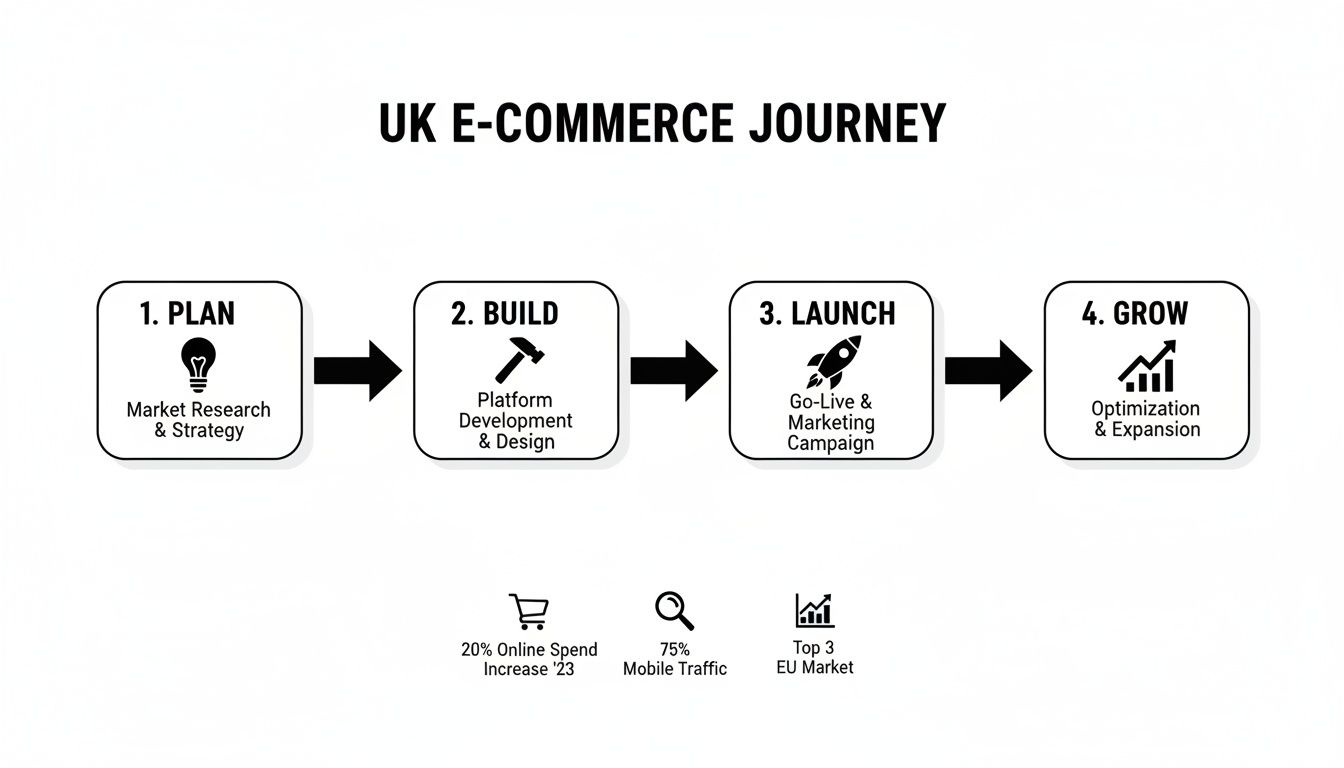
See how it flows? The launch isn't the finish line. It's just a critical milestone in a cycle of constant improvement and growth.
Your Path Forward
We've structured this guide to walk you through each of these phases logically. We'll cover everything from the big foundational decisions right through to your final launch-day marketing push.
If you’re the type who loves to get into the technical weeds, the UK Guide to E-commerce Application Development is a great resource for a deeper dive.
A successful e-commerce business is built on a solid foundation. Taking the time to properly plan your niche, platform, and brand identity at the start will pay dividends long after you launch.
Ready to take that first step? Let's get into what is arguably the most critical decision you'll make: choosing the right platform and carving out your unique space in the market.
Choosing Your E-commerce Platform And Niche
The very first decision you make is the bedrock of your entire online business: which platform will you build on, and what niche will you serve? Get this right, and you’re building on solid ground. This choice dictates everything from your day-to-day grind to your long-term growth potential.
Thinking about how to create an online store can feel massive, but it all boils down to these two connected ideas. The UK e-commerce market is a huge opportunity—forecasts predict revenue will rocket to £101.46 billion in 2025. With pretty much every internet user in the country already shopping online, success isn't about being just another store. It's about grabbing a specific audience with a specific product.
Finding Your Profitable Niche
Before you even glance at a website builder, you need to figure out who you're selling to and what makes you different. The classic mistake is trying to be everything to everyone. Don't do that. Instead, carve out a specific corner of the market where you can really shine.
Think of a Bristol-based artisan gin distillery. They don’t just sell "gin." They sell "small-batch, botanically infused gin for cocktail enthusiasts who value local ingredients." Now that's a niche. It has a clear audience and a unique reason to exist.
To find your own, ask yourself:
What problem am I solving? Are you offering better quality, a more sustainable option, or a design that no one else has?
Who is my ideal customer? Get specific. Think about their age, what they love, and what they value. The gin distillery isn't targeting casual drinkers; they're after adventurous foodies.
What's the competition doing? Go snoop around other stores in your potential niche. Look for gaps in what they offer or areas where you know you can deliver a better experience.
Selecting The Right E-commerce Platform
Once you’ve nailed your niche, you can pick a platform that actually fits your goals. Your platform is your digital shopfront, your stockroom, and your checkout counter all rolled into one. It will impact your design freedom, how easy it is to manage, and how well you can scale up later.
There are loads of options out there, but for freelancers and small businesses in the UK, it usually comes down to a few key players. As you consider options for your store, evaluating the best ecommerce platform will be an essential step in establishing your online presence. Each has its strengths, but they serve slightly different needs. For a detailed breakdown, you might want to check out our guide on the best e-commerce platforms for UK small businesses.
For new entrepreneurs, the ideal platform is one that grows with you. It should be simple enough to launch quickly but powerful enough to handle more sales, new product lines, and future marketing without needing a complete rebuild.
Let's break down the big three.
Comparing Top E-commerce Platforms For UK Small Businesses
Here’s a quick comparison to help you decide which platform best suits your business needs, focusing on factors crucial for freelancers and small enterprises.
Feature | Wix | Shopify | WooCommerce |
|---|---|---|---|
Ease of Use | Excellent. Drag-and-drop editor is perfect for beginners with no coding skills. | Very Good. Clean interface, but has a slight learning curve for customisation. | Moderate. Requires WordPress knowledge and can be technically demanding. |
Design Flexibility | Excellent. High degree of creative control to build a unique brand look. | Good. Uses a theme-based system; major changes may require coding. | Excellent. Fully customisable, but you'll need technical skills or a developer. |
Pricing (Monthly) | Starts from £17/month (Core plan). All-in-one pricing. | Starts from £19/month (Basic plan). Transaction fees apply without Shopify Payments. | Free plugin, but you pay for hosting, domain, themes, and premium extensions. |
Best For | Creatives, service-based businesses, and small retailers wanting brand control. | Businesses focused on rapid growth and scaling with a large product inventory. | Tech-savvy owners who want total control and are comfortable managing their site. |
While all are solid choices, the best one really depends on your specific business.
Wix, for example, is often a perfect match for creatives, service providers, and small businesses. Its drag-and-drop editor gives you incredible design freedom without needing to touch a line of code, which is a massive plus for creating a unique brand identity. You can build a beautiful, functional store that perfectly reflects your niche, whether you’re selling artisan gin or bespoke furniture.
Shopify is another powerhouse, known for its hardcore sales features and massive app ecosystem. It’s brilliant for businesses that are planning to scale up fast. On the other hand, WooCommerce, a plugin for WordPress, offers the ultimate customisation but demands more technical know-how to keep it running smoothly.
For our Bristol gin distillery, Wix would be a superb choice. They could create a visually stunning site that tells their brand story, shows off their beautiful bottles with high-quality images, and easily bolts on a booking system for distillery tours. The all-in-one nature of Wix means they can manage products, sales, and marketing from one place, saving precious time they'd rather spend making gin.
Ready to build a brand that stands out? Let’s turn this planning into action. The next step is to get hands-on and bring your product vision to life.
Building Your Store: From Products to Payments
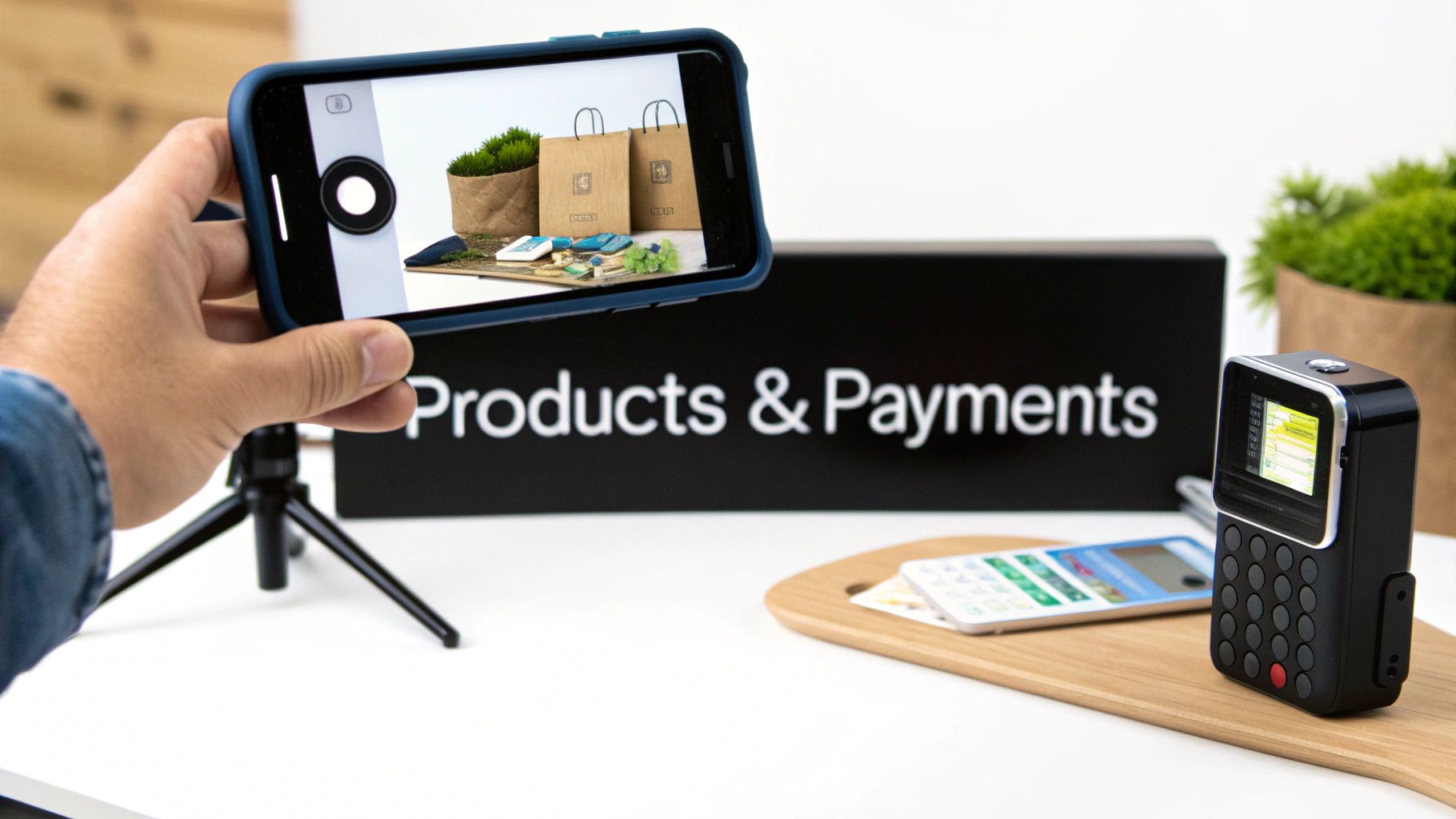
Right, you’ve picked your platform. Now for the fun part: rolling up your sleeves and actually building the thing. This is where your business plan starts to feel real, transforming into a place where people can actually click 'buy'. We'll use Wix as our go-to example here, covering the nitty-gritty from product listings that actually sell, to getting paid and shipping orders out the door.
This isn't just about uploading a few photos. It's about building a solid foundation for your store—one that’s a breeze for you to manage and a genuine pleasure for your customers to use. Let’s get into it.
Crafting Product Listings That Actually Convert
Think of your product page as your 24/7 digital salesperson. A lazy listing can kill a potential sale stone dead, but a great one makes your product feel like something your customer absolutely needs. It all boils down to two things: photos and words.
You don't need a fancy studio for your photography. Honestly, modern smartphones are brilliant. The real secret? Good lighting. Get your products near a window and use natural light whenever you can. It stops those harsh, ugly shadows and shows off the true colours of what you're selling. Make sure you snap pictures from every angle—front, back, side, and a close-up detail shot. Give your customers the full picture.
Now for the description. This is your chance to sell the story, not just the item. Don't just list specs.
Talk Benefits, Not Just Features: Instead of saying "made from 100% merino wool," try something like, "Stay wonderfully warm without the bulk in our incredibly soft, breathable merino wool jumper." See the difference?
Let Your Brand Voice Shine: Are you fun and a bit quirky? Or are you more elegant and refined? Whatever your brand's personality is, make sure it comes through in your writing.
Weave in Keywords Naturally: Think like your customer. What would they type into Google? Sprinkle those terms into your product titles and descriptions. For instance, "Handmade Ceramic Mug" is fine, but "Large Handmade Ceramic Mug for Coffee Lovers - Blue Glaze" is infinitely better for being found online.
Organising Your Products for Easy Shopping
Ever walked into a shop where everything's just thrown into random piles? You'd probably turn around and walk straight out. It’s exactly the same online. Grouping your inventory into logical categories and collections is non-negotiable for a good user experience.
On a platform like Wix, you can easily create product collections. For a clothing shop, you might have "New Arrivals," "Women's Dresses," or a seasonal collection like "Summer Essentials." This helps people find what they’re looking for without getting lost and clicking away.
Good organisation isn't just about being tidy—it's a conversion tool. A well-structured store guides customers on a journey, making it dead simple for them to discover products they love and pop them into their basket.
A clear navigation menu linking to these main collections is an absolute must. If you’ve got a lot of products, think about adding filters so customers can sort by size, colour, or price. It seems like a small thing, but it can make a huge difference to your sales.
Setting Up UK Payments and Shipping
Okay, let's talk about the logistics: getting paid and getting your products out the door. This is a critical hurdle to clear, especially for UK businesses.
First up, payment gateways. This is the tech that securely handles your customer's card payments. For UK businesses, the most trusted and popular options are Stripe and PayPal. They both plug straight into Wix and are names shoppers instantly recognise and trust. Getting set up is usually just a case of creating an account and linking it to your Wix dashboard. For a more detailed breakdown, check out our guide on the best payment gateways for e-commerce in the UK.
Next, shipping. You need to set up rules for your deliveries, both within the UK and internationally if that's part of your plan.
Key Shipping Considerations:
Pick Your Couriers: Royal Mail is often the best bet for smaller items. For bigger parcels, couriers like DPD or Evri are great and offer solid tracking.
Set Your Rates: Will you offer free shipping over a certain spend (a fantastic incentive!), a flat rate, or prices based on weight? Wix lets you configure all of these options.
Define Your Regions: Be clear about where you'll deliver to. Start with the UK and then decide if and when you want to expand to Europe and beyond.
Finally, let's not forget the taxman. You need to think about Value Added Tax (VAT). If your business's VAT taxable turnover tips over £90,000 a year (as of April 2024), you are legally required to register for VAT with HMRC. Once you're registered, you have to charge VAT on your products. The good news is Wix has built-in tax tools that can automatically apply the correct UK tax rates for you.
With your products looking sharp and your payment and shipping systems ready to go, you’ve built the engine of your store. Now it’s time to give it a beautiful body that turns casual visitors into loyal customers. Let’s get designing.
Designing A User Experience That Converts
So, you've got beautifully photographed products and a slick payment system. That's a fantastic start, but what really separates a good online store from a great one is its design. A stunning website is nice, but one that’s simple and intuitive to use is what actually turns casual browsers into paying customers. This is the art and science of user experience, or UX.
When you're figuring out how to create an online store, think of UX not as the final coat of paint, but as the very architecture that guides a customer from your homepage to that final "Confirm Purchase" button. A confusing layout or a clunky mobile view will cost you sales, no matter how amazing your products are.
Embrace A Mobile-First Mindset
Let's get one thing straight: your customers are shopping on their phones. In fact, mobile commerce is on track to account for over 40% of all e-commerce sales. This isn't just a trend; it's the new standard.
This means your store absolutely must look and work flawlessly on a small screen. Designing for mobile first forces you to focus on what’s essential, which honestly leads to a cleaner, more focused experience for everyone, even on a desktop.
Put yourself in your customer's shoes. They need to be able to easily tap on menus, read product details without pinching and zooming, and enter their payment information without getting frustrated. Thankfully, Wix websites are built with this in mind, offering responsive designs that automatically adapt to any screen size—a massive head start.
The Pillars Of High-Converting Design
Beyond just being mobile-friendly, a few core principles can turn a good design into a great one that actively sells for you. These elements work together to build trust and make the whole buying process feel effortless.
Intuitive Navigation: Keep your main menu simple and predictable. Use clear, common-sense labels like "Shop," "About Us," and "Contact." If you sell clothing, your "Shop" dropdown should have logical categories like "Dresses," "Tops," and "Trousers"—not clever but confusing names that nobody understands.
A Frictionless Checkout: Every extra step or field in the checkout process is another chance for a customer to give up and abandon their cart. Aim for a single-page checkout if you can, and always offer a guest checkout option. The less information someone has to fill in, the better.
Compelling Calls-to-Action (CTAs): Your "Add to Basket" and "Buy Now" buttons need to pop. Use a contrasting, action-oriented colour that draws the eye. The text should be direct and unambiguous, leaving no doubt about what happens when they click it.
A great user experience isn't about flashy animations or trendy layouts. It’s about removing obstacles. Your goal is to make the path to purchase so smooth that the customer doesn't even have to think about it.
Building Trust Through Visuals
Your design choices communicate a lot about your brand's credibility without saying a word. The right colours, fonts, and trust signals can make a visitor feel confident enough to hand over their card details.
Your colour palette should reflect your brand's personality and be consistent across the entire site. A limited palette of two or three main colours almost always looks more professional than a chaotic rainbow of different shades.
Similarly, choose readable fonts. A simple, clean sans-serif font like Arial or Lato is a much better choice for body text than a decorative, hard-to-read script. It's about clarity, not cleverness.
Most importantly, you need to display trust signals prominently. These are the visual cues that reassure customers your store is legit and their information is safe.
Essential Trust Signals to Include:
Secure Payment Logos: Displaying icons for Visa, Mastercard, and PayPal instantly builds a sense of security.
Customer Testimonials: Positive reviews and quotes from happy customers provide powerful social proof. People trust other people.
Clear Contact Information: An easily accessible phone number, email address, or physical address shows there's a real business with real people behind the screen.
By thoughtfully combining these UX principles, you create more than just an online shop; you build a trustworthy and enjoyable environment that encourages people to stick around and, most importantly, to buy.
Feeling like you need a hand to get the design just right? Partnering with a professional can make all the difference.
Launching And Marketing Your New Online Store
You've built a brilliant store, designed a flawless user experience, and sorted out your payments and shipping. Now for the exciting bit—showing it to the world and bringing in those first customers. A successful launch isn't just about flipping a switch; it's a planned event backed by a solid marketing foundation that will keep the sales coming long after the initial buzz fades.
Before you hit that "go live" button, it's absolutely vital to run a final pre-flight check. This is all about making sure every single part of your store works perfectly, preventing any frustrating glitches that could cost you a sale on day one. After all, a smooth first impression is everything when you're trying to build trust with new shoppers.
Your Final Pre-Launch Checklist
Think of this as your final walk-through before opening the doors. Go through your own site as if you were a brand-new customer and meticulously test every single step of the buying journey. Better yet, get a friend or family member to do the same—a fresh pair of eyes can spot issues you might have overlooked.
Key Areas to Double-Check:
The Full Customer Journey: Can you add different products to the basket, apply a discount code, and complete a full checkout with a real payment? Seriously, run a small test transaction to ensure money actually flows into your account.
Mobile Experience: Grab your smartphone and check every single page. Are the images loading properly? Is the text easy to read? Can you navigate the menu without your thumbs getting in the way?
All Links and Buttons: Click on everything. And I mean everything. Make sure your social media icons link to the right profiles and that your navigation menu doesn't lead to any dead ends.
Content and Proofreading: Read every product description, policy page, and headline one last time. A simple typo can completely undermine your store's professionalism.
Once you’re confident that everything is working like a well-oiled machine, you’re ready to start shouting about it.
Foundational Marketing For New E-commerce Stores
You don't need a huge budget to make a big impact, honestly. The key is to focus on a few core strategies that build a sustainable engine for attracting consistent traffic. Let's look at some foundational tactics perfect for new entrepreneurs who need to make every pound count.
First up, you need to make sure people can actually find you on Google. E-commerce Search Engine Optimisation (SEO) is the art of tweaking your store to appear in search results when people look for products like yours. Start by ensuring every product has a unique, descriptive meta title and meta description. These are the little snippets of text that appear in Google, so make them compelling and sprinkle in your most important keywords.
SEO isn't a quick fix, but a long-term investment. The work you put into optimising your product pages from day one will pay off for months and years to come with a steady stream of free, organic traffic.
For any business with a local presence, setting up a Google Business Profile is a non-negotiable. It’s a free tool that gets you on Google Maps and in local search results, making it dead easy for nearby customers to discover you. Fill out every single section, add plenty of photos, and gently encourage your first few customers to leave a review.
Building Your Audience From Day One
Beyond search, you need to actively build a community around your brand. This is where the magic of email and social media comes into play.
Email marketing is still one of the most powerful tools in the e-commerce playbook. Add a simple sign-up form to your website—maybe offer a 10% discount on the first purchase in exchange for an email address. This allows you to build a list of engaged customers you can talk to directly, telling them about new products, special offers, and company news.
At the same time, pick one or two social media platforms where your ideal customers hang out. For most product-based businesses, Instagram is a natural fit. Use it to showcase your products with high-quality photos and videos, share behind-the-scenes content, and actually talk to your followers. Consistency is far more important than trying to be on every platform at once.
These foundational tactics work together to create a robust marketing system. SEO and your Google Business Profile bring in new visitors, while email and social media help you turn those visitors into loyal, repeat customers. For a deeper dive, you can learn more about proven marketing strategies for small businesses that will help you grow.
Getting your launch and initial marketing right sets the stage for future growth. But what happens when you hit a ceiling or need to implement more complex features? Knowing when to bring in professional help can be the difference between stagnating and scaling.
When To Partner With A Professional Wix Agency
Building your own online shop is a massive achievement. Seriously, give yourself a pat on the back. But as your business grows, there often comes a point where the DIY route starts feeling less like a shortcut and more like a roadblock.
Recognising that moment is half the battle.
Maybe you’re spending more time fixing weird glitches on your site than actually talking to your customers. Perhaps your sales have hit a frustrating plateau, or you’ve got brilliant ideas for custom features but no clue how to actually build them. These aren't failures; they're growing pains. And they’re clear signs it’s time to call in some backup.
Unlocking Your Store's Full Potential
Partnering with a specialist Wix agency like Baslon Digital isn’t about giving up control. It's about gaining a strategic partner who’s as invested in your success as you are. We go way beyond the standard templates to create bespoke designs and advanced functionality that make your brand impossible to ignore. That professional touch is often what turns a casual browser into a paying customer.
An expert agency brings more to the table than just pretty designs. They bring a deep understanding of e-commerce strategy, SEO, and the nitty-gritty of ongoing maintenance. This ensures your site is secure, lightning-fast, and always performing at its peak.
This kind of collaboration lets you offload all the technical headaches and get back to what you do best—running your business. A professionally built store isn't just a functional website; it’s a finely tuned machine, optimised to pull in traffic and convert visitors into loyal fans. Think of it as an investment in sustainable, long-term growth.
Knowing how to create an online store is one thing. Knowing when to bring in an expert to take it to the next level is what separates the good from the great.
Ready to see what a professional touch could do for your e-commerce business? Get in touch with our team at Baslon Digital today for a free, no-obligation chat about your vision.
Got Questions? We’ve Got Answers
Stepping into the world of e-commerce for the first time? It’s completely normal to have a million questions buzzing around. We hear them all the time from new UK entrepreneurs, so we’ve put together some quick, no-nonsense answers to the most common ones.
How Much Does It Really Cost To Get An Online Store Up And Running in the UK?
Honestly, the cost can swing wildly depending on the path you choose. If you're going the DIY route with a platform like Wix, you're looking at a pretty wallet-friendly starting point. Their business plans are usually somewhere between £17 to £27 per month. Don't forget to factor in a domain name, which will set you back about £10-£15 per year.
Of course, that's just the baseline. You might decide to invest in professional product photos (a very good idea!), a premium theme, or some snazzy marketing apps. You can get a simple, self-built shop off the ground for a minimal cost, whereas a bespoke, agency-built site is a bigger investment geared towards faster growth and creating a standout brand.
Do I Actually Need To Register My Online Business in the UK?
Yes, you absolutely do if you’re trading regularly and trying to turn a profit. For most people starting out, the easiest way is to register as a sole trader with HMRC. The rule of thumb is you have to register if you earn more than £1,000 from your self-employment hustle in a tax year.
It's always a good move to have a chat with an accountant right at the start. They can give you the lowdown on the best legal setup for your situation, whether that’s being a sole trader, setting up a limited company, or going into a partnership.
Okay, But How Do I Handle Shipping For My New Shop?
First things first, find some reliable couriers that fit what you're selling. For smaller bits and pieces, Royal Mail is often the default choice. For bigger parcels or if you want really solid tracking, couriers like DPD or Evri are fantastic options.
The great thing about Wix E-commerce is that setting up your shipping rules is dead simple. Right from your dashboard, you can create different rates based on an order's weight, its total value, or how fast you want it to get there (think standard vs. express options). And a final tip: your packaging is the first physical thing your customer touches. Make it secure, but also try to make it feel a bit special.
Ready to build an online store that not only looks incredible but is engineered for growth? Let the experts at Baslon Digital help you turn your vision into a high-performing e-commerce reality. Visit us today to book your free consultation.
Comments