Accept Credit Cards Online in the UK A Practical Guide
- Baslon Digital

- Feb 15
- 15 min read
Updated: Feb 17
Right, let's talk about getting paid. To accept credit cards online, you need what’s called a payment processor. Think of it as the digital bouncer that securely handles the money transfer between your customer's bank and your business account. It's the bit of tech that turns your website from a pretty online brochure into a proper shop.
For any UK business, this is a game-changer. It lets clients pay you instantly and professionally, which is absolutely vital for building trust and, let's be honest, actually making a sale.
Why You Absolutely Cannot Skip Online Payments
In today’s market, not taking card payments online is like having a shop with a permanently jammed door. It’s a huge red flag for potential customers, making you look less than serious. This isn't just about making more sales anymore; it's about looking credible from the moment someone lands on your site.
Picture this: a potential client loves your work. They’re ready to book your design services, card in hand. But when they get to the checkout, they find a clunky, outdated process, or worse, no online option at all. That little bit of friction is often all it takes for them to click away and find a competitor who makes it easy.
Build Trust and Professionalism in a Click
A smooth payment process does more than just close a deal—it builds instant trust. When people see familiar, secure options like Visa, Mastercard, or their favourite digital wallet, it’s a massive sigh of relief. It tells them their details are safe and that you're a legitimate, modern business.
It turns a simple transaction into a great brand experience. A hassle-free payment is the final step in their journey with you, and nailing it leaves a brilliant lasting impression. That’s how you get repeat business and those all-important word-of-mouth referrals.
Look, by making it easy for people to pay you, you’re knocking down the single biggest wall standing between you and a successful sale. It’s just fundamental customer service that goes straight to your bottom line and your brand’s reputation.
Keeping Up With What Customers Expect
Let's be real, digital convenience isn't a perk anymore; it's the bare minimum. This is especially true here in the UK, where paying by card is practically a national sport. Credit cards are so common that if you're not accepting them, you're competing with one hand tied behind your back.
The numbers don't lie. More than two-thirds of UK adults—that's around 68%—have at least one credit card. In just one month, Brits can collectively rack up billions in spending on these cards. It’s a clear signal that this is how people prefer to pay. If you want to dig deeper, you can explore more data on UK credit card usage to see the full picture. This isn't some passing trend; it's just how we do business now.
Ultimately, getting your online payments sorted is a foundational step for building a business that lasts. You’re investing in your customer’s experience, your credibility, and your future growth.
Ready to set up a professional, seamless payment system that builds trust and actually drives sales? Baslon Digital specialises in creating stunning Wix websites with payment solutions that just work. Give us a shout today to get started.
How to Choose the Right Payment Provider
Picking the right partner to help you accept credit cards online can feel like a huge decision, but it doesn't have to be a headache. The trick is to tune out the flashy marketing and focus on what actually matters for your business day-to-day. Let’s walk through how to compare the big players in the UK, like Wix Payments, Stripe, PayPal, and Square.
Forget the long feature lists for a moment. We’re going to focus on the real questions. What are the true transaction fees, once you dig past the headline rate? How painless is it to get this thing working on your website? And, maybe most importantly, who’s going to help you when a payment fails on a busy Friday night?
Look Beyond the Headline Transaction Rate
That big, bold percentage you see advertised? That's only part of the picture. A slightly lower rate from one provider can easily be wiped out by monthly account fees, higher charges for international cards, or eye-watering costs for handling disputes (you'll see these called chargebacks).
For any UK-based business, you need to be asking:
Where are my customers? If you sell mostly within the UK, your domestic rate is key. But some providers whack a hefty surcharge on payments from European or US cards.
What cards are they using? Believe it or not, payments from corporate or premium credit cards can sometimes cost you more in fees than standard ones.
Are there any sneaky monthly costs? Make sure there isn't a monthly subscription fee that will slowly chip away at your profits, especially if your sales go up and down.
The best payment provider isn’t just the one with the lowest fee. It’s the one that gives you clear, predictable pricing that makes sense for how you sell and who you sell to.
This whole process is about setting your business up for success. Getting your payment system right from the start builds a foundation of trust and credibility with your customers.
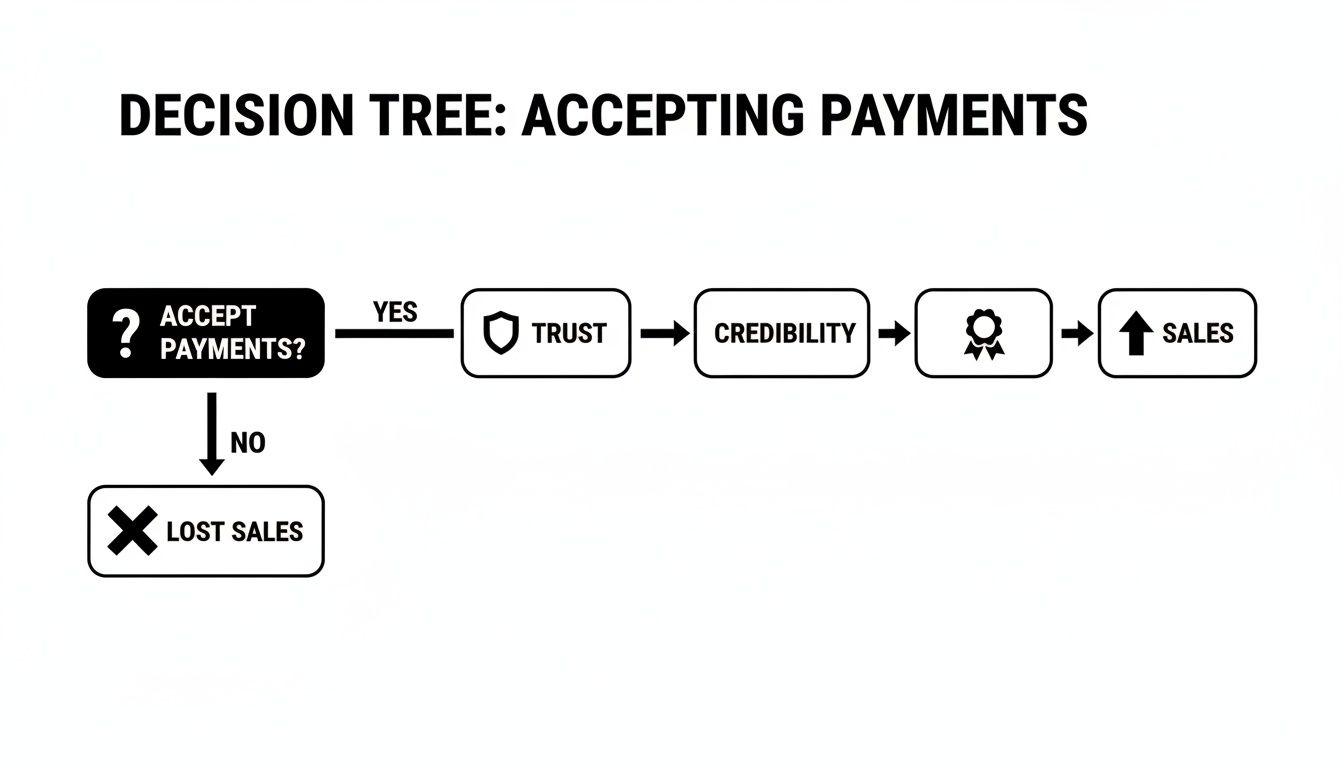
As you can see, a smooth payment experience isn't just a technical detail—it’s a direct line to more sales. Mess it up, and you're just leaving money on the table.
Ease of Use and Integration Matter Most
How a payment provider actually plugs into your website is just as crucial as its fees. A clunky, complicated integration can waste hours of your time, while a seamless one means you can start selling almost immediately. This is where your website platform, like Wix, becomes a huge factor.
If you’re running a Wix site, for instance, activating Wix Payments is unbelievably simple. It’s a native solution, which means it was built specifically for the platform. There are no weird APIs or bits of code to wrangle—you just click a few buttons inside your dashboard, and you’re done. Everything—your payments, bookings, and shop management—lives in one tidy place.
On the other hand, you have powerhouses like Stripe, known for its incredible customisation options. It’s a brilliant choice if you have unique business needs or big plans to scale, but getting it connected might require a bit more technical confidence. PayPal and Square tend to fall somewhere in the middle, offering a good mix of simplicity and a brand name that customers instantly recognise and trust.
Comparing Top UK Payment Providers for Wix Websites
Let's break down the main contenders based on what they do best. This isn't about finding the single "best" provider, but rather the best fit for your business. Here's a quick look at how they stack up for a typical UK small business using Wix.
Provider | Typical UK Transaction Fee | Best For | Key Advantage |
|---|---|---|---|
Wix Payments | 1.9% + 20p (UK/EEA cards) | Wix site owners who want maximum simplicity and everything in one dashboard. | Unbeatable, seamless integration. It’s built right into the Wix ecosystem. |
Stripe | 1.5% + 20p (UK cards) | Tech-savvy businesses that need deep customisation and scalability. | A powerful API, tons of developer tools, and endless integration options. |
PayPal | 2.9% + 30p (commercial rate) | Businesses wanting a globally recognised brand that shoppers already trust. | Sky-high customer familiarity. Perfect for encouraging quick checkouts. |
Square | 1.4% + 25p (UK/EEA cards) | Businesses with both an online shop and a physical, in-person presence. | Flawless syncing between your online payments and point-of-sale hardware. |
This table should give you a solid starting point for your decision. If you want to dive even deeper, you might find our guide to the 7 best payment gateways for e-commerce in the UK helpful, as it explores a few more options.
Ultimately, you're looking for a provider that feels like a natural part of your business. It should make your life easier while giving your customers a secure and hassle-free way to pay you. Think about your own technical skills, your business model, and where your customers are. The answers will point you to the perfect choice.
Getting Your Payment Gateway Live on Your Site
You’ve picked your payment provider—now for the fun part. It’s time to connect it to your website so you can finally accept credit cards online. This might sound like a job for a developer, but with a platform like Wix, it’s surprisingly straightforward. It’s designed to be a ‘few clicks’ job, not a technical nightmare.
This is your practical guide to getting that connection sorted. I’ll walk you through exactly where to go and what to click, whether you're using Wix’s own built-in solution or a third-party favourite like Stripe or PayPal. The goal here is to get you from decision to live payments as quickly and painlessly as possible.
Activating Wix Payments: The Integrated Approach
If you’ve decided Wix Payments is the way to go, you've picked the path of least resistance. Because it's baked right into the platform, there's no clunky setup. Think of it as your website's native financial language.
To get started, head over to your Wix Dashboard. On the left-hand menu, find the 'Finances' section and click into 'Payments'. This is your command centre for all things money-related. If your business is eligible, you'll see a big, friendly option to 'Complete Setup' for Wix Payments.
It's a clean, simple screen that guides you to connect your preferred payment methods.
From there, Wix will walk you through a quick verification process. You'll need to provide some standard business details to confirm your identity and link your bank account so you can actually get paid. It’s a secure, one-time setup that unlocks all the payment features across your site.
Connecting a Third-Party Provider Like Stripe or PayPal
Maybe you’ve opted for a different provider, like Stripe for its powerful features or PayPal for its massive user base. Good news—connecting these is just as simple, and it all happens in the same 'Payments' section of your dashboard.
Instead of choosing Wix Payments, just scroll down a bit to find the option to connect other providers. The process is still incredibly user-friendly:
Pick Your Player: Choose your gateway from the list. Wix supports a huge range of providers that are popular here in the UK.
Log In and Authorise: You'll be prompted to log into your account with that provider (e.g., your existing Stripe or PayPal account).
Give the Nod: Finally, you'll authorise Wix to connect to your account. It's basically a secure digital handshake that lets your website process payments through their system.
The beauty of this is that Wix handles all the technical heavy lifting behind the scenes. You’re just logging in and giving the green light; the platform does the rest, ensuring everything is secure and reliable.
Putting Your Payment Options into Action
Once your provider is connected, the final piece of the puzzle is deciding where on your site you want to take payments. This is where a flexible website builder really earns its keep. If you're still weighing your options, our guide on the best website builders for e-commerce in the UK can help you lock in the right choice.
Here are a few common ways you can start accepting money:
For E-commerce Shops: If you're running a Wix Store, your payment provider automatically links to your checkout page. Any customer who adds a product to their cart will see the payment options you’ve enabled. Simple as that.
For Service-Based Businesses: Using Wix Bookings? You can require a deposit or full payment upfront when a client schedules an appointment. The payment gateway you connected will handle the transaction right there and then.
For Invoices and Quotes: With Wix Invoices, you can fire off professional invoices to clients that include a ‘Pay Now’ button. This button whisks them away to a secure payment page, making it dead easy for them to settle up.
For Simple Payment Buttons: You can even drop standalone payment buttons anywhere on your site. These are perfect for donations, one-off service fees, or selling digital downloads without a full-blown store.
The whole system is designed to be intuitive, giving you total control over how and where you get paid. For a deeper dive, it's worth reading up on the nuts and bolts of how to accept credit card payments, which covers everything from setup to security.
With your payment gateway now live, you've officially turned your website into a real business tool. You’re all set to offer a professional, secure, and convenient checkout for every single customer.
Ready to build a stunning Wix website that not only looks professional but also makes it incredibly easy to get paid? Contact Baslon Digital today and let’s create a seamless online experience for your customers.
Getting to Grips with Fees and PCI Compliance
When you decide to accept credit cards online, two things tend to cause the most headaches: the fees you'll be charged and the security rules you have to play by. Let's break both of them down so you can get on with things, stress-free.
First up, the money. The costs of taking payments are rarely just the one shiny percentage you see advertised. To avoid any nasty surprises when you get your first payout, you need to understand the full picture.
Breaking Down What a Transaction Really Costs
The most obvious charge is the transaction fee. This is usually a small percentage plus a fixed amount, something like 1.9% + 20p. But that's not the end of the story.
You also need to keep an eye out for monthly account fees, extra charges for international cards, or the dreaded chargeback fee—a penalty you pay if a customer disputes a transaction.
Let’s make it real. Say you make a £100 sale to a customer in the UK. Here’s a rough idea of what you’d actually take home with a couple of different providers:
Provider A (1.9% + 20p): You’ll pay £1.90 + £0.20, making your total fee £2.10. You pocket £97.90.
Provider B (2.9% + 30p): You’ll pay £2.90 + £0.30, so your total fee is £3.20. You pocket £96.80.
A pound here and there might not seem like a big deal, but it adds up surprisingly fast over hundreds of sales. For a deeper dive into these costs, check out our complete payment gateways guide.
Understanding PCI DSS Compliance (Without the Panic)
Now for the security stuff. You'll hear the term PCI DSS (Payment Card Industry Data Security Standard) thrown around a lot. In plain English, it's just a set of security rules created by the big card companies to keep customer data safe.
This is where many small business owners start to get nervous, picturing complicated security audits and technical nightmares. But here’s the good news: if you use a trusted, modern payment processor, you have very little to worry about.
Getting your head around security standards is a must for taking cards online. For a great overview, have a read of this guide on What Is PCI DSS Compliance. It breaks down the essentials in a really clear way.
Platforms like Wix Payments, Stripe, and Square are designed to be fully PCI compliant right out of the box. They do all the heavy lifting, securing cardholder data on their own servers. When a customer types their card details onto your site, that sensitive info goes directly to the processor's secure environment, completely bypassing your own website.
This means you don't have to store or handle any credit card data yourself, which massively reduces your security responsibilities. It’s a huge weight off your shoulders.
The processor takes on the vast majority of the compliance work for you, which is crucial as online spending just keeps climbing. Online purchases in the UK now represent 50.5% of all card spending, and with an average transaction value of £56, it's clear that UK shoppers are completely comfortable buying online. Using a compliant provider means you can meet this demand without the security headaches.
By choosing the right partner, you're not just getting a tool to take payments—you're getting peace of mind.
Optimising Your Checkout to Boost Sales
Getting set up to accept credit cards online is a brilliant first step, but it’s really just the beginning. The real magic happens when you turn that functional checkout into a finely-tuned conversion machine. This is where you graduate from simply taking payments to actively preventing lost sales.
The name of the game is eliminating every tiny bit of friction that might make a customer think twice. Every extra click, every confusing field, and every moment of doubt is an open invitation for them to abandon their cart and go somewhere else. Let's look at some real-world, user-focused ways to make your checkout smoother than a fresh jar of peanut butter.
Simplify the Journey from Cart to Confirmation
One of the biggest, baddest culprits of cart abandonment is a long, clunky checkout process. People are busy. They're impatient. Your job is to get them across the finish line with as little effort as possible.
I once worked with a client selling bespoke prints who saw a 15% lift in conversions from one single change. We just got rid of three non-essential form fields on their checkout page—'title', 'company name', and a second address line. That’s it. Fewer boxes to fill meant more people actually finished buying.
Every field you ask a customer to fill in is another reason for them to give up. Ask only for what you absolutely need to process the order and nothing more.
Here are a few quick wins you can put into action right away:
Enable Guest Checkout: Don't force people to create an account. This is a massive barrier for new customers who just want to make a quick purchase. Seriously, it's a conversion killer.
Use Clear Calls-to-Action (CTAs): Your buttons need to be obvious and use direct language. Something like "Pay Securely Now" is worlds better than a vague "Submit."
Show Progress Indicators: If your checkout has a few steps, a simple progress bar (e.g., Shipping > Payment > Confirmation) helps manage expectations and stops people from feeling lost.
Embrace Modern Payment Habits
The way we all pay is changing, and fast. Keeping up with these trends shows customers you’re a modern business that gets it. Right now, one of the biggest shifts is toward more flexible payment options.
Offering 'Buy Now, Pay Later' (BNPL) services like Klarna or Clearpay can be a total game-changer, especially if you sell higher-priced items. It lets customers spread the cost, which removes that immediate financial hurdle and often bumps up your average order value.
This lines up perfectly with how people are behaving. Recent data shows a fascinating trend where UK cardholders are making 35% more online transactions than they did pre-pandemic, but for smaller amounts. This points to a clear preference for more frequent, manageable purchases—a pattern that BNPL fits right into. You can explore more insights into UK online spending habits to really get your head around this shift.
Perfect Your Mobile Checkout Experience
Finally, never, ever forget that most of your customers are probably shopping on their phones. A checkout page that looks stunning on a desktop but is a total nightmare on mobile will cost you sales. Period.
Actually test your entire checkout flow on a smartphone. Can you easily tap the form fields? Is the text readable without pinching and zooming? Do the payment buttons work properly? A flawless mobile experience isn't a "nice-to-have" feature; it's an absolute necessity if you want to maximise your revenue.
Turning your checkout into a sales powerhouse is an ongoing process of tweaking and refining. Start with these simple but powerful changes, and you’ll create a much smoother path for customers to give you their money.
Ready to build a website with a checkout process designed from the ground up to maximise sales? Contact Baslon Digital today, and let's turn your online store into a conversion-focused machine.
Your Go-Live Checklist and Next Steps
You're on the home straight. Before you officially start to accept credit cards online, running through a final pre-launch check is a smart move. Trust me, it’s the best way to guarantee a perfectly smooth customer experience from day one.
It’s all about making sure the technical bits work as beautifully as your website looks. Let’s work through these essential final checks—this isn’t just about functionality; it’s about building confidence in your new, professional setup.
Final Sanity Checks
Before you pop the champagne and announce your new payment system to the world, take a moment. Let's confirm everything is ready to roll.
Run a Test Transaction: This is non-negotiable. Use your own credit card and make a small purchase. Did the payment go through? Did you get a confirmation email? This is the single best way to spot any last-minute snags before a real customer does.
Verify Payout Schedules: Hop into your payment provider's dashboard and get familiar with your money. Understand exactly when the funds from your sales will land in your bank account. Payout timings can vary, from a couple of days to a week.
Locate Support Channels: Know where to go for help before you actually need it. Bookmark the support page for your payment provider. When an issue arises—and sometimes it will—you’ll be glad you can get answers fast.
Finalising your setup is the last hurdle. A quick test ensures every customer's first payment experience is flawless, reinforcing the trust you've worked hard to build with your brand.
Feeling confident? If you’re ready to transform your site into a high-performing sales tool, we can help. Contact Baslon Digital today to explore how we can elevate your online business.
A Few More Things You're Probably Wondering
Alright, you're almost there. But as you get to the finish line, a few nagging questions usually pop up. Let's tackle some of the most common ones we hear from UK business owners when they first start to accept credit cards online.
Do I Really Need a Separate Business Bank Account?
Short answer: it’s a very good idea. While a sole trader might get away without one, mixing your business and personal finances is a one-way ticket to a bookkeeping headache.
A dedicated business bank account makes tracking your income and outgoings dead simple. Plus, it just looks more professional to your payment provider and your clients. For limited companies, it’s not even a question – it’s a must-have.
What on Earth Is a Chargeback and How Do I Fight It?
Think of a chargeback as a customer-initiated refund, but it goes through their bank instead of you. It’s a form of consumer protection for when someone doesn’t recognise a charge, claims they never got the goods, or feels the service wasn't up to scratch.
If you get hit with one, your payment provider will let you know straight away. Don't panic, but don't ignore it either.
Your best defence against a chargeback is solid record-keeping. Always reply to a chargeback dispute with compelling evidence, such as proof of delivery, service agreements, or any email correspondence with the customer.
Being organised and responding quickly gives you the best shot at winning the dispute.
Can I Sell to Customers Outside the UK?
Absolutely. This is where modern payment gateways really shine. Most of the big players, including Wix Payments, Stripe, and PayPal, are built for a global marketplace.
They handle all the currency conversion stuff automatically. So, a customer in the US can pay in dollars, and you’ll see good old pounds land in your account.
Just keep an eye on the fees. Cross-border payments and currency exchange can sometimes cost a bit more than your standard domestic rates, so it pays to know what you're being charged.
Ready to get this all set up on a professional Wix website that makes taking payments a breeze? The team at Baslon Digital specialises in creating stunning, effective online platforms for UK businesses. Get in touch with us today to start your project and begin accepting credit cards online with confidence.
Comments