
Wix Studio Two Features Benefits and Project Ideas for Smarter Website Creation
Wix Studio Two aims to sit in the middle: a website creation experience that helps designers, agencies, founders, and creative teams build polished sites without starting from a blank technical stack. It brings together visual design tools, responsive editing, content management, app connections, and business features in one place.

Building a website used to mean choosing between speed and control. Quick builders helped teams publish fast, but they often limited layout freedom. Custom builds gave designers more room, but they raised the cost, timeline, and maintenance effort.
Wix Studio Two aims to sit in the middle: a website creation experience that helps designers, agencies, founders, and creative teams build polished sites without starting from a blank technical stack. It brings together visual design tools, responsive editing, content management, app connections, and business features in one place.
The strongest value is not one single feature. It is the way the platform lets a site move from idea to polished experience without forcing every project through code, plug-ins, or disconnected tools.
What Wix Studio Two is designed to do
Wix Studio Two is built for people who need more than a simple template site, but do not want the heavy lift of a fully custom build. It gives users a visual workspace where they can design, manage content, connect tools, and launch sites from a single platform.
That makes it useful for:
- Freelancers building client websites
- Agencies managing multiple projects
- Small businesses that need a professional web presence
- Creators selling products, courses, bookings, or memberships
- Teams that need editable content without asking a developer for every change
The platform’s appeal comes from pairing design flexibility with built-in site management. A website is rarely just a homepage. It often needs contact forms, product pages, dynamic content, booking tools, SEO controls, analytics, and integrations. Wix Studio Two brings many of those pieces into one workflow, which helps reduce the amount of patchwork needed after launch.
Key features that make website creation easier
A good website builder should help with the hard parts without flattening every site into the same shape. Wix Studio Two focuses on giving users a fast starting point while keeping enough control for custom work.
Visual editing with flexible layouts
The visual editor is one of the main reasons people choose Wix. Instead of writing every layout in code, users can place, adjust, resize, and style elements on the canvas.
For simple websites, that can mean faster page building. For more complex projects, it means designers can test layout ideas quickly before settling on a final direction.
Useful layout features often include:
- Sections for organizing page content
- Reusable design elements across pages
- Grids and layout tools for alignment
- Spacing controls for a cleaner visual rhythm
- Style settings for typography, color, buttons, and backgrounds
This matters because layout quality shapes how a site feels. A service page with clear spacing and strong hierarchy is easier to read. A product page with clean sections and strong calls to action is easier to shop. A portfolio with careful image placement feels more confident and polished.
Responsive design for different screen sizes
Most websites are viewed across phones, tablets, laptops, and large displays. A design that looks great on a desktop can feel crowded on a phone if it is not adjusted well.
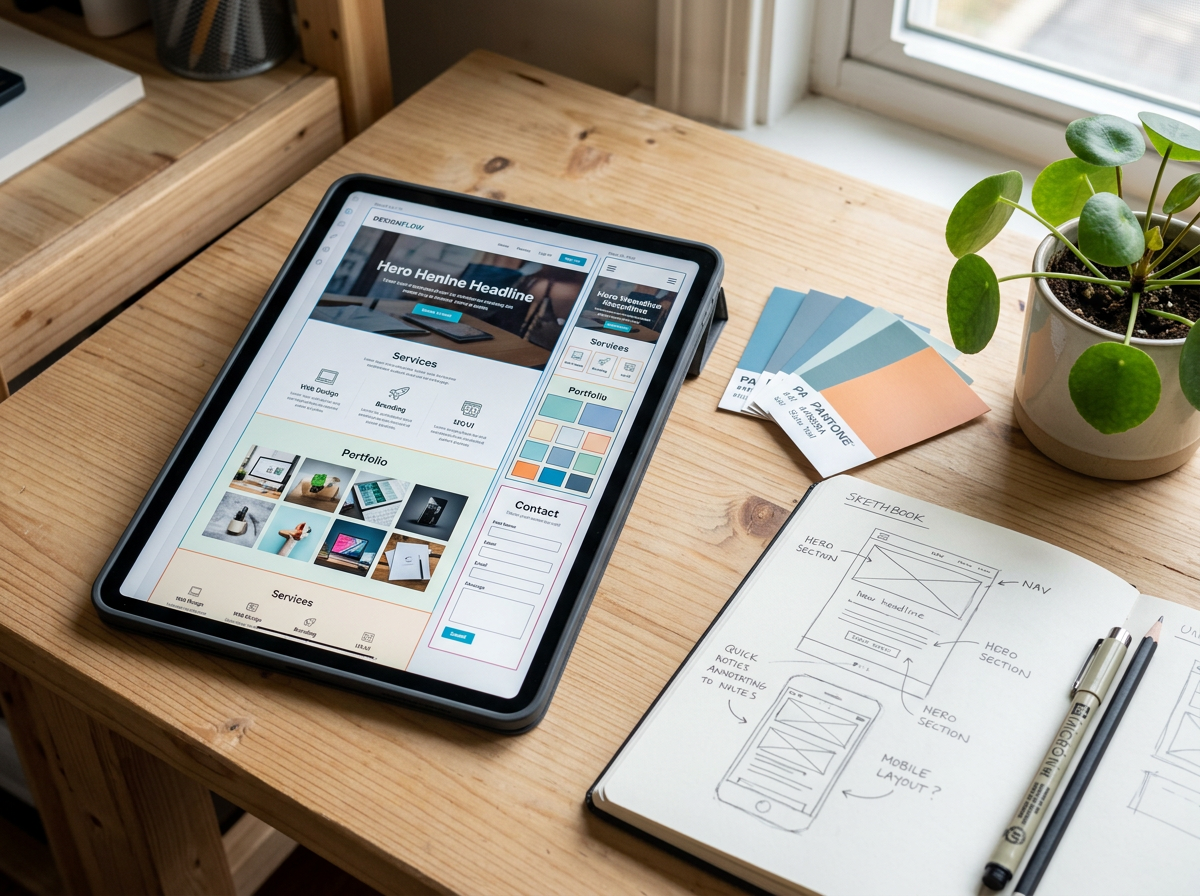
Wix Studio Two helps teams work with responsive layouts so pages can adapt across screen sizes. That gives designers more control over how content stacks, resizes, or shifts.
This improves the user experience in practical ways:
- Navigation is easier to use on mobile
- Text stays readable without pinching or zooming
- Buttons remain easy to tap
- Images and sections keep their balance
- Pages feel intentional on every device
Responsive editing is especially useful for client work. Instead of presenting a site that only looks finished on one screen, a designer can review key breakpoints and make better decisions before launch.
Templates and reusable sections
Starting from scratch can slow a project down. Templates and prebuilt sections can help users begin with a structure, then change the design to fit the brand, offer, or audience.
A template should not feel like a final answer. It should work more like a smart draft. Wix Studio Two can help users begin with layouts for common pages such as:
- Homepages
- About pages
- Service pages
- Contact pages
- Product pages
- Blog posts
- Landing pages
Reusable sections are just as helpful. A designer might build one testimonial section, one pricing area, and one call-to-action block, then use them across several pages. That keeps the site consistent and saves time during updates.
Built-in content management
Many websites need more than static pages. A restaurant may need menus. A real estate group may need property pages. A coach may need articles, events, or course details. A directory may need dozens or hundreds of listings.
A content management system helps organize this information so the site can display it in a structured way. Instead of manually creating a new page for every item, users can create collections and connect them to dynamic layouts.
This is one of the most useful features for growing sites. It supports projects where content changes often, such as:
- Blogs and resource centers
- Team member pages
- Product catalogs
- Event listings
- Case study libraries
- Location pages
- Portfolio galleries
For teams, this can make updates much simpler. A content editor can change a title, image, price, description, or date in one place, and the site can reflect that content through connected pages.
How Wix Studio Two improves user experience
A beautiful website still fails if visitors cannot find what they need. The best site-building tools help creators think about speed, clarity, accessibility, and flow from the start.
Wix Studio Two supports better user experience by making page structure easier to plan and refine. Visual editing helps teams see how a visitor will move through the page, from headline to body copy to action button. Responsive controls help the same journey work on smaller screens.
Good user experience often comes down to a few basics:
| UX goal | How the platform can help |
|---|---|
| Clear navigation | Menus, page structure, and anchors help visitors move around the site |
| Readable content | Typography controls make text easier to scan |
| Faster decisions | Buttons, forms, and sections guide visitors toward the next step |
| Consistent design | Reusable styles and sections reduce confusing page-to-page changes |
| Easier updates | Content tools help teams keep information current |
This matters for almost every type of website. A visitor looking for a booked appointment, product details, pricing, or a portfolio sample should not have to work hard. The platform gives creators the tools to make those paths clearer.
The best website builder does not just help a site look finished. It helps the visitor know what to do next.
Design flexibility without losing structure
One of the biggest concerns with website builders is sameness. If every project starts from the same few patterns, sites can begin to feel interchangeable.
Wix Studio Two addresses this by giving users room to customize layouts, visuals, interactions, and content structure. Designers can change section arrangements, adjust spacing, set visual hierarchy, and define a style that fits the project.
Strong design flexibility helps with:
- Creating a distinctive homepage
- Building landing pages for different offers
- Designing custom portfolio layouts
- Showing products in a more visual way
- Creating editorial pages with stronger storytelling
- Matching the tone of a business, creator, or nonprofit
At the same time, structure still matters. Too much freedom can make a site messy. The best use of Wix Studio Two is not to place elements everywhere at random. It is to use the platform’s controls to create a site that feels custom, but still easy to scan and maintain.
Integration capabilities that support real websites
Most websites need to connect with other tools. A contact form may need to send messages to a team inbox. An online store may need payment tools. A class-based business may need booking features. A content site may need analytics and email signups.
Wix Studio Two can help by supporting a connected site environment rather than leaving users to assemble every piece on their own.
Common integration needs include:
- Payments for online purchases or bookings
- Email marketing and subscriber forms
- Customer management tools
- Analytics and tracking tools
- Scheduling and appointments
- Live chat or contact tools
- Third-party apps from the Wix App Market
- Custom functionality through developer tools when needed
This range is useful because different projects have different needs. A photographer may only need a portfolio and booking form. A retailer may need inventory, payments, shipping settings, and abandoned cart tools. A nonprofit may need donations, event pages, and email signup forms.
The benefit is simple: more of the site can live in one connected system. That can reduce manual work and make the website easier to manage after launch.
Project ideas you can build with Wix Studio Two
Wix Studio Two can support many types of websites, from simple brochure sites to content-rich platforms. Here are practical examples of projects that fit the tool well.
A service business website
A local service business needs to look trustworthy and make contact easy. This type of project might include:
- A homepage with a clear offer
- Service pages for each main category
- Testimonials or reviews
- A quote request form
- A booking or consultation page
- Location and contact details
This is a strong fit because the site needs clarity, not unnecessary complexity. The visual editor helps shape the brand feel, while forms and booking tools help visitors take action.
A creative portfolio
Designers, photographers, artists, writers, and makers need sites that show the quality of their work. A portfolio can use large visuals, case study pages, galleries, and short project notes.
With Wix Studio Two, a portfolio site can include:
- Filterable project collections
- A visual homepage
- Individual project pages
- A media gallery
- A contact form
- A downloadable resume or press kit
The content management tools can help if the portfolio grows over time. Instead of rebuilding the site for every new project, the creator can add new entries to a collection.
An online store
Ecommerce projects need more than good visuals. They need product details, checkout, payment options, shipping settings, and customer communication.
A small store might sell:
- Handmade goods
- Digital downloads
- Home decor
- Apparel
- Art prints
- Specialty food items, where allowed by local rules
The benefit of building this type of project in Wix Studio Two is that the store design and business tools can work together. Product pages can match the rest of the site, and the owner can manage sales through the same general platform.
A booking-based website
Many businesses sell time rather than physical products. Examples include fitness instructors, tutors, consultants, salons, repair services, wellness providers, and event hosts.
A booking website might include:
- Service descriptions
- Staff or provider profiles
- Calendar availability
- Online payments
- Reminder emails
- Intake forms
This type of site depends on trust and ease. Visitors should understand the service, choose a time, and book without confusion. A smooth booking flow can make the difference between interest and action.
A content hub or blog
A blog can be more than a list of posts. For many businesses and creators, it becomes a library of guides, tutorials, stories, and resources.
Wix Studio Two can support content hubs with:
- Categories and tags
- Author pages
- Related posts
- Search features
- Dynamic article layouts
- Email signup forms
This works well for creators who plan to publish often. The site can grow without becoming difficult to manage.
A landing page for a launch
A landing page focuses on one goal. That goal might be collecting signups, introducing a product, promoting an event, or driving downloads.
A strong landing page usually includes:
- A clear headline
- A short explanation of the offer
- Visual proof or examples
- Benefits written in plain language
- A simple form or button
- A section that answers common objections
The speed of visual editing makes Wix Studio Two useful for launch pages. Teams can test different page sections, adjust copy, and publish updates without rebuilding the full site.
Best practices for getting the most from Wix Studio Two
The platform gives users a lot of tools, but better results still come from smart planning. Before building, define the site’s main goal. A portfolio needs inquiries. A shop needs sales. A nonprofit may need donations or event signups. A content site may need readers to subscribe.
A few practical habits can improve the final result:
- Start with a simple site map before designing pages
- Write the main page copy before polishing the visuals
- Use consistent typography and button styles
- Check mobile layouts early, not only at the end
- Keep navigation short and clear
- Connect forms, payments, and apps before launch testing
- Preview key pages as a real visitor would
- Update content regularly after publishing
The best results come when design, content, and function support the same goal. Wix Studio Two can make the building process faster, but the site still needs a clear message and a clear path for visitors.
A smarter way to build without starting from zero
Wix Studio Two is a strong option for anyone who wants a polished website without managing a complex web development process from scratch. Its main value comes from combining visual design, responsive layouts, content tools, business features, and integrations in one workspace.
It can support a simple service site, a polished portfolio, a growing online store, a booking platform, a blog, or a launch page. That range makes it useful for both quick builds and more planned digital projects.
The smarter approach is to begin with the site’s purpose, then use the platform’s design and content tools to shape the experience around that goal. When the structure is clear and the user journey feels easy, Wix Studio Two becomes more than a builder. It becomes a practical way to turn an idea into a website people can actually use.
4 views