Photography portfolio examples: 7 standout ideas

Updated: Nov 29, 2025
Your photography portfolio is more than just a gallery of your best work; it's your primary business tool. It's the digital handshake that introduces your unique vision to potential clients, collaborators, and employers. A well-crafted portfolio doesn't just display images; it tells a story, demonstrates technical prowess, and communicates your professional brand in a single, cohesive experience. Without a compelling online presence, even the most breathtaking photographs risk going unnoticed.
This guide is designed to move you from inspiration to action. We have curated a detailed list of outstanding photography portfolio examples, breaking down what makes each one successful. Instead of just showing you pretty websites, we will dissect the strategy behind them. You will discover how top photographers across various niches-from weddings and landscapes to commercial and fine art-organise their work, optimise user experience, and convert visitors into clients. Each example includes a direct link and screenshot, accompanied by a strategic analysis of its design and functionality.
We will explore the specific tactics they employ, offering you actionable takeaways that you can immediately apply to your own site. To truly make your portfolio stand out, continuously refining your skills through an advanced photography course bundle can be a game-changer. This list will give you the blueprint you need, covering platforms like Behance, Adobe Portfolio, and Squarespace to help you choose the best foundation for your creative vision. Let’s dive into the examples that set the standard for professional photography portfolios.
1. Behance
While not a singular portfolio, Behance is an essential first stop for any photographer building their own website. As Adobe's massive online platform for creative professionals, it serves as a searchable library of high-calibre photography portfolio examples from around the globe. Think of it less as a template and more as an infinite mood board and research tool to discover what works in your specific niche.
You can filter by photography genres like landscape, portrait, and commercial, or search for specific styles and techniques. This makes it an invaluable resource for analysing how top-tier photographers structure their projects, sequence their images, and write compelling project descriptions.
Strategic Analysis
Behance’s strength lies in its "Project" format. Instead of just a gallery of images, photographers often include detailed behind-the-scenes notes, gear lists, and insights into their creative process. This narrative depth provides a blueprint for how to tell a story around your work, not just display it.
Key Takeaway: The most successful Behance projects go beyond the final shot. They pull back the curtain on the creative journey, which builds authority and engages potential clients on a deeper level than a simple grid of images ever could.
Platform Features & Pricing
The platform is free to join and browse, allowing you to follow creators and build curated collections (mood boards) of inspiring work. For photographers ready to build their own presence, Behance offers a Pro subscription.
Feature | Free Tier | Behance Pro |
|---|---|---|
Project Uploads | Unlimited | Unlimited |
Platform Fees | 10% on Sales & Subscriptions | 0% Platform Fees* |
Adobe Portfolio | Not Included | Included |
Advanced Analytics | Basic | Included |
Password Protection | Not Included | Included |
Note: Payment processor fees from Stripe/PayPal still apply to all transactions.
How to Replicate This on Your Own Site
Adopt the Project-Based Structure: Instead of a single, sprawling gallery, organise your work into distinct projects or series. This gives context to your images and demonstrates your ability to execute a cohesive vision.
Include "Behind the Scenes" Content: Add text, sketches, or short videos to your project pages that detail your process. Explain your lighting setup, location scouting, or post-processing decisions. This adds value and positions you as an expert.
Use Strong Curation: Behance's best profiles are ruthlessly curated. Showcase only your absolute best work, ensuring every project aligns with the brand you want to build.
Behance is one of many powerful photographer platforms available, each with unique strengths for discovery and client acquisition.
Feeling inspired by the world's top talent? Let Baslon Digital help you channel that inspiration into a bespoke portfolio website that stands out. Get in touch with us today to start building your professional online presence.
2. 500px
Similar to Behance, 500px operates as both a community and a potential portfolio-hosting platform, with a strong focus on high-impact, technically excellent photography. It serves as an excellent research tool for photographers wanting to understand current aesthetic trends, particularly in genres like landscape, travel, and conceptual portraiture. Its curated "Editors' Choice" and "Discover" sections provide a real-time barometer of popular styles.
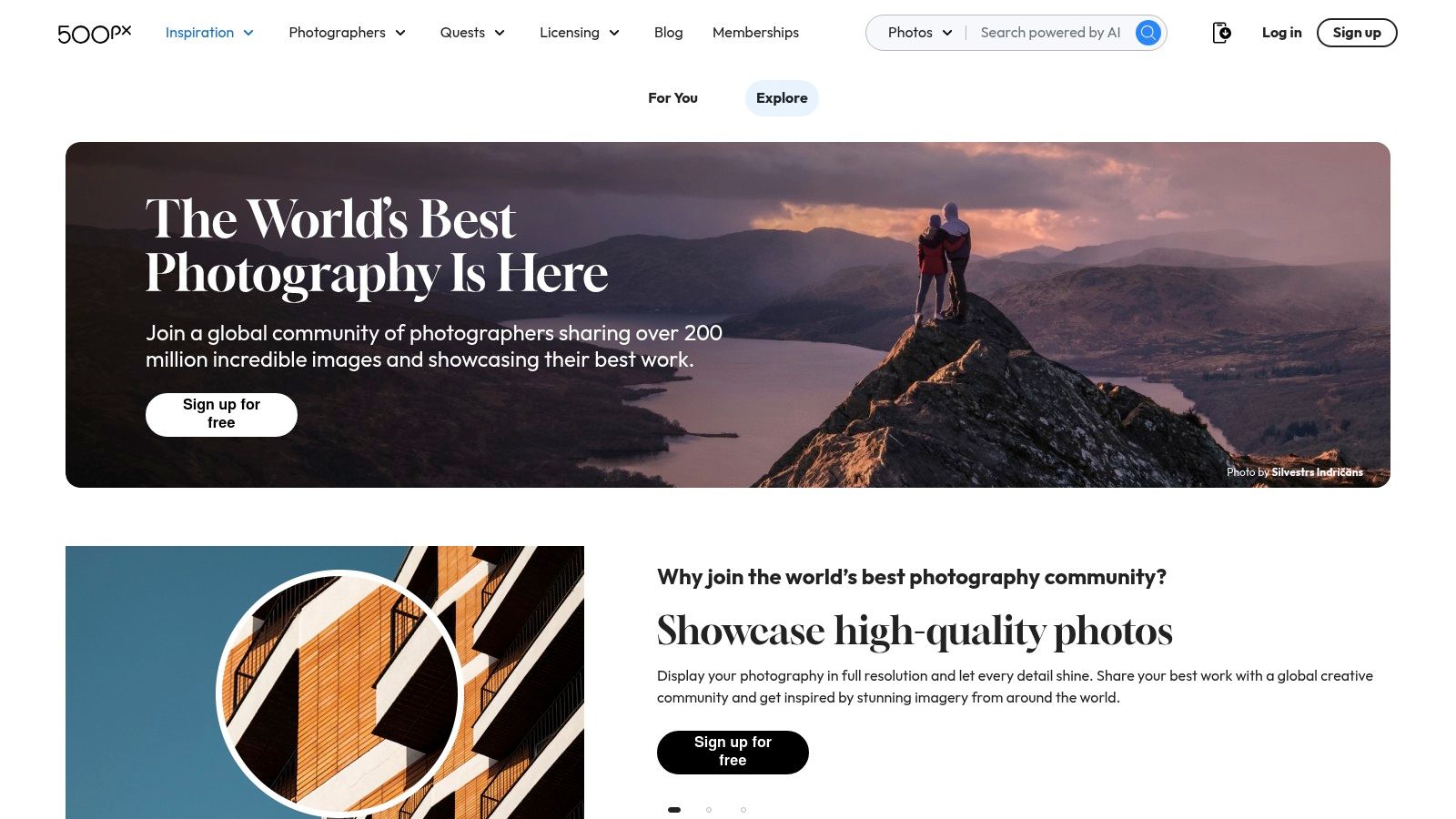
This platform is particularly useful for studying what makes an image commercially viable. The integrated licensing marketplace (managed through partners like Getty Images) gives you direct insight into which photos are being monetised, making it a valuable source of photography portfolio examples that are not just beautiful but also marketable.
Strategic Analysis
The core strength of 500px is its algorithm and community-driven curation, which surfaces high-quality, engaging imagery. Success on the platform often correlates with technical mastery and dramatic compositions. The "Quests" feature, which are themed photo challenges, also provides a strategic way to create work based on specific briefs, mirroring real-world client assignments.
Key Takeaway: 500px rewards technical precision and popular aesthetics. Analyse the images in the Discover and Editors' Choice sections to benchmark your work against current trends and learn what styles have commercial appeal through its licensing programme.
Platform Features & Pricing
While anyone can join for free to browse and upload, key portfolio and monetisation features are unlocked with paid subscriptions. The Pro tier allows you to create a dedicated portfolio website separate from the community feed.
Feature | Free Tier | Awesome | Pro |
|---|---|---|---|
Photo Uploads | 7 per week | Unlimited | Unlimited |
Licensing Eligibility | Included | Included | Included |
Profile Analytics | Basic | Included | Included |
Portfolio Website | Not Included | Not Included | Included |
Profile Customisation | Limited | Limited | Full |
How to Replicate This on Your Own Site
Create a "Best Of" Gallery: Emulate the high-impact feel of 500px's front page by creating a dedicated gallery on your website that showcases your most technically impressive and visually striking images. This acts as your personal "Editors' Choice".
Use Trend-Informed Keywords: Pay attention to the popular tags and keywords on 500px. Use similar, relevant keywords in your own site's image metadata (alt text) and descriptions to improve SEO for specific photographic styles.
Offer a Licensing or Print Section: If you intend to sell your work, create a clear, dedicated section on your site for prints or licensing. This mirrors the commercial focus of 500px and provides a direct path for visitors to purchase your photography.
Observing platforms like 500px is a great way to understand the market, but a bespoke website gives you complete control over your brand and client experience.
Ready to build a portfolio that reflects your unique vision? Baslon Digital can help you craft a professional website that captures attention and drives business. Get in touch with us today to start your project.
3. Adobe Portfolio
If Behance is the social network for creatives, Adobe Portfolio is the dedicated gallery. This platform is Adobe’s answer to the need for a simple, elegant, and powerful way to present visual work online. It's specifically engineered for photographers and other visual artists who want a professional website without the steep learning curve of a traditional site builder.
Its primary advantage is its seamless integration with the Adobe Creative Cloud ecosystem. If you’re already editing your photos in Lightroom and managing projects on Behance, Adobe Portfolio lets you sync your work directly, creating a stunning website in a fraction of the time it would take to build from scratch. This makes it a top-tier choice for photographers looking for one of the most efficient photography portfolio examples to emulate.
Strategic Analysis
Adobe Portfolio’s strength is its focused, minimalist approach. The templates are clean, modern, and designed to put your images front and centre without distracting design elements. The platform champions a "less is more" philosophy, encouraging photographers to let their work speak for itself through high-resolution grids and full-bleed image displays.
This simplicity is strategic. It removes friction for both the photographer building the site and the potential client viewing it. The user experience is intuitive, guiding visitors through your projects with clear navigation and fast load times, which is critical for retaining attention.
Key Takeaway: A portfolio's primary job is to showcase your photography. Adobe Portfolio excels by providing a framework that is both visually striking and functionally invisible, ensuring nothing stands between your best images and your audience.
Platform Features & Pricing
The platform is not available as a standalone product. Instead, it’s bundled with most Adobe Creative Cloud plans, making it an exceptional value proposition for existing subscribers.
Feature | Included with Creative Cloud Plan | Not Available Standalone |
|---|---|---|
Website Hosting | Unlimited Bandwidth | N/A |
Number of Sites | Up to Five | N/A |
Behance Sync | Included | N/A |
Lightroom Integration | Included | N/A |
Password Protection | Included | N/A |
Custom Domain | Supported | N/A |
Note: A Creative Cloud subscription is required. The specific plan (e.g., Photography Plan, All Apps) determines access.
How to Replicate This on Your Own Site
Prioritise Simplicity: Choose a clean, minimalist design for your own website. Use ample white space, a simple font, and an intuitive menu structure. The goal is to make your photography the hero of every page.
Integrate Your Workflow: If using another platform, find plugins or tools that connect to your photo management software (like Lightroom). This streamlines the process of updating your portfolio with your latest work, ensuring it never becomes outdated.
Leverage High-Quality Galleries: Use full-width image displays and responsive grids. Ensure your images are optimised for the web to load quickly without sacrificing quality, mimicking the professional feel of an Adobe Portfolio layout.
Adobe Portfolio is a powerful tool for creating professional, streamlined online photography portfolios that integrate directly with the tools you already use.
Ready to create a portfolio with the elegance of Adobe Portfolio but with bespoke features tailored to your brand? Let Baslon Digital design a custom website that perfectly showcases your talent. Get in touch with us today to start building your professional online presence.
4. Format
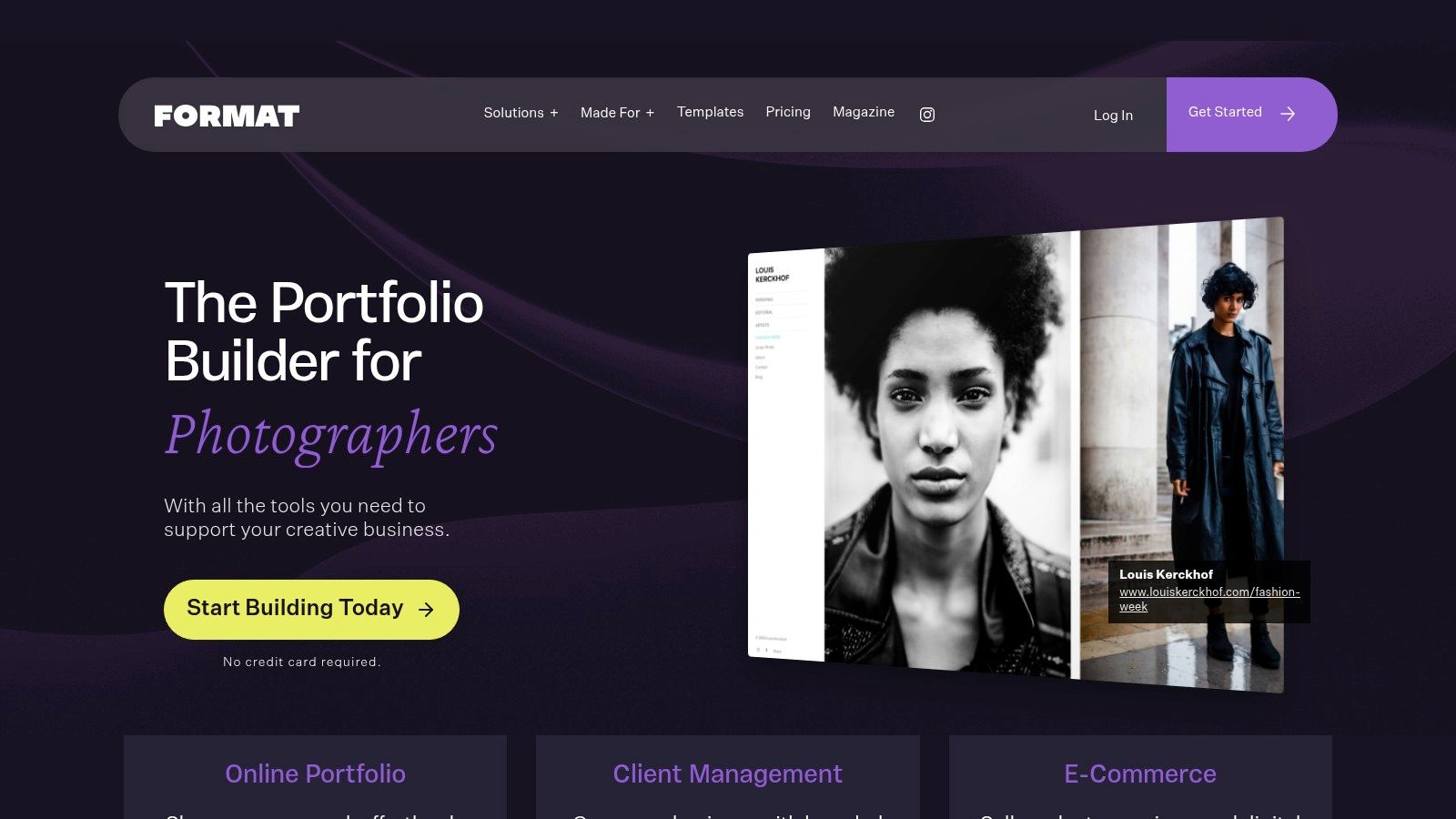
Where other platforms serve a broad creative audience, Format is laser-focused on the needs of professional photographers. It’s an all-in-one business solution, bundling a polished portfolio website with the crucial back-end tools required for a photography business to thrive. This makes it an excellent source of photography portfolio examples that are not just beautiful but also highly functional.
The platform’s 'Made For Photographers' hub showcases a variety of sites built with their templates, offering a clear look at how to integrate client galleries, print stores, and booking forms seamlessly. This business-centric approach provides a blueprint for turning a portfolio into a lead-generation and client-management machine.
Strategic Analysis
Format’s core strength is its end-to-end workflow integration. The platform understands that a professional portfolio must do more than display images; it must facilitate business. Features like private client proofing galleries with favouriting, high-resolution file delivery, and commission-free print stores are built directly into the system.
This transforms the portfolio from a static gallery into an active, client-servicing hub. The design philosophy ensures that these powerful business tools are presented within a clean, elegant, and mobile-responsive interface, maintaining a premium look and feel for your brand.
Key Takeaway: The most effective modern portfolios are business tools. By directly integrating client proofing, print sales, and file delivery into your site, you create a seamless professional experience that clients will value and remember, increasing the likelihood of repeat business and referrals.
Platform Features & Pricing
Format offers a tiered subscription model, with more advanced workflow features and storage reserved for higher plans. The commission-free store is a standout feature across most tiers.
Feature | Basic Plan | Pro Plan | Pro Plus Plan |
|---|---|---|---|
Online Store | Commission-Free | Commission-Free | Commission-Free |
Client Galleries | 10 Galleries | 100 Galleries | Unlimited |
Client File Transfers | 10GB Total | 100GB Total | 1TB Total |
Lightroom & C1 Plug-in | Not Included | Included | Included |
Custom Code Editor | Not Included | Not Included | Included |
How to Replicate This on Your Own Site
Integrate Your Business Workflow: Don't send clients to third-party sites for proofing or downloads. Use tools or plug-ins on your own website to handle client galleries, contracts, and invoicing to create a cohesive brand experience.
Create a Dedicated "Client Area": Build a password-protected section on your website for active clients. This centralises all communication and deliverables, making you look organised and professional.
Monetise Your Galleries: Implement an e-commerce solution to sell prints or digital downloads directly from your portfolio. Removing friction from the buying process can significantly increase your print sales.
Format is one of the best website builders for photographers in 2025, offering a powerful, streamlined solution.
Ready to build a portfolio that works as hard as you do? Baslon Digital can create a custom website with integrated client management and e-commerce tools. Get in touch with us today to start building your professional online presence.
5. Squarespace
For photographers seeking a polished, all-in-one solution, Squarespace stands as a dominant player. Known for its award-winning, design-led templates, it provides a powerful yet intuitive platform for creating stunning photography portfolio examples without needing to write a single line of code. Its streamlined interface and high-quality aesthetics make it a favourite amongst commercial, editorial, and fine art photographers.
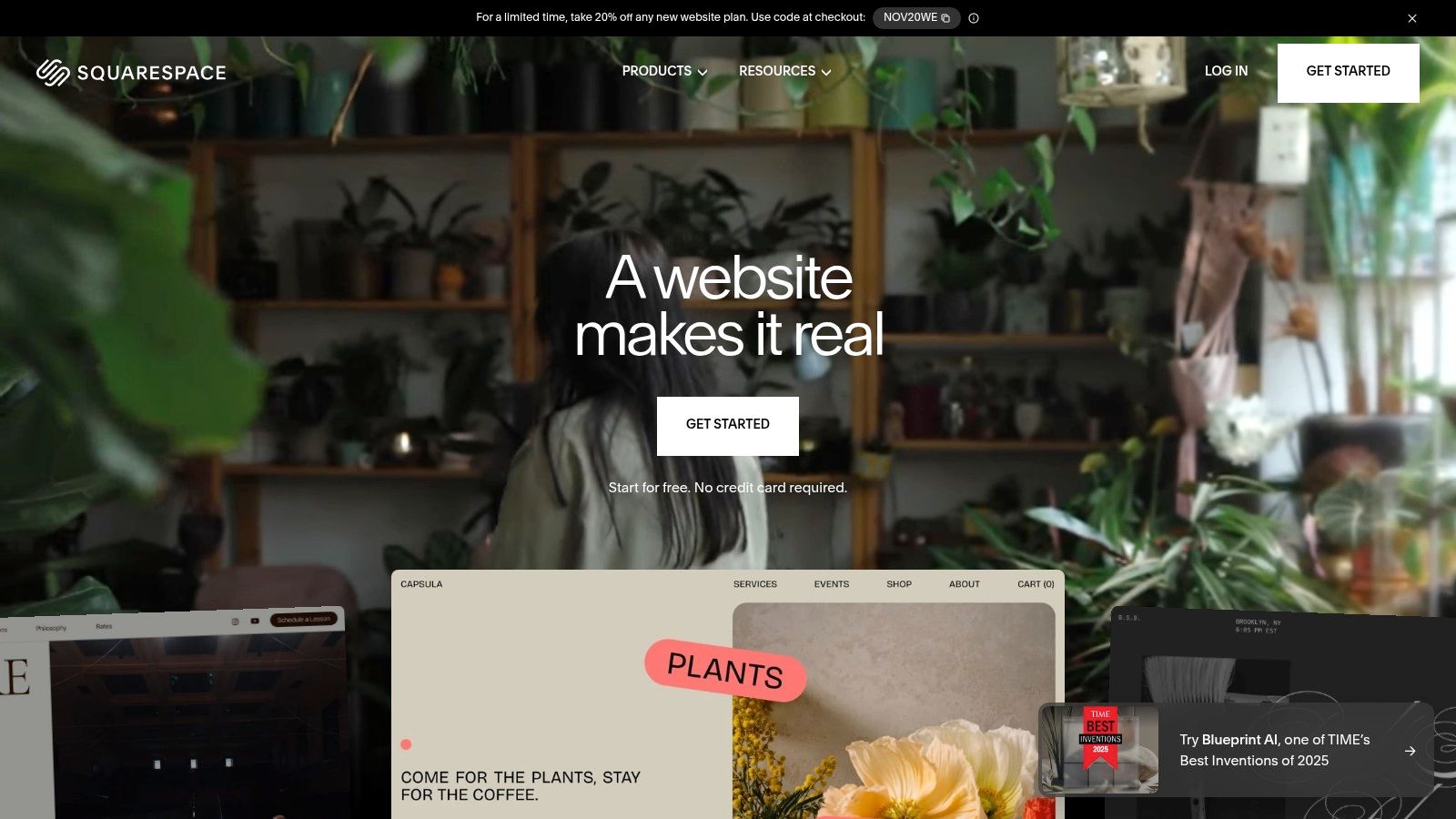
The platform excels at making sophisticated design accessible. You can choose from dozens of pre-built portfolio layouts, cover pages, and gallery styles, ensuring your work is presented in a clean, professional manner that feels custom-built. This makes it an ideal choice for photographers who value brand consistency and a premium user experience.
Strategic Analysis
Squarespace’s core strength is its curated template ecosystem. Unlike builders that offer endless but often overwhelming customisation, Squarespace provides a more guided experience. The templates are designed with professional visual standards in mind, meaning it’s difficult to create a poorly designed site. This focus on "design-in-a-box" allows you to concentrate on your images rather than wrestling with technical details.
Key Takeaway: A Squarespace portfolio projects immediate professionalism. By leveraging its elegant templates and built-in features like SEO tools and e-commerce, you can build a comprehensive business hub that looks and feels far more expensive than it actually is.
Platform Features & Pricing
Squarespace operates on a subscription model with no free-forever plan, though it does offer a 14-day free trial. Plans are tiered based on features, with e-commerce and marketing capabilities scaling up with price. For UK-based photographers, it integrates seamlessly with Stripe for local payments.
Feature | Personal Plan | Business Plan |
|---|---|---|
Templates | Full Access | Full Access |
SSL Security | Included | Included |
Basic Analytics | Included | Included |
Transaction Fees | Not Applicable | 3% on Sales |
Advanced Commerce | Not Included | Included |
Note: UK prices are often displayed excluding VAT, which is added at checkout. Advanced e-commerce plans with 0% transaction fees are also available.
How to Replicate This on Your Own Site
Prioritise Simplicity and Elegance: Choose a clean, minimalist layout that puts your images front and centre. Use ample white space and elegant typography to guide the viewer’s eye without distraction.
Integrate Your Business Tools: Build a cohesive online presence by using built-in features for client booking, print sales, and email marketing. This creates a seamless client journey from first look to final payment. Learn more by reading our complete guide on how to create a portfolio website that wins clients.
Optimise for Mobile: Squarespace templates are fully responsive. Ensure your final design looks just as compelling on a smartphone as it does on a desktop monitor, as many clients will first discover your work on mobile.
Ready to build a portfolio with the polish and power of a platform like Squarespace, but with a completely custom touch? Let Baslon Digital design a website that perfectly captures your brand. Get in touch with us today to start building your professional online presence.
6. SmugMug
For photographers who need more than just a gallery, SmugMug provides a powerful all-in-one solution that combines a professional portfolio with robust client management and e-commerce features. It is particularly strong for photographers in the UK and Europe, thanks to its seamless integration with professional print labs like Loxley Colour. This allows photographers to automate print sales and fulfilment directly from their own website.
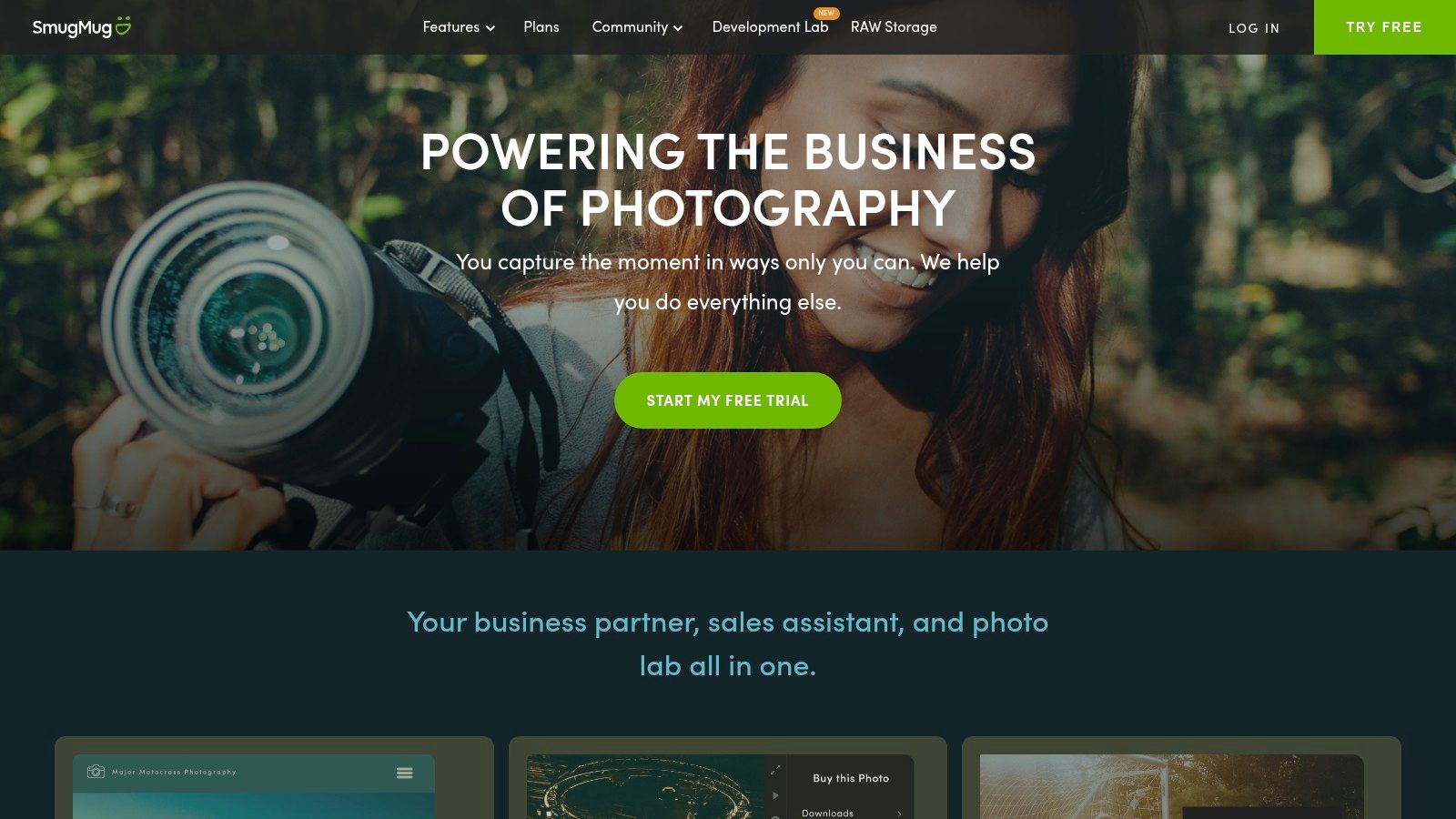
This platform excels at turning a portfolio into a business engine. You can create private, password-protected client galleries, allow clients to select their favourite images, and enable them to order high-quality prints and products that are fulfilled automatically. It's a comprehensive tool designed to streamline the post-shoot workflow, making it an excellent photography portfolio example for professionals managing a high volume of client work.
Strategic Analysis
SmugMug’s core advantage is its integration of portfolio, proofing, and print sales. By connecting your gallery directly to professional labs, you create a passive income stream and provide a premium service to clients without managing inventory or shipping. This positions your website not just as a showcase but as a fully functional storefront.
Key Takeaway: The most strategic SmugMug sites leverage the platform's e-commerce tools to their fullest. They don't just show their work; they monetise it by creating custom price lists, offering coupons, and making the print ordering process effortless for clients. This turns the portfolio into an active sales tool.
Platform Features & Pricing
SmugMug is a subscription-based service with several tiers catering to different needs, from basic portfolio hosting to advanced business management. It offers unlimited, full-resolution JPEG storage on all plans.
Feature | Portfolio Plan | Pro Plan |
|---|---|---|
Full-Res Storage | Unlimited | Unlimited |
Custom Domain | Included | Included |
Client Galleries | Included | Advanced (with proofing) |
E-Commerce Tools | Not Included | Included (with 15% commission) |
Print Fulfilment | Not Included | Included |
Watermarking | Not Included | Included |
Note: RAW file storage is available as a paid add-on. Pricing is often displayed in USD by default, so UK-based users should check for regional pricing.
How to Replicate This on Your Own Site
Integrate Client Proofing: If you're building a custom site, use a plugin or service (like ShootProof or Pixieset) that allows for the creation of private client galleries. This is essential for wedding, event, and portrait photographers.
Automate Print Fulfilment: Connect your website to a print-on-demand service that integrates with UK labs. This ensures local clients receive high-quality products quickly without you handling the logistics.
Offer Tiered Digital Downloads: Don't just offer a single download option. Provide different packages, such as web-resolution files for social media and full-resolution files for printing, at different price points to maximise revenue.
SmugMug is an excellent example of how photographer platforms can combine beautiful presentation with powerful business functionality.
Ready to build a portfolio that not only showcases your work but also works for your business? Let Baslon Digital create a custom website with integrated client galleries and e-commerce solutions. Get in touch with us today to start building your professional online presence.
7. Blurb (UK)
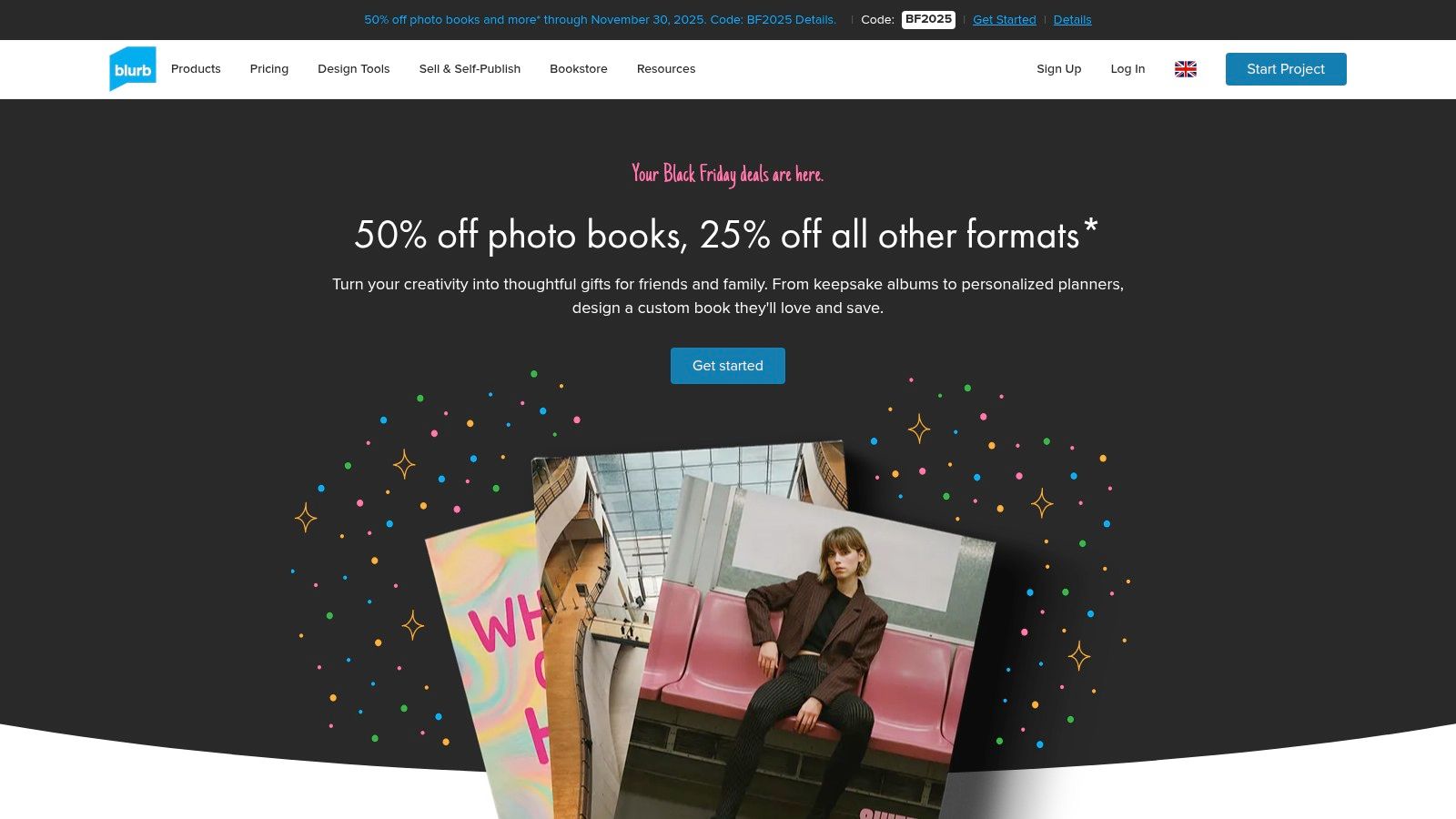
While a digital presence is crucial, a physical portfolio remains a powerful, tangible asset, especially for in-person meetings. Blurb (UK) specialises in creating high-quality, print-on-demand photo books, magazines, and wall art, offering photographers a professional way to present their work offline. This platform is less about a website example and more about creating a physical leave-behind that makes a lasting impression.
For photographers in the United Kingdom, the dedicated UK site provides pricing in GBP, local shipping calculators, and support, simplifying the process of producing everything from a single premium portfolio book to a short run of promotional magazines. The ability to choose from various paper types, finishes, and binding options allows for a highly customised final product.
Strategic Analysis
Blurb’s primary strength is its role in a multi-channel marketing strategy. A stunning, professionally printed book can set you apart from competitors who rely solely on digital portfolios. It demonstrates a commitment to quality and craft that a screen cannot always convey, making it an excellent tool for high-value client pitches or gallery submissions.
The platform's versatility allows you to create different products for different purposes. A high-end layflat book can serve as your primary portfolio, while more affordable softcover magazines can be used as promotional mailers or leave-behinds at networking events, showcasing your best photography portfolio examples in a memorable format.
Key Takeaway: A physical portfolio is not a replacement for a website but a powerful complement. Use Blurb to create tactile marketing materials that resonate with clients in a way that digital media cannot, reinforcing your brand's quality and professionalism.
Platform Features & Pricing
Blurb operates on a per-project pricing model, with costs varying based on size, page count, paper quality, and binding. There are no subscriptions; you simply pay for what you print. Volume discounts are available for larger orders.
Feature | Description |
|---|---|
Book Formats | Hardcover (Imagewrap/Dust Jacket), Softcover, Layflat |
Paper Options | Standard, Premium Lustre, Premium Matte, and ProLine options |
Other Products | Magazines, Trade Books, Wall Art |
Creation Tools | Free BookWright software, Adobe InDesign Plug-in, PDF Uploader |
UK-Specific | GBP pricing, UK shipping calculator, local production options |
How to Replicate This on Your Own Site
Create a "Print Shop" or "Books" Page: Dedicate a section of your website to showcase your printed products. Use high-quality mockups or photographs of your Blurb books and magazines.
Offer a Digital Preview: Use a PDF flipbook embed or a curated gallery to give visitors a preview of your printed portfolio's content. This can entice them to purchase a copy or simply demonstrate the quality of your curated work.
Integrate Print into Your Services: Frame the physical portfolio as a premium add-on within your client packages. For example, a wedding photography package could include a bespoke Blurb photo album, adding tangible value to your offering.
A polished physical book can be the perfect final touch to your professional brand. Let Baslon Digital build you a website that seamlessly integrates your print and digital portfolios. Get in touch with us today to start building your professional online presence.
7 Photography Portfolio Platforms Compared
Platform | Implementation (🔄) | Resources (⚡) | Expected outcomes (📊) | Ideal use cases (💡) | Key advantages (⭐) |
|---|---|---|---|---|---|
Behance | Low — create projects and upload; minimal setup | Low — free account; optional Pro for business tools | Broad discovery and portfolio research; exposure to clients | Research portfolio structure; showcase work to a wide creative audience | Massive searchable galleries, strong discovery/hiring pipeline |
500px | Low–Medium — set up portfolio and participate in curated feeds | Medium — free plus paid tiers for licensing/pro features | Trend benchmarking and potential licensing revenue | Trend research, landscape/travel/portrait exposure, licensing | Editors’ Choice curation, licensing partners for monetization |
Adobe Portfolio | Low — fast to publish if on Creative Cloud | Low — included with eligible Creative Cloud plans | Polished, responsive portfolio sites ready quickly | Creatives already in Adobe ecosystem needing a simple site | Clean templates, Lightroom/Behance sync, unlimited hosting |
Format | Medium — tailored photographer builder with client workflows | Medium — subscription; Lightroom plugin and proofing tools | End-to-end client delivery and direct sales (commission-free store) | Professional photographers needing proofing, delivery, storefront | Client galleries, commission-free store, niche templates |
Squarespace | Medium — general site builder with design controls | Medium — subscription with hosting, commerce, analytics | Professional portfolio plus built-in e‑commerce and SEO | Editorial/commercial portfolios that require shops and custom domains | High‑quality templates, all‑in‑one hosting and commerce |
SmugMug | Medium — set up galleries and print integrations | Medium — paid tiers; optional RAW add‑on; lab integrations | Unlimited full‑res hosting and integrated print fulfillment | Photographers selling prints (strong UK/EU fulfillment) and client galleries | Turnkey print labs, unlimited JPEG storage, theft‑protection tools |
Blurb (UK) | Low–Medium — design book/magazine and order prints | Pay‑per‑product — many paper/finish choices and shipping | High‑quality physical portfolios, books, and wall art | Tangible portfolios, leave‑behinds, short runs with local pricing | Professional print quality, UK pricing/shipping, many format options |
Conclusion: From Inspiration to Action: Build Your Professional Portfolio Today
We have journeyed through a diverse gallery of stunning photography portfolio examples, dissecting what makes each one effective, from the community-driven showcases on Behance and 500px to the sleek, all-in-one platforms like Squarespace and Format. The common thread weaving through every successful portfolio is clear: it’s not just about showcasing brilliant images, but about curating an intentional, branded experience for your ideal client.
A powerful portfolio is your most vital marketing asset. It’s a silent salesperson working around the clock to communicate your unique style, technical proficiency, and professional reliability. The examples we’ve explored demonstrate that a strategic approach to design, user experience, and content selection is what transforms a simple collection of photos into a compelling business-generating tool. Your portfolio must tell a story, guide the visitor, and make it incredibly easy for them to take the next step.
Your Blueprint for a Winning Portfolio
As you move from inspiration to implementation, remember the core principles we've highlighted. These are the foundational pillars that will support your portfolio's success, regardless of the platform you choose.
Curate with Purpose: Less is always more. Every image must earn its place by representing the best of your work and aligning with the type of client you want to attract. Ruthless curation is your most powerful editing tool.
Prioritise User Experience (UX): Your portfolio’s navigation should be intuitive and frictionless. Visitors should be able to find what they are looking for effortlessly, whether it's your contact information, specific galleries, or pricing details. A confusing site is a closed site.
Define Your Brand Identity: Your portfolio’s aesthetic, from its colour palette and typography to the tone of your 'About Me' page, must be a cohesive reflection of your brand. Consistency builds trust and makes your work instantly recognisable.
Optimise for All Devices: A significant portion of your audience will view your portfolio on a mobile phone or tablet. Ensure your chosen platform and design are fully responsive, providing a seamless experience across all screen sizes.
Choosing the Right Tool for the Job
Selecting the right platform is a critical first step. Your choice should be guided by your technical skill level, budget, and long-term business goals.
For photographers seeking a robust, all-in-one solution with e-commerce capabilities and extensive design control, Squarespace or SmugMug offer powerful, scalable options. If you prioritise elegant, minimalist templates designed specifically for visual artists and value simplicity, Format is an exceptional choice.
For those already integrated into the Adobe ecosystem, Adobe Portfolio provides a seamless and often free way to create a professional-looking site. And for community engagement, networking, and discovering new trends, maintaining a presence on platforms like Behance and 500px is an invaluable strategy. Finally, for creating tangible, beautifully printed portfolios, Blurb (UK) remains an industry-standard choice.
Ultimately, the best photography portfolio examples are those that authentically represent the photographer behind the lens. They are a fusion of artistic vision and smart business strategy. Take the insights and replicable tactics from this guide, select the tool that best fits your vision, and begin building the digital storefront your incredible work deserves. Your next client is waiting to be impressed.
Feeling inspired but overwhelmed by the technical details of building a high-performing website? The team at Baslon Digital specialises in transforming creative visions into professional, client-attracting online portfolios. Let us handle the design and development, so you can focus on what you do best: creating breathtaking images.
Comments