How to Create a Portfolio Website: A Guide to Winning Clients

Updated: Oct 29, 2025
Before you even think about picking a template or a funky colour palette, let's talk strategy. The hard work—the real work—happens right now. A portfolio that gets results isn't just about looking pretty; it’s built on a rock-solid plan.
Laying the Groundwork for a Winning Portfolio

First things first, what’s the point of this website? Get crystal clear on this, because it’s going to steer every single decision you make from here on out.
What’s your primary goal?
Are you trying to reel in new freelance clients?
Is the end game a full-time gig at your dream company?
Or maybe you want to show off personal projects and build a name for yourself in your industry?
Your answer changes everything. A portfolio designed to wow a creative director at a top agency will have a completely different vibe, tone, and project selection than one aimed at winning over local small business owners.
Define Your Target Audience
Alright, so you know what you want. Now, who are you trying to impress? Understanding your audience is everything. Are you talking to hiring managers, stressed-out recruiters, creative directors with zero time to spare, or potential clients in the UK? Each of these groups cares about different things.
A hiring manager probably wants to see your thought process, the problems you solved, and the results you delivered. A potential freelance client? They might just want to see shiny finished examples that look a lot like what they need for their own business. Knowing this helps you speak their language.
Your portfolio isn't just a gallery of your work; it's a strategic communication tool designed to persuade a specific audience. Thinking like they do is the first step towards creating a website that gets results.
Curate Your Best Work
Now that you know your goal and who you're talking to, it's time to pick your projects. This is not the time to show off every single thing you’ve ever created. Less is more. You need to curate a powerful, focused selection that screams "I'm the one you need to hire!"
Pick projects that aren't just easy on the eyes but also tell a compelling story about your skills, your process, and the impact you made.
While you're laying this groundwork, it's the perfect time to think about how to create a personal brand that feels genuinely you. Your website is the headquarters for that brand.
Having a portfolio website in the UK is becoming non-negotiable. With 67.8 million internet users in the UK spending an average of 5 hours and 36 minutes online every single day, your digital presence is your new shop front. A well-planned portfolio grabs a slice of that attention and turns it into opportunities.
This initial planning makes sure your website is a laser-focused tool working for your career from day one. It even helps with the practical bits later on, like figuring out how to choose a winning domain name that perfectly matches your professional identity.
Ready to turn all this planning into a portfolio that actually opens doors? Contact Baslon Digital today, and let's build something brilliant together.
Selecting the Right Platform to Create Your Portfolio Website
Picking the right platform for your portfolio is a bit like choosing the engine for a car. It’s a decision that will directly impact everything from how much creative control you have to how your site can grow in the future. It’s the foundation, and you want to get it right.
Your choice should come down to your technical comfort level, your career goals, and what your specific profession needs. A graphic designer, for instance, needs a platform that makes visual galleries pop. A UX designer, on the other hand, might prioritise one that can handle interactive prototypes.
User-Friendly Website Builders
Platforms like Squarespace and Wix are brilliant for creatives who just want to get a beautiful site live without touching a single line of code. They run on intuitive drag-and-drop or section-based editors, making the whole process feel straightforward.
These builders are perfect if your main goal is speed and simplicity. They handle all the technical heavy lifting—hosting, security, and updates—so you can focus purely on making your work look amazing. For many photographers, artists, and consultants, these platforms are more than powerful enough.
The best platform isn't the one with the most bells and whistles; it's the one that lets you present your work effectively without becoming a technical roadblock. Your focus should be on the final product, not on battling the tool you used to build it.
If you’re weighing up the top contenders in the UK, getting your head around the key differences is crucial. Our [comprehensive guide on WordPress vs Wix vs Squarespace](https://www.baslondigital.com/post/wordpress-vs-wix-vs-squarespace-uk-website-builder-guide) breaks it all down to help you decide.
Before diving in, it helps to see how the most popular options stack up against each other.
Portfolio Platform Comparison
This table gives a quick overview of the main players to help you match a platform to your technical skills and project needs.
Platform | Best For | Ease of Use | Customisation Level | Typical Cost |
|---|---|---|---|---|
Wix | Creatives wanting design freedom without code | Very Easy | High | £ - ££ |
Squarespace | Photographers, artists, and bloggers after polished templates | Easy | Medium | £ - ££ |
WordPress | Users needing ultimate flexibility and scalability | Moderate | Very High | £ - £££ |
Webflow | Designers who want total control without writing code | Moderate-Hard | Very High | ££ - £££ |
Ultimately, the best choice depends on what you value most—simplicity, control, or something in between.
Platforms for Deeper Customisation
On the other end of the spectrum, you’ve got platforms like WordPress and Webflow. These tools offer a much deeper level of control and are a better fit for those who have some technical skills or need very specific design features.
WordPress: An incredibly powerful and scalable option, WordPress can be customised endlessly with themes and plugins. It's a fantastic choice if you plan to integrate a complex blog or other advanced features down the line.
Webflow: This one is a favourite among designers who crave granular control over every tiny element, often without writing code from scratch. It’s ideal for creating highly custom, interactive experiences, making it a go-to for many web and UX designers.
Choosing one of these requires a bigger time investment to learn, but the payoff is a site that is uniquely yours and can grow with your career.
At the end of the day, the right platform is a personal choice based on your unique mix of time, budget, technical skill, and professional needs.
Feeling a bit stuck on which platform is right for your vision? [Get in touch with Baslon Digital](https://www.baslondigital.com/contact), and we can help you choose the perfect foundation for a portfolio that actually gets results.
Designing a User-Focused Portfolio Experience
Let's be honest, an effective portfolio does more than just show off your work; it needs to guide visitors through a seamless, memorable experience. Great design isn't just about making things look pretty—it's about making your site intuitive and enjoyable to use. This all comes down to focusing on the user experience (UX) right from the start.
Think of your portfolio as a conversation. Your goal is to lead the visitor from a simple "hello" to "let's work together" without any hiccups or confusion along the way. That journey begins with clear, simple navigation. Your menu should make it ridiculously easy for anyone to find your projects, your 'About Me' page, and your contact details in a matter of seconds.
Architecting Your Layout and Flow
A clean layout with plenty of white space is your secret weapon. It gives your content breathing room, allowing your best work to pop off the page. This simple trick helps create a visual hierarchy, naturally guiding the user's eye to the most important things, like a killer project thumbnail or a "Hire Me" button.
To really nail this, it helps to follow some proven landing page design best practices. After all, a high-performing portfolio shares a lot of DNA with a high-converting landing page.
Choosing the right platform is often the first hurdle, as it can dictate just how much creative freedom you have over your layout. This little infographic sums it up nicely.
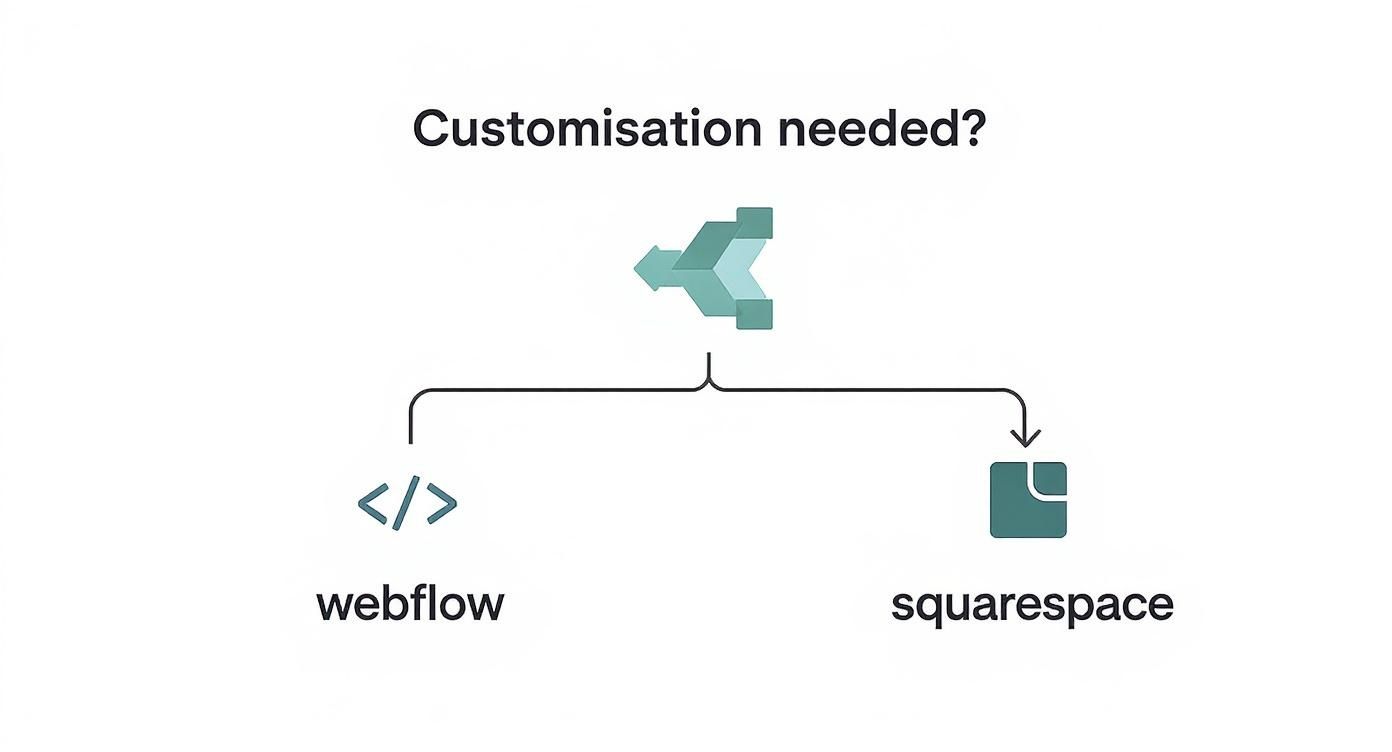
The takeaway here is pretty clear: how much you want to fiddle with the design will point you towards the right tool for the job.
Ensuring Flawless Mobile Responsiveness
These days, a portfolio that doesn’t work perfectly on a phone is a non-starter. It’s non-negotiable. A huge chunk of your traffic will come from smartphones and tablets, so your site absolutely must look and feel great on any screen size. Most modern website builders handle the heavy lifting for you, but you should always, always test it yourself.
In the UK, the web design scene is moving fast. Consider that 96% of households in Great Britain had internet access back in 2020. Standing out is tougher than ever. Marketers are doubling down on mobile optimisation and unique content, with 65% frequently tailoring their content to cut through the noise. Your portfolio can't just look good; it needs to tell a unique story that clicks with a UK audience.
A portfolio that is frustrating to use on a mobile device is a portfolio that gets closed. Test your site on multiple devices to ensure every button, image, and text block is perfectly aligned and easy to interact with.
Choosing Your Visual Elements
Your visual choices—specifically your typography and colour palette—are the bedrock of your personal brand. Get them right, and everything else falls into place.
Typography: Pick fonts that are clean, crisp, and easy to read. A classic rule of thumb is to use one distinct, punchy font for your headings and a simple, legible one for all your body text.
Colour Palette: Don't go crazy here. A limited, well-chosen colour palette that reflects your personality or professional style is far more effective. Using these colours consistently helps build instant brand recognition.
When you focus on these user-centric design principles, you're doing so much more than just showing off your work. You’re creating a portfolio that’s both beautiful and incredibly functional, leaving a lasting, professional impression on every single person who visits.
Crafting Content That Tells Your Professional Story

Your portfolio’s visuals show what you can do, but let’s be honest—it’s the words that explain why anyone should care. Strong, compelling copy is what turns a pretty gallery into a story that actually connects with clients and hiring managers. It's time to stop just describing your work and start selling it.
This all kicks off on your 'About Me' page. This isn't the place for a stuffy, third-person CV. Think of it as your chance to build a bit of trust. Write in your own voice. Give people a peek behind the curtain—what drives you? What's your process like? What makes you different from everyone else in your field?
Transforming Projects into Case Studies
The real magic, though, happens in your project descriptions. Don't just show the finished product. That's a missed opportunity. Instead, turn each project into a mini-case study that walks visitors through your strategic brain. This is how you prove to a potential client in the UK that you don't just create nice things; you solve real business problems.
A knockout case study has a simple beginning, middle, and end:
The Problem: Get straight to the point. What was the client's initial headache? For example, "A local London bakery was haemorrhaging sales because their website was a confusing, outdated mess."
Your Solution: Detail your approach. Explain what you did, but more importantly, why you did it. Something like, "I completely redesigned their e-commerce flow on Wix, focusing on a mobile-first layout and a dead-simple checkout process."
The Result: Show off the tangible outcomes. Numbers are your best friend here. For instance, "This led to a 45% increase in online orders in the first two months and a massive drop in abandoned carts."
This storytelling approach proves your value far more effectively than a static image ever could. It shifts your position from a simple service provider to a strategic partner who gets results.
Your portfolio content needs to answer the two silent questions every visitor has: "Do you get my problem?" and "Can you actually fix it?" Framing your projects as case studies answers both with a confident 'yes'.
Crafting an Inviting Contact Page
Okay, so you've wowed them with your work and your story. Now what? You have to make it ridiculously easy for them to get in touch. Your contact page should be a masterclass in simplicity. Get rid of any friction standing between you and your next big project.
A great contact page boils down to a few key things:
A Clear Call to Action: Use direct, friendly language like "Let's Discuss Your Project" or "Get in Touch."
A Simple Form: Only ask for what you absolutely need—name, email, and a message. Nobody wants to fill out a ten-field form.
Alternative Contact Methods: Pop your professional email address on there for people who hate forms. Linking to your LinkedIn profile is a good shout, too.
By putting real thought into the content on these key pages, your portfolio becomes more than a gallery. It becomes a machine that authentically sells your expertise and makes it a no-brainer for the right people to take that next step.
Ready to craft a story that wins over your ideal clients? Contact Baslon Digital today and let our team help you build a Wix portfolio that truly tells your professional story.
Making Your Portfolio Discoverable with SEO
So, you’ve built a stunning portfolio. That's brilliant, but it’s only half the job. If potential clients can’t find it on Google, it might as well be invisible. This is where Search Engine Optimisation (SEO) comes in – it’s the magic that helps your website show up when people are actually looking for someone with your skills.
Think of it this way: when a marketing manager in Manchester needs a freelance graphic designer, what do they type into Google? Probably something like "graphic designer Manchester" or "freelance branding expert UK." These phrases are your keywords, and they're the absolute foundation of good SEO. Your first task is to get inside the head of your ideal client and figure out what they’re searching for.
Weaving Keywords into Your Content
Once you’ve got a solid list of keywords, you need to sprinkle them where they’ll have the most impact. But hold on – don't just stuff them everywhere. Search engines are far too clever for that and will penalise you for it. Instead, you need to weave them naturally into the key areas of your portfolio website.
Where do they go?
Page Titles: This is the main title that pops up in the browser tab. Think "Jane Doe | Freelance Copywriter in London". Simple, clear, and packed with valuable info.
Headings: Your main H1, H2, and H3 headings are prime real estate. A project page could have a heading like "Website Redesign for a Bristol Cafe".
Project Descriptions: Casually mention your keywords when you're explaining the awesome work you did and the results you delivered.
Image Alt Text: This is the descriptive text that tells search engines what your images are about. It’s a sneaky-good spot for relevant keywords and helps with accessibility, too.
Mastering On-Page SEO Essentials
Beyond keywords, a few other crucial on-page elements signal to Google that your site is high-quality and relevant. Honestly, these technical tweaks can make a massive difference in how well your portfolio ranks.
One of the most important is writing compelling meta descriptions. This is that little snippet of text that appears under your page title in the search results. While it doesn't directly affect your rankings, a great meta description is like a mini-advert, convincing people to click your link instead of the one above or below it.
SEO is a long-term game, not a quick fix. By consistently applying these foundational practices, you're building a sustainable source of organic traffic that brings the right kind of attention to your work.
Here in the UK, the focus on SEO is growing like crazy. A recent report found that 77% of UK businesses now invest in SEO to improve their online visibility. With 44% of UK marketers planning to increase their SEO budgets in 2024, getting these basics right isn't just a good idea—it's essential for staying competitive. You can dig into more insights on UK digital marketing trends on SearchHog.
And if you want a deeper dive into the fundamentals, check out our simple guide to search engine optimisation for beginners.
Ready to build a portfolio that not only looks incredible but actually gets discovered by your ideal clients? Contact Baslon Digital today and let’s get your work seen.
Launch Your Portfolio and Start Connecting
You’ve done the heavy lifting—the planning, the designing, the tweaking. The finish line is so close you can almost taste it. But hold on. Before you smash that "publish" button, it's time for one final, obsessive quality check. This is your last chance to catch those tiny, annoying errors that can leave a sour first impression.
Think of this as your final mission control sweep. Go through every single page of your site. Click every button. Test every link. Follow every social media icon. Does everything actually go where it's supposed to? Broken links are professional dead ends, so be ruthless and hunt them down.
Next, proofread every single word on your site. Once you’re done, do it again, but this time, read it all out loud. It sounds silly, I know, but it’s a killer trick for catching awkward sentences and typos your brain just skims over. Lastly, fire off a quick test message through your contact form. Make sure it actually lands in your inbox.
Your Essential Launch Checklist
With the final checks done, it’s go-time. But launching is just the first step. Now the real work begins: getting your shiny new portfolio in front of the right eyeballs.
Test All Links: Double-check that every single internal and external link works perfectly. No excuses.
Proofread Meticulously: Scan every page for spelling, grammar, and weird formatting mistakes.
Verify Your Contact Form: Send a test submission to make sure you get the notification. You don't want to miss that first big enquiry!
Check Mobile Responsiveness: Grab your phone. Does your site look and work flawlessly? It absolutely has to.
Promote Your New Portfolio
Okay, you’ve published. Don't just sit there and wait for the magic to happen. Your portfolio is a living, breathing thing, but it needs a little nudge to get noticed. It’s time to show off all that hard work.
Start with the easy wins. Update your professional profiles—your new portfolio link needs to be front and centre on your LinkedIn, Twitter, and any other social bios. Stick it in your email signature, too. Every email you send just became a tiny marketing campaign.
Your portfolio is not just a website; it is your professional headquarters. Treat its launch like you would any major business announcement, because that’s exactly what it is.
From there, start sharing your best work directly with your network. A simple post walking through a case study can reignite connections and remind people what you’re capable of. Your next big opportunity is out there waiting—and this is how you make the connections that bring it to you.
Ready to build a portfolio that not only looks incredible but also helps you connect with your ideal clients? Contact Baslon Digital today and let’s get your work seen.
Common Portfolio Questions Answered
When you first dive into creating a portfolio website, the same questions tend to pop up. Let's be honest, getting straight answers can save you a ton of time and let you focus on what really matters—making a brilliant first impression.
So, let's tackle the big ones.
How Many Projects Should I Include?
This is probably the number one question I get asked. The golden rule? Quality over quantity. Every single time. Please, resist the temptation to upload every single thing you've ever created.
A tightly curated selection of your 5-10 best projects is infinitely more powerful than a sprawling, unfocused gallery. Think of it as your greatest hits album, not the entire back catalogue. Each project should have a purpose and show off a specific skill or the type of work you want to attract.
Your portfolio's job is to make a strong, immediate impression. A few outstanding case studies that tell a clear story will always outperform a large gallery of mediocre or irrelevant work.
This focused approach doesn't just look better; it shows potential clients you know your own strengths and, just as importantly, you respect their time.
Is a Custom Domain Name Necessary?
Technically, no. You can launch a portfolio on a free subdomain like . But should you? Absolutely not.
Investing in a custom domain name (like ) is a small cost with a massive professional payoff. It's the difference between showing up in a tailored suit versus a borrowed tracksuit. It instantly signals that you’re serious about your craft and your business.
Think of it this way: a custom domain adds a layer of credibility and makes your brand far more memorable. It's a foundational piece of your professional online presence and an investment that pays for itself almost immediately.
What Is the Most Important Page?
Lots of people assume the 'Work' or 'Projects' page is the be-all and end-all. And they're not wrong—it’s where you provide the proof. But it can't do the job on its own.
Your 'About' page is where you forge a human connection, tell your story, and stop being just another faceless freelancer. And your 'Contact' page? That's the crucial gateway to actually getting hired.
These three pages—Work, About, and Contact—are the essential pillars holding up your entire site. If one is weak, the whole structure wobbles.
How Can I Make My Portfolio Stand Out?
The single best way to make your portfolio memorable is through storytelling. Don't just dump a gallery of final images and call it a day. That’s what everyone else does.
Instead, walk visitors through the process. Write compelling case studies that outline the client's problem, your strategic thinking, and the tangible results you delivered. Show your work, but also show your thinking.
And just as crucial? Inject your personality into the copy and design. A portfolio that reflects your unique voice and approach is far more engaging than a generic template. It’s this blend of strategic storytelling and authentic branding that will make you stand out from the crowd.
Ready to build a stunning portfolio that actually wins you clients? As a premier Baslon Digital agency, we specialise in creating custom Wix websites that look incredible and are built to drive results. Let's build your vision together.

Comments