How to Build a Website From Scratch A UK Guide

Updated: Oct 21, 2025
To build a website from scratch can feel overwhelming, but it really boils down to four key stages: smart planning, picking the right platform, designing it and creating content, and finally, launching it with some basic SEO in mind. It all starts with a solid plan that pins down your purpose, audience, and goals before you even think about colours and fonts.
Your Essential Pre-Build Website Checklist as you build a website from scratch.
Before you get lost in the fun world of drag-and-drop editors and colour palettes, you need to lay the groundwork. So many people jump straight into the visual design, only to get stuck down the line. A proper planning phase is what separates a website that just looks pretty from a powerful digital tool that actually gets results.
This isn't just about ticking off a list; it's about making smart decisions now that will steer the entire project. Trust me, spending a bit of time on this upfront will save you countless hours of headaches and revisions later. It makes sure your final site isn't just a pretty face, but a purposeful and effective one.
The infographic below breaks down the simple, three-step process for this crucial planning stage.
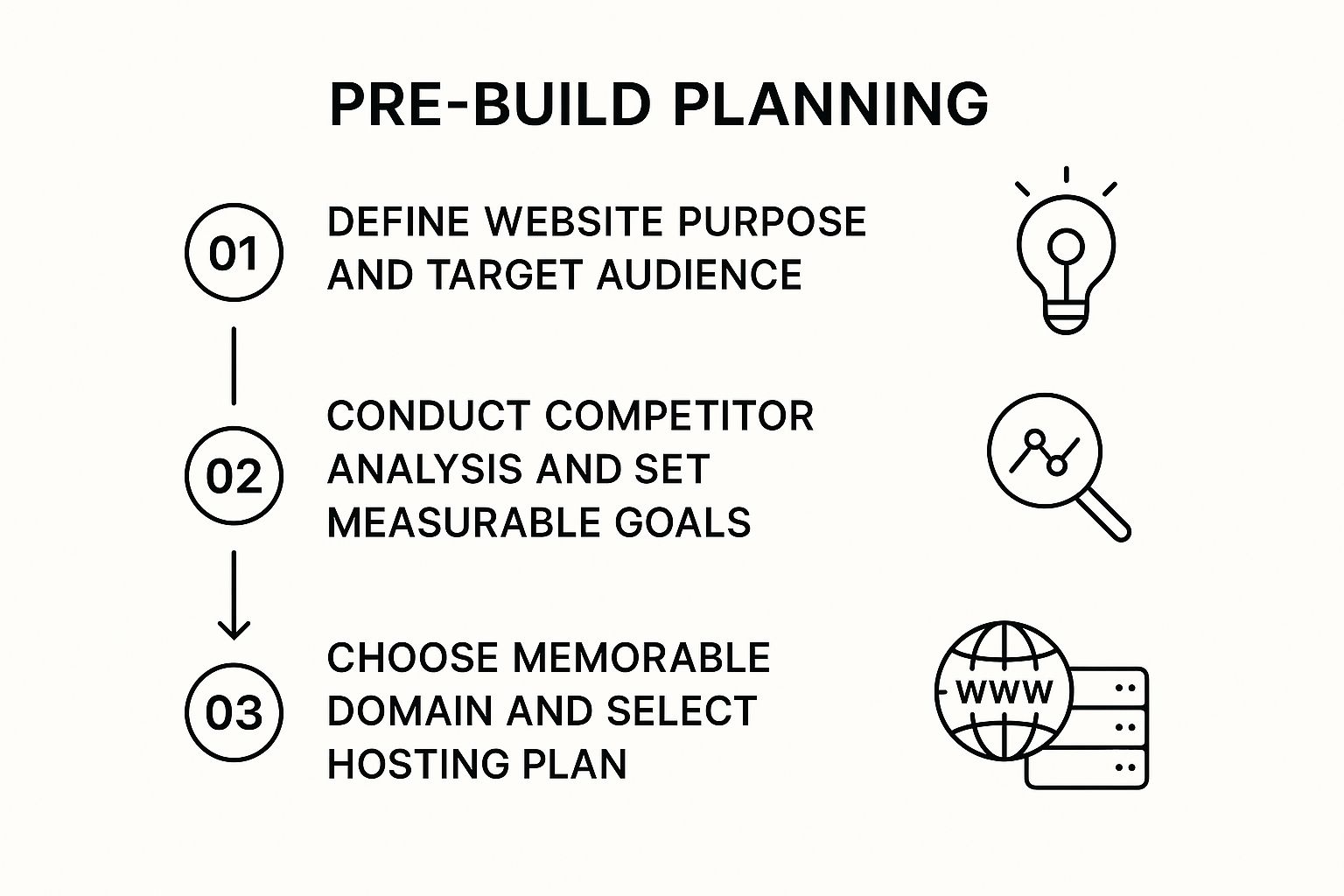
As you can see, figuring out your purpose, checking out the competition, and grabbing your domain name are the absolute cornerstones of a successful website build.
To help you get organised, here's a quick checklist of the essential planning steps. Tackling these points before you start building will give you a clear roadmap and prevent you from getting sidetracked.
Website Planning Checklist Before You Build
Planning Step | Key Objective | Example Action |
|---|---|---|
Define Purpose | Clarify the website's primary function and what it needs to achieve. | "I need an e-commerce site to sell my handmade jewellery online." |
Identify Audience | Understand who you are trying to reach with your website. | "My target audience is UK women aged 25-40 who love unique, sustainable fashion." |
Analyse Competitors | See what others in your niche are doing well and where you can stand out. | Review the top 3 local competitors' websites to identify their strengths and weaknesses. |
Set SMART Goals | Establish specific, measurable goals to track the website's success. | "Generate 20 qualified leads per month through the contact form within 6 months." |
Secure Domain | Choose and register a memorable and brand-aligned domain name. | Register and a alternative if available. |
Completing this checklist gives you the strategic foundation needed to build a website that not only looks great but also performs effectively for your business.
Define Your Website's Core Purpose
First things first, ask yourself the most critical question: What is this website for? A crystal-clear answer here becomes your North Star for the entire project. Are you building an e-commerce shop to sell handmade jewellery, a portfolio to land freelance photography gigs in Manchester, or a blog to share your passion for sustainable gardening?
Each of these goals requires a completely different structure and set of features.
E-commerce: Your main goal is making sales. You'll need product pages, a secure checkout process, and a way to manage inventory.
Lead Generation: You want to capture contact details. Your focus will be on clear calls-to-action, service pages, and easy-to-use contact forms.
Portfolio: The aim is to show off your incredible work. High-quality image galleries and detailed case studies will be front and centre.
A website without a clear purpose is like a ship without a rudder. It might look nice, but it won't go anywhere meaningful. Nailing down your main objective ensures every design choice you make serves a specific, measurable goal.
Identify Your Audience and Competitors
Once you know your 'why', it's time to figure out your 'who'. Who are you actually trying to talk to? Creating a detailed picture of your ideal UK visitor—their age, their interests, the problems they need solving—will shape your website's entire tone, content, and style.
Next, do a bit of local detective work. Check out other UK businesses in your space. What are they doing right? Where are their websites letting them down? This isn't about copying them; it’s about spotting gaps in the market and finding clever ways to make your brand stand out.
Set Realistic and Measurable Goals
With a clear purpose and audience in your back pocket, you can set what we call SMART goals—specific, measurable, achievable, relevant, and time-bound. Forget vague wishes like "get more customers." Aim for something solid, like "generate 20 new leads per month through the contact form within six months of launch."
This transforms your website from a passive brochure into an active tool with performance you can actually track. The average time it takes to complete a full website project in the UK is around 6.4 weeks, which really shows how much detailed planning is needed to meet today's standards.
Choose Your Domain Name and Hosting
Finally, it's time to claim your spot on the web. Your domain name is your online identity—it needs to be memorable, easy to spell, and a perfect match for your business. For a British audience, a or is usually the way to go.
Picking the right domain is a huge step for your branding. For a deeper dive, check out our guide on how to choose the perfect domain name for your brand. Once you've got your name, you'll need hosting to get your site live. Luckily, website builders like Wix often bundle hosting into their plans, which keeps things nice and simple.
With this foundational checklist ticked off, you're all set to dive into the more creative parts of building your website, knowing you’re building on solid ground.
Choosing Your Weapon: Why Wix is a Solid Choice
You’ve done the groundwork, you’ve got a plan, and now it’s time for the big one: choosing the right tool to actually build this thing. The sheer number of platforms out there can feel overwhelming, but for anyone looking to create a website from scratch without getting lost in code, Wix has become a massive player, especially for UK small businesses and creatives.
What I love about Wix is that it immediately solves the "where on earth do I start?" problem. It offers two very different paths, which means it caters to completely different comfort levels. This flexibility is its secret sauce, making sure total beginners and pixel-perfect designers can both find their footing.
Path 1: Wix ADI – The AI Shortcut
Need to get online, like, yesterday? Wix ADI (Artificial Design Intelligence) is your best friend. Think of it as a guided questionnaire for your website. You tell it about your business, what you want to achieve, and the styles you like, and poof—the AI spits out a fully functional website in a matter of minutes.
This is the perfect route for a UK tradesperson, say a plumber in Leeds or an electrician in Cardiff. They need a professional-looking site to show off their services and get enquiries, but they don't have hours to spend nudging design elements around. ADI builds the skeleton, places the initial content, and gives you a solid foundation you can then tweak yourself.
Wix ADI is all about speed and simplicity. It saves you from the terror of the blank page by making those first big design choices for you. This frees you up to focus on what really matters: your content.
Path 2: The Wix Editor – Total Creative Freedom
For the control freaks among us (and I say that with love!), the classic Wix Editor is where the magic happens. If you have a crystal-clear vision in your head and want to control every last detail, this is your playground. It’s a true drag-and-drop system, meaning you can put anything, anywhere. You’ll start with a template—and there are hundreds—but you’re not locked into its layout.
Imagine you're a freelance photographer in London who needs a portfolio that pops. The Wix Editor lets you build a completely bespoke gallery, add subtle animations, and arrange your images and text in a way that screams you. It definitely takes more hands-on time than ADI, but the result is a site that is 100% your own creation.
Here’s a quick breakdown to help you pick your path:
Feature | Wix ADI | Wix Editor |
|---|---|---|
Best For | Absolute beginners & anyone in a hurry. | Users wanting full design control. |
Process | Answer questions; AI builds the site. | Start with a template; drag-and-drop everything. |
Flexibility | More structured and guided. | Complete creative freedom. |
Time to Launch | Super fast (you could be live in under an hour). | Slower, requires manual design work. |
More Than Just a Builder: Features for UK Businesses
Beyond the choice of editor, the real power of Wix is its ecosystem. The Wix App Market is an absolute goldmine. It's basically an app store for your website, packed with tools to add new features.
An event organiser in Manchester could plug in an event calendar and ticketing system.
A small bakery in Bristol could integrate a full online ordering and delivery app.
It doesn't stop there. The built-in e-commerce and marketing tools are surprisingly robust. You can manage stock, take payments, and send out email marketing campaigns all from a single dashboard. This all-in-one approach is a huge time-saver.
Of course, while Wix is a fantastic toolkit, it’s always smart to know what else is out there. If you’re weighing up your options, you might find our breakdown of the 12 best website builder platforms for UK businesses helpful.
No platform is perfect, and it’s worth noting that the total freedom of the Wix Editor can sometimes be a bit much for newcomers. Also, once you pick a template, you’re committed—you can't just swap it for another one without rebuilding your site.
Still, for the vast majority of people wanting to build a great-looking, professional website from scratch, Wix hits that sweet spot between ease of use and powerful functionality.
Ready to get your hands dirty? Let's move on to the practical steps of bringing your vision to life with the Wix Editor.
A Practical Guide to Designing in Wix
Alright, this is where the fun really begins. We're moving from the blueprint stage into the actual build, getting our hands dirty inside the Wix Editor. This is where your vision starts to look and feel like a real website.
Don't let the idea of 'design' scare you off. It's not about being a graphic artist; it's about making a series of smart, simple choices that, when combined, create a fantastic experience for your visitors. We'll walk through picking the right starting point, making it uniquely yours, and steering clear of those classic "I built this myself" mistakes.
Choosing a Template That Aligns with Your Brand
Your first big move in Wix is picking a template. The best way to think of a template isn’t as a finished website, but as a professionally designed launchpad. With hundreds of options staring back at you, it’s easy to feel a bit overwhelmed.
Here’s the trick: ignore the placeholder photos and text. Seriously. Look at the layout and structure instead. Does the navigation menu feel right for the pages you’ve planned? Does the overall flow make sense for your business? A photographer’s website needs a totally different骨架 than a business consultant’s—one is all about galleries and visuals, while the other needs to showcase services and client testimonials.
The Wix template library gives you a massive head start, with countless options already sorted by industry.
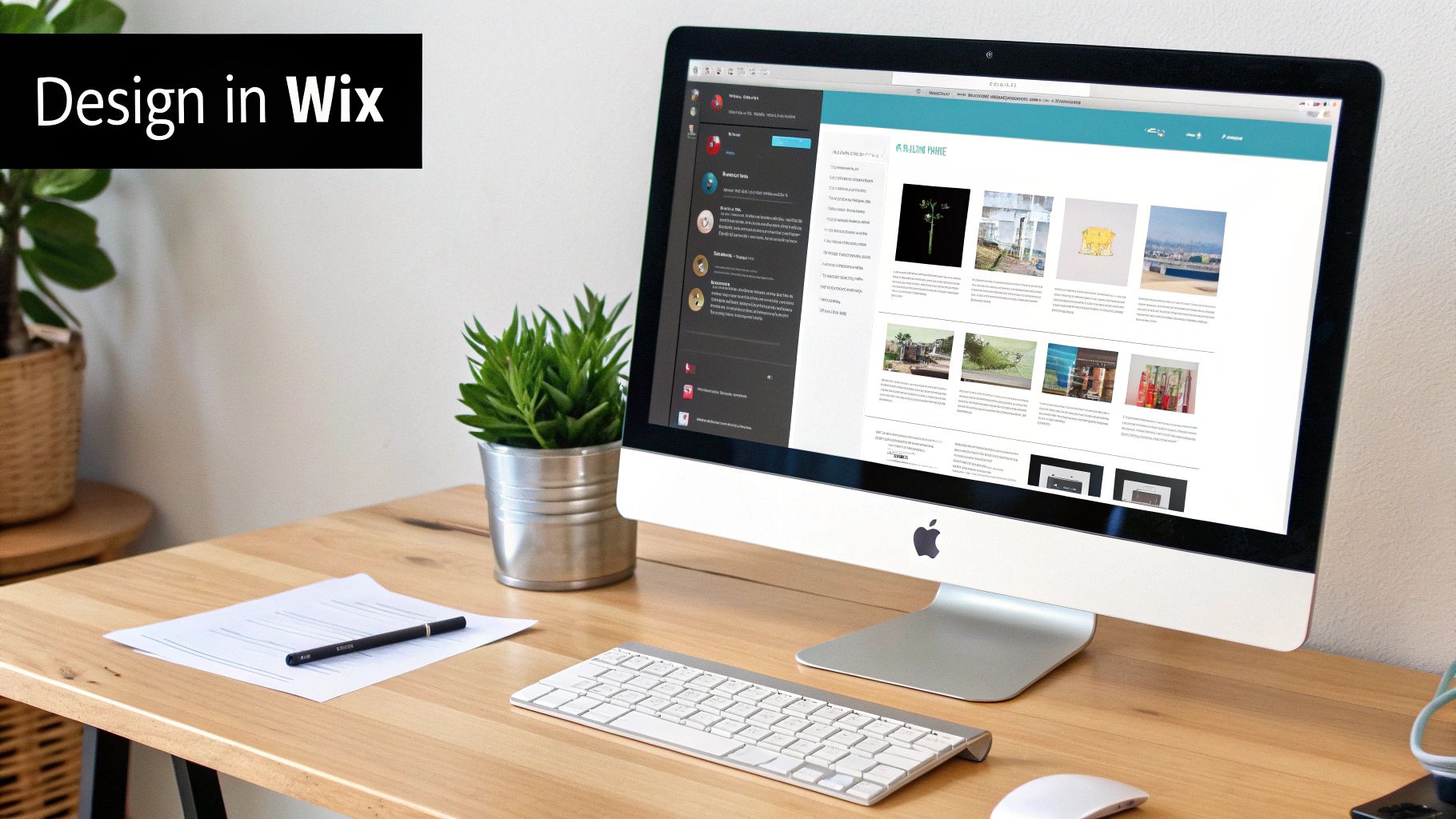
As you can see, you can filter down to find a layout that’s already wired for your specific needs. This alone will save you a huge amount of time right out of the gate.
Customising Your Site Without Getting Lost
Template chosen? Great. Now it’s time to make it your own. The Wix Editor’s drag-and-drop freedom is its best feature, but it can also be a fast track to a messy, chaotic-looking site if you’re not careful. The goal here is customisation, not clutter.
Before you start nudging every little pixel, nail down the fundamentals. Get your core brand identity locked in first.
Establish Your Visual Identity:
Colour Palette: Keep it simple. Stick to two or three main colours. Use your primary brand colour for the important stuff like buttons and links, and a secondary colour for accents. This instantly makes your site feel cohesive and professional.
Typography: Pick two fonts. That’s it. One for your headings and one for your main body text. Make sure they’re easy to read. Wix integrates with Google Fonts, giving you a huge library of free, web-friendly fonts that play nicely together.
Logo: Get a high-quality version of your logo and pop it in the header. Top-left corner is the standard spot for a reason—it’s where people expect to see it.
Honestly, the most effective websites are often the simplest. Fight the urge to use a dozen different fonts, clashing colours, or flashy animations that just distract from your message. Consistency is what builds trust and makes you look like a pro.
Optimising Images for Speed and Quality
Images are what bring a website to life, but they're also the number one culprit behind slow-loading pages. And slow is a killer. One study found that 39% of people will just give up and leave if a site’s images take too long to load. A sluggish site not only frustrates your visitors but can also get you penalised by search engines.
To dodge this bullet, you need to optimise your images before you upload them. It's all about finding that sweet spot between a tiny file size and crisp visual quality.
Quick Image Optimisation Checklist:
Resize your images: Don't upload a monster 5000-pixel wide photo if it's only going to be displayed in a 500-pixel box. Resize it to the right dimensions first.
Compress the file: Use a free online tool like TinyPNG. It shrinks the file size down without making your images look blurry or pixelated.
Choose the right format: A good rule of thumb is JPEG for photos and PNG for graphics that need a transparent background, like your logo.
Taking a minute to do this ensures your site stays snappy and responsive, which is absolutely vital for keeping people engaged, especially on their phones.
Creating Effortless Site Navigation
Think of your website's navigation menu as its roadmap. If people can't figure out how to get where they want to go—and fast—they'll just hit the back button. The best navigation is so simple and predictable that visitors don't even have to think about it.
Keep your menu organised with clear, simple labels. Stick to the classics: "About," "Services," "Contact." This isn't the place to get clever with jargon or creative names that might just confuse people. As a general rule, try to keep your main menu to seven items or fewer to avoid decision fatigue.
While you're deep in the Wix Editor, it’s also a good idea to keep some broader website design best practices in the back of your mind. This will help make sure the site you build isn't just pretty, but also genuinely effective.
By focusing on these core elements—a solid template, consistent branding, fast-loading images, and dead-simple navigation—you’ll be well on your way to building a professional, user-friendly Wix site, even if you’ve never done it before.
Adding Content and Features That Get People Clicking
A beautiful design is a great starting point, but it's the stuff inside—the words, the features, the things that actually help people—that turns a casual visitor into a loyal customer. Once your site’s skeleton is built in Wix, it’s time to give it a personality. This is where you stop just looking pretty and start making connections.
Think of your website as your digital shopfront. The words you use are your best salesperson, guiding people around and showing them why they should stick around. Without compelling copy and smart features, even the most gorgeous design is just an empty room.

This step is what transforms your site from a passive online brochure into a hardworking tool that actually does something, whether that's making sales, booking clients, or just getting your message heard.
Writing Words for Your Most Important Pages
Let’s be honest: nobody reads a website like they read a novel. People scan. They’re busy. Your writing needs to be direct, helpful, and laser-focused on solving their problem.
Start by nailing the copy for the three pages that almost every website needs:
Homepage: This is your big first impression. You’ve got about three seconds to answer: Who are you? What do you do? And what should I do next? Use a strong headline that screams benefits, not just features.
About Page: This isn’t your CV. It’s your chance to be human and build trust. Tell your story, share your mission, and introduce the real people behind the logo. It makes you relatable.
Services/Products Page: Time to get specific. Clearly explain what you’re selling, but always frame it in terms of how it helps the customer. High-quality photos and snappy, clear descriptions are non-negotiable here.
The UK web design industry has seen a slight dip recently, with total income dropping by 0.8% to £640.6 million annually. For anyone building a website from scratch in the UK, that stat should be a wake-up call. The market is crowded, and generic, boring content will get you nowhere. Your words and features are how you stand out.
Power Up Your Site with the Wix App Market
One of the best things about Wix is its App Market. Seriously. It’s like an app store for your website, letting you bolt on powerful features in a few clicks—no coding required. This is how you add real-world functionality that makes your life easier and your visitors happier.
A personal trainer in Birmingham, for example, could add Wix Bookings so clients can schedule and pay for sessions right there on the site. An artist in Bristol could install the Wix Art Store to sell prints and manage orders without lifting a finger. The possibilities are massive.
The Wix App Market is your secret weapon. Instead of paying a developer a fortune for custom features, you can often find a professional, ready-to-go app that plugs straight into your site.
Add a Blog to Get Found on Google
If there’s one feature that pays dividends for years to come, it's a blog. A regularly updated blog is hands-down one of the best ways to boost your site’s SEO, pull in free traffic from Google, and position yourself as the go-to expert.
But don't just write about your products. That's boring. Write about your customers' problems. A wedding photographer in the Cotswolds could write posts like "How to Choose the Perfect Cotswolds Wedding Venue" or "10 Photos You'll Regret Not Taking on Your Big Day." That's the kind of stuff that attracts potential clients while they're still in the planning phase. If you're new to this, check out some helpful blog tips for beginners to get you started.
Use Obvious Calls to Action Everywhere
A Call to Action (CTA) is just a fancy term for a button or link that tells someone what to do next. It's the most important thing on any page. Without a clear CTA, visitors just wander around aimlessly until they get bored and leave.
Every single page on your site needs a main CTA. No exceptions.
Some CTAs that actually work:
"Get a Free Quote" on a services page.
"Shop the New Collection" on a homepage banner.
"Book Your Consultation" on a contact page.
"Read Our Latest Post" at the end of a blog summary.
Make your CTAs pop with a colour that stands out, and use punchy, action-focused text. By telling people exactly what you want them to do, you turn passive browsing into active engagement.
Ready to take the next step? Our team specialises in creating Wix websites with engaging content and smart features that get results. Contact Baslon Digital today for a free consultation and let's bring your vision to life.
Preparing for Launch with Basic SEO
Your website is designed, the content is sitting pretty, and you're itching to show it to the world. But hold on. Before you hit that big "Publish" button, there's one last, crucial step that makes sure people can actually find you online. This is where basic Search Engine Optimisation (SEO) comes in, and I promise it’s nowhere near as scary as it sounds.
Think of SEO as giving search engines like Google a clear, easy-to-read map of your website. By tweaking a few key things, you’re telling Google exactly what your site is about. This makes it way more likely to pop up when potential customers are searching for what you offer. Thankfully, Wix has some brilliant built-in tools that make this a breeze, even for total beginners.
Let the Wix SEO Wiz Do the Heavy Lifting
Wix completely takes the guesswork out of the process with its SEO Wiz tool. Honestly, this thing is a game-changer when you're just starting out. It’s like having a personal SEO coach who creates a customised checklist just for your site.
To get started, the Wiz will ask a few simple questions about your business, where you're based, and the keywords you want to be found for. From your answers, it generates a step-by-step plan. It will literally guide you through the most important on-page SEO tasks, turning what feels like a complex process into a simple to-do list.
Mastering the On-Page SEO Fundamentals
The Wix SEO Wiz will hold your hand through the essentials, but it really helps to understand what you’re changing and why. These are the absolute fundamentals of getting your site seen.
Page Titles (Title Tags): This is that blue, clickable headline you see in Google search results. Keep it short and snappy (under 60 characters) and make sure it clearly describes the page's content, including your main keyword. For instance, "Handmade Leather Bags | Bristol Craft Co." is infinitely better than just "Homepage."
Meta Descriptions: This is the little snippet of text under the title in the search results. While it doesn't directly affect your rankings, a great description (around 155 characters) acts like a mini-advert for your page, tempting people to click.
Image Alt Text: Search engines can't "see" images, so alt text is your way of telling them what's in the picture. It’s a short, descriptive sentence that's also vital for accessibility, helping visually impaired users. Instead of a useless file name like "IMG_1234.jpg," use something descriptive like, "woman holding a handmade brown leather tote bag."
SEO isn’t a one-and-done trick. It's about making your website as clear, helpful, and user-friendly as possible. When you optimise these little details, you aren't just pleasing Google—you're creating a much better experience for your actual human visitors, too.
Your Final Pre-Launch Checklist
With your basic SEO sorted, it’s time for one last quality check. Running through this list can save you from those cringe-worthy, unprofessional mistakes after you go live.
Proofread. Everything. Read every single word on your site out loud. Trust me, this is the best way to catch typos and clunky sentences your eyes might otherwise skim over. Check headlines, body copy, and even the text on your buttons.
Test Every Single Link. Click on all of them. From your main menu to the social media icons tucked away in your footer. A broken link is a dead end for your visitors and a big red flag for search engines.
Check on Mobile. Over 50% of all web traffic now comes from mobile phones. Use the Wix mobile editor to make sure your site looks and works perfectly on a smaller screen. Are the buttons easy to tap? Is the text readable without needing to pinch and zoom?
Optimise Your Site Speed. Nobody waits for a slow website. Make sure your images are compressed and your pages load quickly. A sluggish site is a guaranteed way to lose visitors before they’ve even seen what you have to offer.
Once you’ve ticked off every box on this list, you're ready for the grand finale.
Connecting Your Domain and Hitting Publish
The last piece of the puzzle is hooking up your custom domain name. Inside your Wix dashboard, you'll find a simple process to link the domain you registered earlier. Just follow the on-screen prompts.
With your domain connected and your checklist complete, take a deep breath. It’s time to hit that big, beautiful "Publish" button in the top right corner of the Wix Editor.
And that's it. Your website is now live for the whole world to see. Congratulations—you’ve officially built a website from scratch!
To keep your site's visibility growing, you can start exploring more advanced strategies for website optimization for search engines down the line.
Feeling a bit overwhelmed by these final steps? The team at Baslon Digital can handle all the technical details and SEO setup to make sure your Wix website launches without a hitch. Get in touch with us today for a professional review and launch service.
A Few Lingering Questions You Might Have
Deciding to build your own website is a big step, and it's totally normal to have a few questions rattling around your head. It’s a bigger project than making a sandwich, after all.
To help you feel a bit more confident before you jump in, we’ve put together answers to some of the most common queries we hear from folks here in the UK. Let's clear the air so you can get started.
How Much Does It Really Cost to Build a Website in the UK?
Ah, the big money question. Honestly, the cost can swing wildly depending on which path you take.
Going the DIY route with a platform like Wix is ridiculously cost-effective. You can play around for free, but to look professional, you'll want a premium plan. This lets you connect your own domain and, crucially, removes the Wix branding. These plans usually kick off from around £11 per month.
At the other end of the scale, hiring a freelance designer or an agency in the UK can set you back anywhere from £500 for a simple site to well over £10,000 for something completely bespoke with all the bells and whistles.
Your main ongoing costs will be:
Platform Subscription: Your monthly or annual fee to keep the website builder running.
Domain Registration: This is usually a small fee, about £10-£20 a year for a domain.
Premium Apps: If you add any extra features from the Wix App Market, some of them come with a subscription.
How Long Does It Actually Take to Build a Simple Website?
While a massive, professionally managed web project can easily stretch over six weeks, you can knock out a simple site yourself much, much faster. Seriously.
If you’ve got all your content ready to go—your text, your photos, your logo—you could realistically build a straightforward 5-10 page "brochure" style website on Wix over a weekend. A few solid afternoons should do it.
What really eats up time are the things that happen before you even touch the editor. Writing your page copy, finding high-quality images, and tweaking the design until it feels just right... that's where the hours go. And if you're planning an e-commerce shop? Add a couple more weeks to get all your products and payment systems set up properly.
Do I Need to Know How to Code?
Absolutely not. Let's bust this myth right now because it stops so many people from even trying.
Modern website builders like Wix are designed around drag-and-drop editors. It’s as intuitive as it sounds: you literally click on an element, drag it where you want it, and drop it. You can build a fully functional, professional-looking website without ever seeing a single line of code.
The best thing about today's platforms is that they've made web design accessible to everyone. While knowing how to code lets you do some really deep customisation (which Wix actually supports with its Velo platform), it's no longer a gatekeeper for building a fantastic website.
What Are the Must-Have Pages for a New Website?
For pretty much any new business website, there are a few core pages that your visitors will instinctively look for. Don't overcomplicate it at the start.
At the very least, you should have:
A Homepage: Your digital front door. Make a great first impression.
An About Page: Tell your story. People connect with people, not just brands.
A Services or Products Page: Clearly explain what you're selling.
A Contact Page: Make it ridiculously easy for people to get in touch.
A blog is also a brilliant idea for boosting your SEO and showing off your expertise. And if you're selling online, well, product pages and a secure checkout are obviously non-negotiable.
Ready to start building but think you might need an expert touch? The team at Baslon Digital lives and breathes Wix. We create stunning websites that get real results. Get in touch today and let's chat about your project.
So, you’ve made it through the roadmap. You now have everything you need to take that flickering idea and turn it into a real, live website.
Honestly, the journey of building a site from scratch is one of the most rewarding things you can do for your business or brand. It gives you complete control. The trick is to just start. Don't get overwhelmed—stick to your plan, pick your tools, and tackle one piece at a time.
Building a website is a marathon, not a sprint. Every step, from planning to launch, is a building block for your online success. Embrace the process, and you'll create something you can truly be proud of.
It doesn’t matter if you're launching a small business, a personal portfolio, or a new blog; the strategies are right there at your fingertips. The only thing left to do is dive in.
Go on, take that first step. Start building the website you've been picturing. Your digital journey starts now.
Ready to build a stunning Wix website but feel like you need a professional touch? The team at Baslon Digital specialises in creating custom websites that actually drive results. Visit Baslon Digital to start your project and turn your vision into a reality.
Comments