How to Start an Online Store A UK Guide

Updated: Oct 21, 2025
So, you're thinking to start an online store. It's a journey that boils down to three core parts: planning the business, building your digital shopfront, and then telling the world about it. It sounds like a lot, but it’s more manageable than you think. It all starts with a solid idea and ends with your very first sale.
Your Blueprint for UK E-commerce Success
Jumping into e-commerce is a brilliant move, especially in the buzzing UK market. But success isn't just about having a killer product. Nope. It's about laying a strong foundation with some careful planning before you even dream about website designs or ad campaigns.
Let's forget the overwhelming checklists for a second and focus on the big decisions that will set you up for real growth.
The opportunity here is massive and it's not slowing down. By 2025, it's expected that 30.7% of all retail spending in the UK will happen online. People are spending, too—the average online shopper shells out around £4,679 each year. Fashion is leading the pack, making up almost 29% of all online sales. This tells you one thing: UK shoppers are online, they're active, and they're ready for new brands.
Finding Your Niche and Your People
First things first: you need to carve out your corner of the internet. What are you going to sell, and who are you selling it to? I've found the most profitable niches sit right at that sweet spot between what you're passionate about and what people actually want to buy. Selling something you genuinely care about makes the whole thing feel less like work and more authentic.
To get your gears turning, think about these angles:
Solve a real problem. What's a frustration people have that your product could fix? Look at your own hobbies. Maybe you're a cyclist who can't find a pannier bag that's both durable and stylish for the daily commute. There's your idea.
Serve a passionate community. Tap into groups built around shared interests. Think sustainable home goods, small-batch artisanal coffee, or custom-made pet accessories. Passionate customers will gladly pay for quality that speaks to their values.
Find an overlooked market. Look for the gaps. Are there certain groups of people whose needs are being ignored by the big retailers? This could be anything from eco-friendly baby gear for minimalist parents to high-performance sportswear for plus-sized athletes.
This infographic lays out the basic flow from idea to launch.
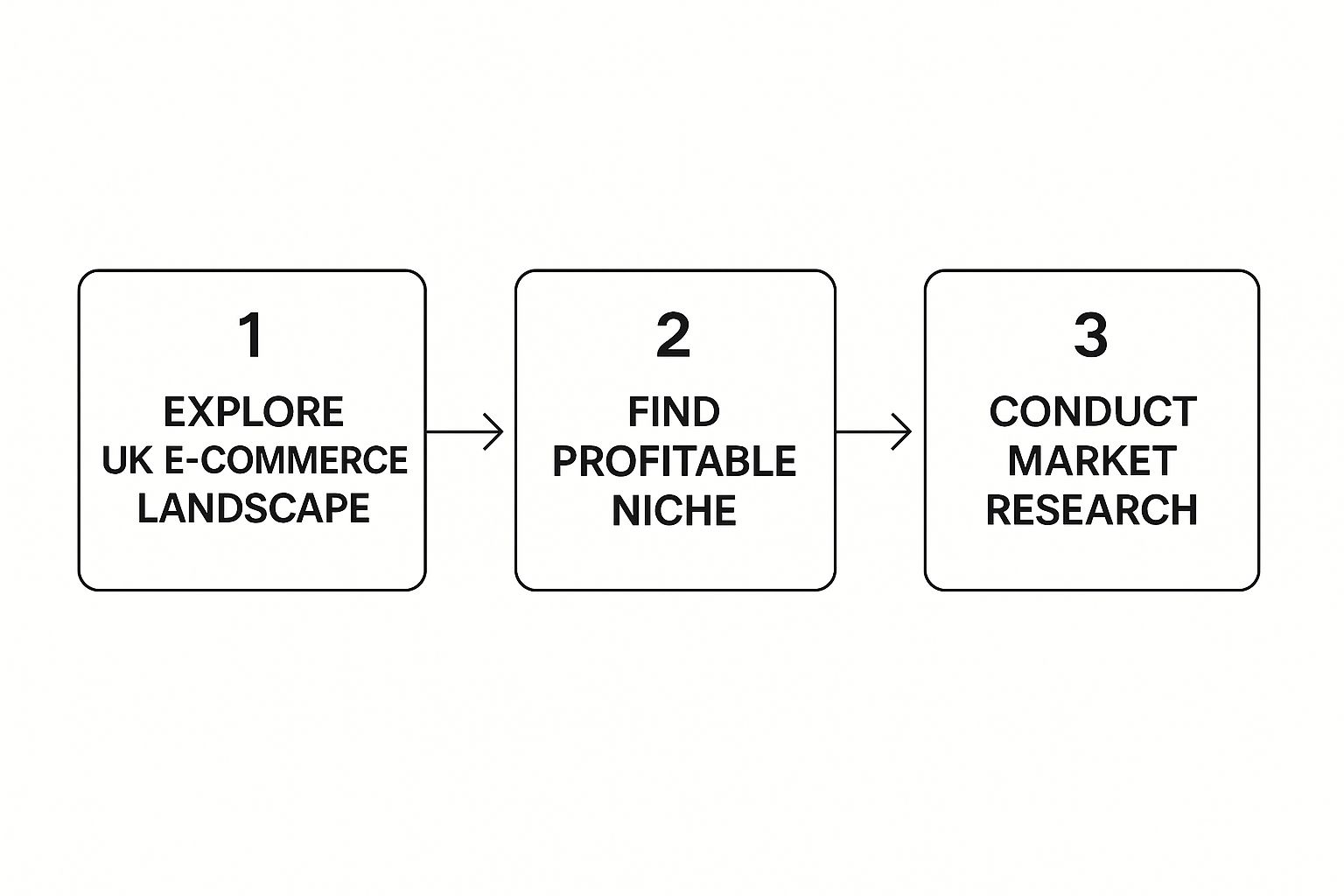
Following this path ensures your business is built on solid data, not just a hunch.
Time for a Reality Check: Validating Your Idea
Okay, you've got a niche you're excited about. Now you have to check if anyone else is. Don't sink your time and money into a venture without confirming people will actually open their wallets for your product.
This is also the stage where you need to think about the legal stuff. One of the first big decisions is choosing between a sole trader or limited company structure. Getting this right from the start is a massive deal for your taxes and personal liability down the line.
Market research doesn't have to be some complex, expensive ordeal. The goal is simple: confirm that real people are willing to pay for what you want to sell.
You can test the waters without spending a penny. Pop your product idea into Google Trends to see if interest is growing or fizzling out. Dive into forums like Reddit or relevant Facebook Groups. What problems are people complaining about? What products are they wishing existed? The answers are gold dust.
To pull these initial thoughts together, here’s a quick checklist to make sure you’ve covered the basics before you start building anything.
Initial E-commerce Launch Checklist
Pillar | Key Question to Answer | Example Action |
|---|---|---|
Niche & Product | What unique value do I offer, and to whom? | Identify a gap in the market for handmade, vegan leather camera straps for travel photographers. |
Audience | Who is my ideal customer, and where do they hang out online? | Create a customer persona for "Sarah," a 28-year-old travel blogger who follows specific influencers on Instagram. |
Competition | Who are my main competitors, and what can I learn from them? | Analyse three other camera strap brands, noting their pricing, marketing channels, and customer reviews. |
Legal Structure | How will I register my business for tax and liability purposes? | Research the pros and cons of being a sole trader vs. a limited company and consult with an accountant. |
Brand Identity | What will my business be called, and what will it look like? | Brainstorm ten potential brand names and create a simple mood board for logos and colour schemes. |
This table isn't about having all the answers perfectly polished, but it ensures you’ve thought through the most critical parts of your business foundation.
Once you’ve got a handle on these key areas and you're confident your idea has legs, you're ready for the fun part: bringing your brand to life and building your actual store. Let’s get into it.
Right, you've got your master plan. Now it's time to stop dreaming and start building. This next step—choosing your e-commerce platform—is a biggie. It's the foundation for your entire online business, so you want to get it right.
We're focusing on Wix here, and for good reason. It hits that sweet spot between being incredibly easy to use and packed with powerful features. It’s perfect for anyone who wants to launch an online shop without getting tangled up in code.
Think of Wix as your all-in-one toolkit. It handles the hosting, the design, and the payment processing, which means you can sidestep a lot of the technical headaches that trip up new business owners. The mission is simple: create a professional, trustworthy, and beautiful online store that turns casual browsers into loyal customers.
Choosing The Right Wix E-commerce Plan
Before you start playing with fonts and logos, you need to pick a Wix plan that actually fits what you’re trying to do. They offer a few different e-commerce options, and making the right choice now will save you a world of pain later.
The main things that separate the plans are storage space, access to more advanced features, and how quickly you get customer support.
Wix Business Basic: This is your perfect starting point. It gives you all the essentials to get off the ground, like secure online payments, customer accounts, and enough storage for a decent-sized product catalogue.
Wix Business Unlimited: As your business scales up, this plan gives you more breathing room. You get more storage and unlock handy features like dropshipping integrations and the ability to collect product reviews.
Wix Business VIP: This is the top-tier plan. It comes with the most storage, priority customer care, and customised analytics reports. It's built for bigger, more established stores that need the extra horsepower.
My advice? Think about where you want to be in a year. It's often smarter (and cheaper) to pick a plan you can grow into rather than having to upgrade just a few months down the line.
Securing Your Brand's Online Address
Your domain name is your shop's address on the internet. Simple as that. A great one is short, memorable, easy to spell, and feels like your brand. Wix makes this part a breeze by letting you register a new domain right through their platform—and they often throw it in for free for the first year with an annual plan.
When you're brainstorming ideas, try to weave in a keyword related to your products, but only if it sounds natural. For example, "londonecocandles.co.uk" tells a customer exactly what to expect. And definitely stick with a .co.uk extension. It’s a clear signal that you’re a UK-based business, which does wonders for building local trust.
Your domain name isn't just a technical detail; it's a core part of your brand. A professional domain builds credibility from the first click and reinforces what your business is all about.
Designing A Store That Converts Visitors
Okay, now for the fun part: picking and customising a template. Wix has hundreds of slick, professionally designed options, so finding a starting point that matches your brand’s vibe is easy. The drag-and-drop editor is where the magic happens—you can move things around, tweak colours, and upload your own images without writing a single line of code.
For those who want to get really granular with the design, you can dive into getting started with Wix Studio for a completely bespoke experience.
Here are a few tips to make your customisations count:
Prioritise Intuitive Navigation: Keep your main menu clean and simple. Group your products into logical categories like "Living Room," "Bedroom," or "New Arrivals." Don't make people think too hard to find what they want.
Embrace High-Quality Visuals: Use professional-looking product photos and brand imagery. Your visuals are the first impression, and they set the entire tone for your store. Lousy photos scream "amateur."
Ensure Mobile Responsiveness: A massive chunk of online shopping happens on phones. Wix automatically creates a mobile-friendly version of your site, but always preview it. Tweak things to make sure the experience is seamless on a smaller screen.
The goal is to build a storefront that isn't just pretty but is also dead simple to use. A confusing or clunky website is the fastest way to lose a sale. Your digital storefront is your most powerful sales tool—make it work for you.
Crafting Product Listings That Actually Sell
Alright, you've designed your digital storefront. Now it's time to actually stock the shelves. Think of your product pages as the most valuable real estate in your entire online shop. This is the spot where a casual browser decides to pull out their wallet and become a customer.
Simply listing features just won't cut it. You have to create an experience that convinces and converts.
We're going way beyond basic data entry here. This is the art and science of creating product listings that genuinely drive sales. Let's cover everything from the nuts and bolts of adding products in Wix to the finer points of persuasive writing and smart pricing.
Writing Descriptions That Connect with Customers
Your product description is your sales pitch. A classic mistake is to just list dry, technical specs. Yes, details like dimensions and materials matter, but they don't sell the product. Benefits do. Your mission is to make the customer picture your product making their life better.
Instead of saying, "Waxed canvas, waterproof zip," frame it as a solution: "Built with rugged waxed canvas and a fully waterproof zip, this backpack keeps your tech safe and dry, no matter what the British weather throws at you." See the difference? One is a feature; the other is a lifesaver.
Here are a few tips to get you started:
Focus on the "Why": Why this product? Spell out the core benefits and the emotional payoff.
Tell a Story: Briefly share the inspiration behind the item or the craftsmanship involved. A story forges a connection that a list of features never will.
Speak Their Language: Ditch the jargon. Write in a natural, conversational tone using words your ideal customer would use themselves.
Make It Scannable: Use short paragraphs, bullet points, and bold text. You want key info to jump off the page.
Capturing High-Quality Product Photos
Good news: you don't need a fancy photography studio. Your smartphone is more than capable of taking stunning product photos, as long as you nail a few key details. Great photos build trust and scream quality. In fact, research shows that a massive 75% of online shoppers rely on product photos when making a purchase decision.
Good photography is non-negotiable. It’s the closest a customer can get to touching and feeling your product before they buy. Invest your time here; it pays dividends.
A simple setup with good natural light can work wonders. Find a spot near a large window, use a plain white or light-coloured background (a big piece of card or a clean wall is perfect), and let your product be the star. For a deeper dive, check out our article on e-commerce product page optimisation, which gets into the nitty-gritty of visuals.
Managing Products and Pricing in Wix
Adding products to your Wix store is refreshingly straightforward. From your dashboard, you'll find an option to add products where you can upload your images, write those killer descriptions, and set your price.
A crucial feature to get to grips with is product variants. This lets you sell one item with different options—like sizes (S, M, L) or colours (Blue, Green, Red)—without having to create a separate listing for each. It's a huge time-saver.
Setting the right price is a bit of a balancing act. You need to cover your costs (materials, shipping, marketing) and turn a profit, all while staying competitive. See what similar products are selling for, but don't just copy your competitors. Factor in your unique quality and brand story to justify your price point.
Finally, use Wix’s inventory management tools from day one. Automatically tracking your stock levels stops you from accidentally selling an item you don’t have—a surefire way to create a bad customer experience.
Feeling good about your product pages? Next up, let's connect the dots and make sure your customers can actually pay you.
Nailing the Checkout: Payments, Shipping, and UK Legal Essentials
Right, you’ve got your products looking absolutely irresistible. Now for the make-or-break moment: the checkout. This is the operational core of your store, where trust is either cemented or completely shattered in a heartbeat. A clunky, confusing, or unprofessional checkout is a surefire way to send your abandoned cart rate through the roof.
Let's get the boring-but-critical stuff sorted. We're talking about everything from how you’ll get paid to the legal bits you have to get right when selling online in the UK.
Get Paid: Integrating Secure Payment Gateways
Giving your customers their preferred way to pay isn’t just a nice-to-have; it's non-negotiable. People expect flexibility and, above all, security. Thankfully, Wix makes this part surprisingly painless, removing what used to be a massive technical headache for small businesses.
Wix’s own solution, Wix Payments, is usually the simplest place to start. It lets you accept all major credit and debit cards right there on your site. No weird redirects, no sending customers off to another website—just a smooth, seamless transaction.
But you'll want to offer more choice. You can easily connect other big players to cover all bases:
PayPal: A household name that screams "trust." Seriously, just having the PayPal option can boost your conversion rate. Millions of people use it for a quick, password-only checkout.
Stripe: Another absolute powerhouse in the online payment world. Stripe is famous for its rock-solid security and handles a massive range of payment methods.
Activating these is usually as simple as following the prompts in your Wix dashboard. The goal here is simple: offer choice and make your customers feel 100% confident at the most crucial point of their purchase.
Don't Mess Up Shipping: Configuring Realistic Rules
Shipping can either be a delightful final touch or the reason a customer never comes back. Hidden costs or vague delivery timelines are the number one cause of abandoned carts. Your shipping policy needs to be crystal clear and fair—for both you and your customers.
First, figure out your shipping regions. Are you sticking to the UK for now, or are you venturing into international sales? Your Wix dashboard lets you create specific rules for different geographical areas.
A well-defined shipping strategy does more than just get products to customers; it builds trust. Being upfront about costs and delivery times manages expectations and shows you’re a professional, reliable business.
Next up, decide on your pricing. A flat rate for all UK orders is brilliantly simple and predictable. Or, you could get a bit more granular with rate by weight or rate by price, where the cost changes based on the order's size or total value.
And here’s a pro tip: offering free shipping on orders over a certain amount (say, £50) is one of the most powerful marketing tools you have. It's a fantastic incentive to get people to add just one more item to their basket.
The Legal Bit: Staying on the Right Side of UK Law
This is the part nobody enjoys, but ignoring it can land you in serious trouble. Operating an online store in the UK means you have specific legal duties to protect both your business and your customers.
The online world isn't static, either. With things like new Visa policies and rising fraud threats, having your legal house in order is more important than ever. You can read up on the current UK commerce environment to get a better sense of the landscape.
Here are the non-negotiable legal pages your site must have (Wix often provides templates to get you started):
Privacy Policy: This tells people what personal data you collect (names, addresses, etc.), why you need it, and how you keep it safe. It's a legal requirement under GDPR.
Terms of Service (T&Cs): These are the ground rules for using your site and buying from you. It should cover things like payment terms, refunds, and who owns the content on your site.
Returns Policy: You need to clearly state how you handle returns, refunds, and exchanges. UK law (the Consumer Contracts Regulations) gives customers a 14-day "cooling-off" period to cancel online orders, so make sure your policy lines up with that.
Make sure these pages are easy to find, usually in your website's footer. It shows you're transparent, trustworthy, and a legitimate business. Now that your store is perfectly configured, it's time for the fun part: getting people to actually visit it
A Realistic Marketing Plan for Your First 90 Days
Your online store is live. That's huge! But now the real work begins. Getting your site launched is one thing; getting your first customers through the virtual door is another beast entirely. This is where marketing comes in, and honestly, it’s easy to feel like you’re drowning in options.
Forget trying to do everything at once. That scattered, “I need to be on every platform!” approach just leads to burnout, not sales. Instead, let’s talk about a practical, 90-day plan that builds real momentum without needing a Hollywood-sized budget.

This starter kit is all about mastering the fundamentals: foundational Search Engine Optimisation (SEO), simple content creation that actually helps people, and a laser-focused social media game.
Month 1: Laying the SEO Groundwork
In your first 30 days, the main goal is simple: make sure Google knows you exist and understands what you sell. This is the bedrock of long-term organic traffic. The great news? Wix has some fantastic built-in SEO tools that make this way less intimidating than it sounds.
Your first mission is to tackle on-page SEO for your most important pages—your homepage, category pages, and top product pages. This just means optimising a few key bits and pieces:
Page Titles: Make them clear and descriptive. Instead of just "Handmade Candles," try something like "Handmade Soy Wax Candles | The London Wick Co."
Meta Descriptions: Think of this as the short advert for your page that shows up on Google. It needs to be compelling and include your main keyword.
Alt Text for Images: This is just a short, descriptive sentence for your product images. It helps visually impaired users and gives Google more context about what you're selling. Win-win.
Wix has a handy SEO checklist that literally walks you through these steps, making it ridiculously straightforward. Getting this done ensures your site gets indexed properly and starts building visibility from day one.
Think of SEO in your first month not as a way to get instant traffic, but as setting the table for a great meal. You're arranging everything perfectly so that when the guests (customers) are ready, they can find you easily.
Let's be real: this foundational work won't bring a flood of visitors overnight. SEO is a marathon, not a sprint. But getting these basics right is non-negotiable for future success.
Month 2: Creating Content That Attracts and Connects
Okay, with your SEO basics in place, month two is all about creating content that answers your customers' questions and shows off your expertise. This is where you start building a real relationship with your audience and become more than just a place to buy stuff. The best way to do this? Start a blog, right there on your Wix store.
A blog is your brand's voice. It's your chance to pull in organic traffic for topics related to your products, proving you're a credible source in your niche. You don’t need to be a professional writer; you just need to be genuinely helpful.
For example, if you sell artisanal coffee beans, you could write posts like:
"A Beginner's Guide to Grinding Your Own Coffee Beans"
"French Press vs. AeroPress: Which is Right for You?"
"5 Common Mistakes That Are Ruining Your Morning Coffee"
These topics catch people who are interested in your world but might not be ready to buy just yet. By providing value upfront, you build trust and keep your brand top-of-mind for when they are ready to make a purchase. Aim for one or two quality blog posts this month. It's all about quality over quantity here. For more inspiration, you might find this complete guide to marketing a website in the UK helpful, as it covers broader strategies that can inform your content plan.
Month 3: Amplifying Your Reach With Social Media
You've got a well-optimised store and some genuinely useful content. Now, month three is all about amplification. It's time to get active on social media to drive some immediate traffic and start building a community around your brand.
Here's the most important rule: choose one or two platforms and do them well.
Seriously, don't spread yourself thin. Think about where your ideal customer actually spends their time.
If your products are super visual (like fashion, home decor, or food), Instagram and Pinterest are your best friends.
If your audience is part of a specific community or hobby group, a Facebook Group could be incredibly powerful.
If you're aiming for a younger crowd, TikTok has massive potential for viral reach if you get creative with video.
Your goal this month is consistency. Share a mix of content: gorgeous product photos, behind-the-scenes glimpses of your process, customer photos (user-generated content is gold!), and, of course, links to your new blog posts. Make sure you actually engage with your followers—reply to comments and ask questions.
Before we dive into the nitty-gritty of choosing a channel, let's compare some of the most common options for new e-commerce stores. It’s crucial to pick a lane and stay in it, especially when you're just starting out.
Comparing Marketing Channels for New Stores
Marketing Channel | Best For | Initial Effort | Cost |
|---|---|---|---|
SEO | Long-term, sustainable growth and building authority. | High | Low (mostly time) |
Content Marketing (Blog) | Building trust, educating customers, and attracting organic traffic. | Medium | Low |
Highly visual products like fashion, food, art, and decor. | High | Low to Medium | |
Driving traffic for visual discovery, especially in DIY, home, and style niches. | Medium | Low | |
Facebook Ads | Highly targeted campaigns to reach specific demographics quickly. | Medium | Medium to High |
Email Marketing | Nurturing leads and driving repeat purchases from existing customers. | Low to Medium | Low |
Choosing the right channel depends entirely on your product, your audience, and your resources. A handmade jewellery brand might thrive on Instagram, while a store selling specialised software would likely get more traction from a well-written blog and targeted SEO.
This 90-day plan gives you a focused, manageable path to your first customers. It’s about building a solid foundation that you can actually scale as your business grows.
Common Questions About Starting an Online Store
So, you're thinking about launching an online store? It’s a brilliant move, but it’s completely normal to have a million questions buzzing around your head before you dive in. To cut through the noise, here are some straight-talking answers to the questions we hear most often from new entrepreneurs in the UK.
How Much Does It Truly Cost to Start an Online Store in the UK?
Honestly, it can cost a lot less than you might think. Your main ongoing expense will be your e-commerce platform. If you're using a tool like Wix, you’re looking at something in the ballpark of £15 to £30 per month.
Beyond that, you’ll need to factor in a few other bits and bobs:
Domain Name: Budget around £10-£15 a year to bag yourself a unique web address.
Payment Processing Fees: Most gateways will take a small slice of each sale. A typical rate is around 1.9% + 20p per transaction.
Product Inventory: This is the big one and depends entirely on what you’re selling. It could be a few quid or a few thousand.
Marketing Budget: You don't have to go big from day one, but setting aside a little for promotion is crucial for growth.
The bottom line? If you’re smart about sourcing products and you’re happy to handle the creative stuff yourself, you can absolutely get your store off the ground with just a few hundred pounds.
Do I Need to Register as a Business to Sell Online in the UK?
Yes, you do. If you're selling things regularly with the aim of making a profit, you need to tell HMRC about it. The easiest way to get started is by registering as a sole trader – it’s a pretty straightforward process.
You’re legally required to register as self-employed if your yearly turnover from online sales goes over the £1,000 trading allowance. Get into the habit of keeping meticulous records of all your sales and expenses from the very first transaction. It’ll save you a massive headache later.
What Are the Most Important Pages My Online Store Must Have?
Okay, beyond your homepage and product pages, there are a few pages that are non-negotiable. These are the ones that build trust and tick all the legal boxes, showing customers you're a legitimate business they can feel safe buying from.
Your must-have list should include:
About Us: This is your chance to tell your story. People buy from people, so let them connect with the human behind the brand.
Contact Us: Make it ridiculously easy for people to get in touch. An email address or a simple contact form is a must.
Shipping Policy: No ambiguity here. Clearly lay out your delivery options, costs, and how long things will take to arrive.
Returns Policy: Explain your process for returns, exchanges, and refunds. Make sure it lines up with UK consumer rights.
Privacy Policy & Terms and Conditions: These aren't just for show; they're legal requirements. They spell out how you handle customer data and the rules of using your site.
Pop links to these pages in your website's footer where everyone expects to find them. It's a small detail that makes a huge difference in building a credible online brand.
Ready to turn your e-commerce dream into a reality with a professionally designed website that actually converts? The team at Baslon Digital specialises in creating stunning, high-performing Wix websites for UK businesses just like yours. Start your project with us today and build a store that stands out.
Comments